HF Markets Minimum Deposit

HF Market’s minimum deposit in Shillings starts from TZS 12,000 when depositing via DusuPay Payments in Tanzania.

When embarking on your forex trading journey, one of the first questions that naturally arises is, “How much money do I need to start?”

HF Markets (HFM) formerly called Hotforex, a forex and CFDs broker, offers a range of solutions to suit different budgets and trading styles.

We researched the broker, and now provide a summary of the minimum deposit requirements of HF Markets, payment methods, step-by-step guide to deposit and more, in this review.

What is the minimum deposit for HFM Tanzania

The minimum deposit on HFM is TZS via DusuPay is TZS 12,000, other payment methods have different minimum deposit.

However, HF Markets have different account types that require different minimum deposit amounts to activate the account and start trading. Here is a summary:

1) Premium Account: Tailored for retail clients, the HF Markets Premium Account doesn’t enforce a mandatory minimum deposit. You can deposit any amount you prefer.

2) Pro Account: Designed for experienced retail traders, the HF Markets Pro Account requires a minimum deposit of TZS 272,000 ($100).

3) Pro Plus Account: Geared towards experienced retail traders, the HF Markets Pro Plus Account mandates a minimum deposit of TZS 680,000 ($250).

4) Zero Account: Ideal for retail clients engaging in high-volume trading, utilizing EAs, and seeking lower spreads, the HF Markets Zero Account doesn’t demand a mandatory minimum deposit.

5) Cent Account: Specifically crafted for new traders, the HF Markets Cent Account allows trading in forex and gold exclusively. There’s no mandatory minimum deposit, and the account balance is denoted in Cents (United States Cents), where $10 is represented as 1,000 cents.

6) Top-up Bonus Account: Designed for retail clients, the HF Markets Top-up Bonus Account doesn’t impose a mandatory minimum deposit.

Read more on HFM’s account in our HF Markets review.

Accepted Deposit Methods on HFM Tanzania

HF Markets offers a number of options for depositing funds. Here’s what you can use:

1) Credit/Debit Cards: The classic choice, Visa and MasterCard are widely accepted on HF Markets. The minimum deposit via this method is $5 (TZS 13,600) Deposits via cards on HFM are credited within 10 minutes.

Minimum withdrawal via cards on HFM is TZS 13,600 ($5). It takes about 2-10 business days for you to receive the funds after initiating a withdrawal.

2) DusuPay: You can make deposits to your HFM Account through DusuPay in Tanzania using Shillings (TZS). DusuPay deposits are credited instantly.

The minimum deposit via DusuPay on HFM in Tanzania is TZS 12,000.

The minimum withdrawal to DusuPay wallets is TZS 27,200 ($10) and its instant as well.

3) E-wallets: Popular options like Skrill and Neteller are supported for deposits on HF Markets. E-wallet deposits are credited within 10 minutes to your trading account. The minimum deposit amount for e-wallets on HF Markets is $5 (TZS 13,600).

Minimum withdrawal with e-wallets on HFM is also TZS 13,600 ($5) and it takes only 10 minutes for you to receive the funds or it happens instantly.

Visit Broker

Note: CFD trading is risky

HF Markets Deposit Methods Table

Here is a summary of payment methods accepted by HF Markets for deposits.

Deposit Methods Availability Minimum Deposit Charges Processing time
DusuPay Yes TZS 12,000 Free Instant
Cards Yes TZS 13,600 ($5) Free 10 minutes
E-wallet Yes (Skrill & Neteller) TZS 13,600 ($5) Free 10 minutes

HF Markets Deposit Rules

1. Deposit Fees: HF Markets does not charge any deposit or withdrawal fees. Nonetheless, the third-party payment processing platform you use, such as your bank or card, may impose independent transaction fees.

2. Deposit Time: You can initiate deposits and withdrawals from your trading account at any time, on any day. However, in cases where instant processing is not feasible, you may experience a wait time of up to 24 hours for deposits and up to a few days for withdrawals.

3. Payment Source: HF Markets only accepts deposits from payment methods (bank account and cards) that are in the same name as the name used on your HFM trading account.

Withdrawals are also only made to same sources you have used to make deposits and must bear your name as well. HFM does not process payments from or to a third party account.

How do I deposit my HFM account?

Step 1) Log in to your dashboard by visiting the HF Markets website or via my.hfm.com/sv/login.

Sign in to HF Markets

Step 2) On your dashboard, you will see ‘Deposit’ on the left column menu (desktop view), click on it, select ‘Alternative’ then select ‘DusuPay’.

HF Markets Trading Account

Step 3) Enter the amount you want to deposit, provide the phone number for payment and click ‘Deposit’ then follow the prompts to complete the deposit.

Step 4) On the left side of your dashboard, locate ‘Transfer Funds’ on the left side menu, and click on it to transfer funds from myWallet to a live trading account or from a trading account to your myWallet. After entering the amount you want to transfer, click on start transfer and follow the instructions to complete the transfer.

Transfer Funds to HF Markets Wallet

Note: Please keep in mind that HF Markets only approves deposits from accounts or payment methods that bear the same name as your HF Markets trading account.

Comparison Of HF Markets Minimum Deposit With Other Brokers

Here is a comparison of HF Markets minimum deposit with that of their competitors.

Broker Minimum Deposit
HF Markets TZS 12,000
Exness TZS 27,200 ($10)
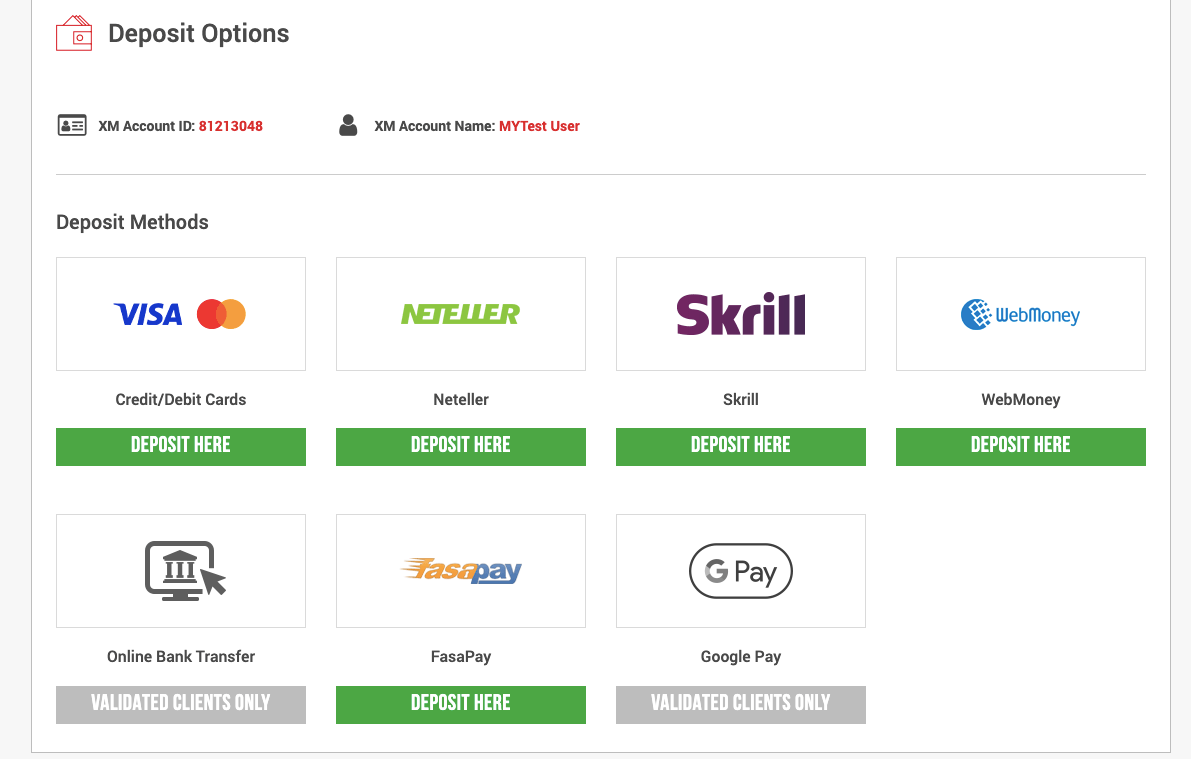
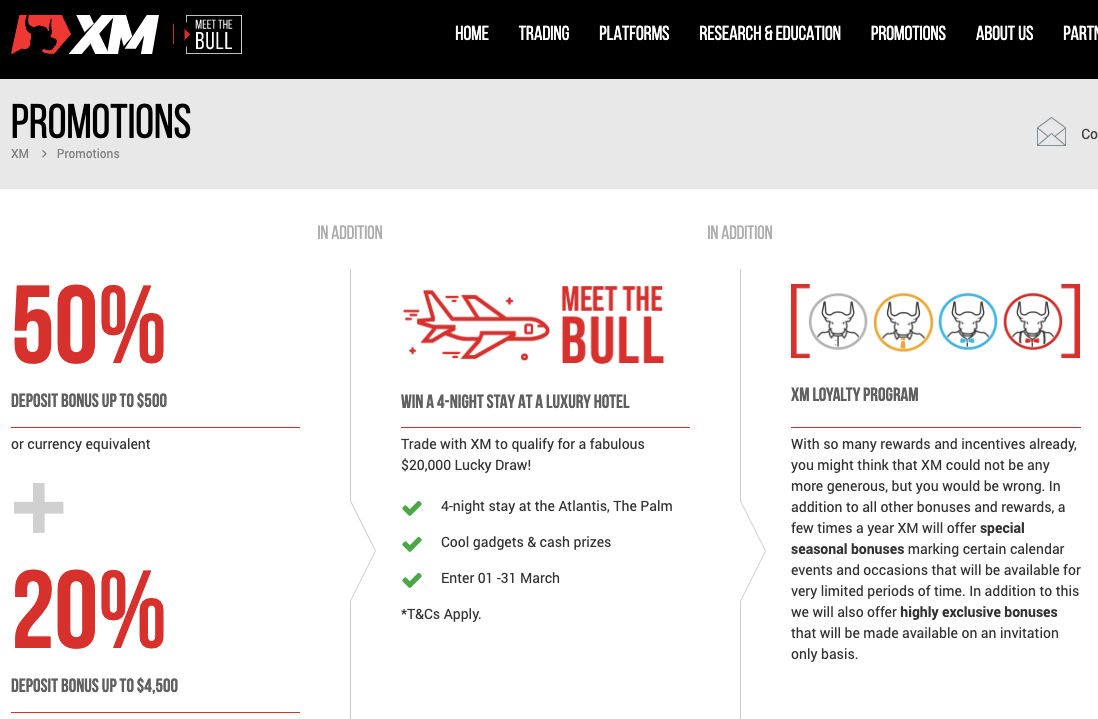
XM TZS 13,600 ($5)
FBS TZS 8,160 ($3)

Visit Broker

Note: CFD trading is risky

What base currencies are accepted by HFM?

HFM supports different funding methods. They accept different currencies for deposits based on traders’ regions. Some of the currencies accepted are GBP, EUR, ZAR, NGN, KES, MYR, KHR, IDR, KES, UGX, TZS, etc.

HFM Tanzania Minimum Deposit FAQs

What is the minimum deposit for HF markets?

TZS 12,000. You can deposit as little as TZS 12,000 when using DusuPay method to add funds to your HFM account. The amount varies for other payment methods and some account types require higher minimum deposit.

How long does HFM deposit take?

Instant for DusuPay but deposits via e-wallets (Skrill and Neteller) and cards (debit/credit) can take up to 10 minutes for the funds to be credited to your trading account.

What is the minimum deposit for HFM in Tanzania?

First, Log in to your HFM account dashboard via my.hfm.com/sv/login. Next, On your dashboard, you will see ‘Withdraw’ on the left column menu (desktop view), click on it, then select your preferred method and follow the on-screen prompts to withdraw funds to DusuPay wallet, card or e-wallet. The time it takes for you to receive the funds you withdraw depends on the payment method you choose.

Does HF Markets Charge for Deposits?

HF Markets generally doesn’t charge deposit fees. That means any time you top up your trading account, the entire amount arrives intact. We confirmed this when we tested the platform.

What is the no deposit bonus for HF markets?

HFM offers 20% deposit bonus on all transfers to your trading account. This bonus is capped at a maximum of $5,000 (TZS 13.6 million). This is called ‘Top-up bonus’, it is available to all clients and while you cannot withdraw the bonus, any profits realised from using it to trade can be withdrawn. Note that you need to open a Top-up Bonus Account on HF Markets to get this bonus.

How long does a HotForex withdrawal take?

You receive your funds instantly for withdrawals to DusuPay accounts and e-wallets like Skrill and Neteller. Withdrawals to cards take 2 to 10 business days for you to receive funds.

HF Markets Review 2025 (HotForex)

HotForex is a Forex Broker that offers Forex Trading & CFD Trading on metals, stocks, energies, bonds, cryptocurrency commodities, indices, ETF, and physical stocks.

HotForex is licensed with multiple Top-Tier regulations in the UK, South Africa, and Europe. In May 2022, HotForex rebranded into HFM, which is short for HF Markets.

This review of HotForex will cover their account types, available tradable instruments, deposit/withdrawal options, trading/non-trading fees, and customer support.

HF Markets Review Summary
🏢 Broker Name HF Markets (SV) Ltd.
📅 Establishment Date 2010
🌐 Website www.hfm.com
🏢 Address HF Markets (SV) Ltd., Suite 305, Griffith Corporate Centre, P.O. Box 1510, Beachmont, Kingstown, St. Vincent and the Grenadines
🏦 Minimum Deposit 12,000 TZS
⚙️ Maximum Leverage 1:2,000
📋 Regulation SVGFSA, FCA, FSCA, DFSA
💻 Trading Platforms HF Markets App, MT4 and MT5 for PC, Mac, Web, Android
Start Trading with HF Markets

HF Markets Pros

  • Regulated in multiple jurisdictions
  • A wide range of available products
  • Allows deposits/withdrawals with TZS via DusuPay
  • Has low minimum deposit and negative balance protection
  • Has responsive 24/5 customer support via email, local phone call and live chat

HF Markets Cons

  • Not regulated by any agency in Tanzania
  • Customer service is not available 24/7
  • Charges dormant account fees
  • Has high leverage, which increases risk of funds loss

Regulation and Safety of Funds

HF Markets is considered low-risk for traders based in Tanzania because its parent company ‘HF Markets Group’ has been licensed by multiple Top-Tier regulators. They have been authorized by the following regulators:

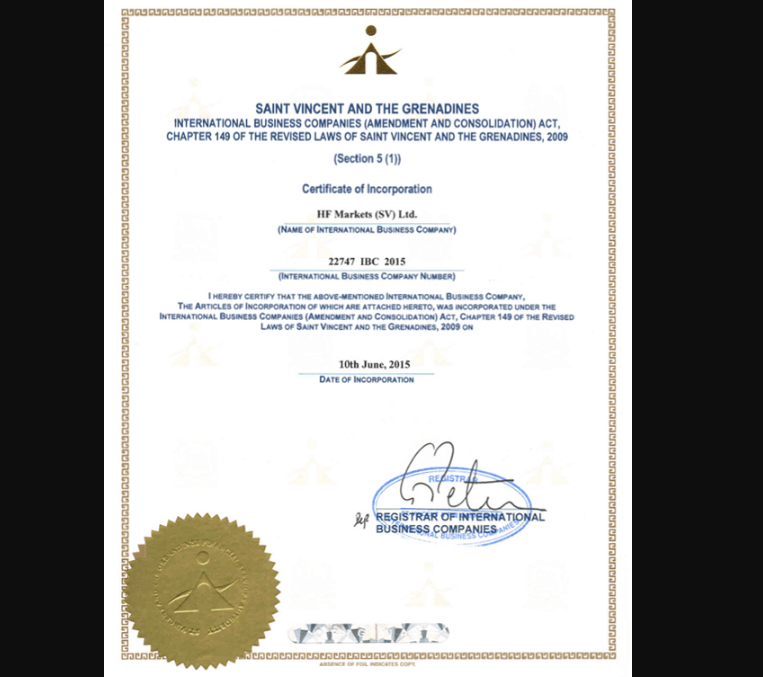
1) FSA SVG: HF Markets is incorporated in St. Vincent and the Grenadines as ‘HF Markets (SV) Ltd’ and regulated by the Financial Services Authority (FSA) as an International Business Company with registration number 22747 IBC, since 2015. Traders in Tanzania are registered under this regulation.

Note that HF Markets is not regulated in Tanzania and this means that trading with the broker in Tanzania is at your own risk as foreign regulations customer protection provisions may not cover clients in Tanzania.
HF Markets License

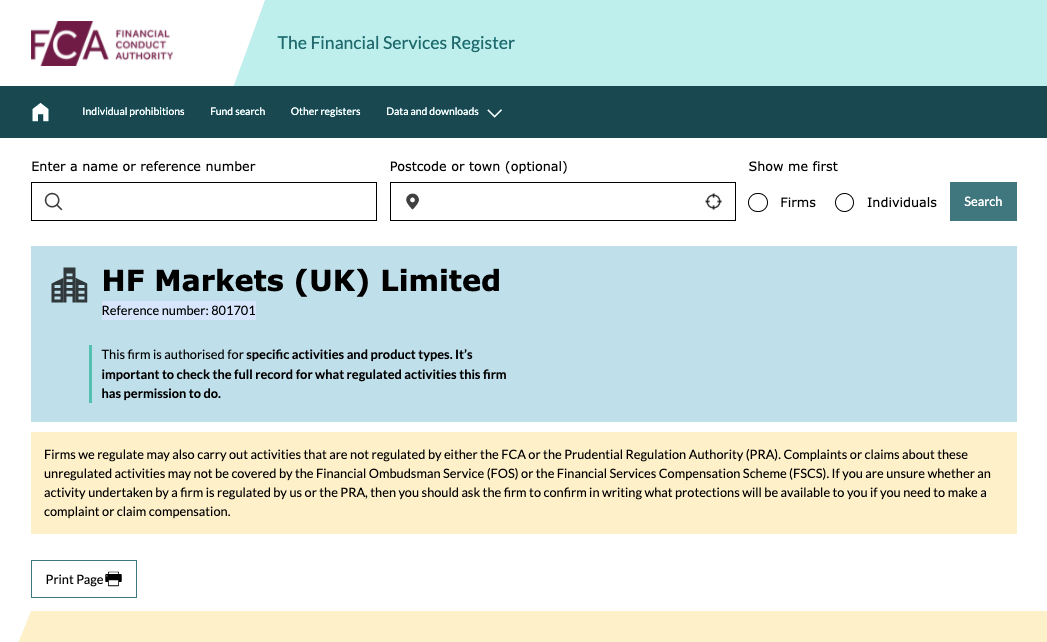
2) FCA: The Financial Conduct Authority (FCA) in the United Kingdom has authorised ‘HF Markets (UK) Limited’ to provide financial products and services with Reference number 801701.
HotForex FCA regulation

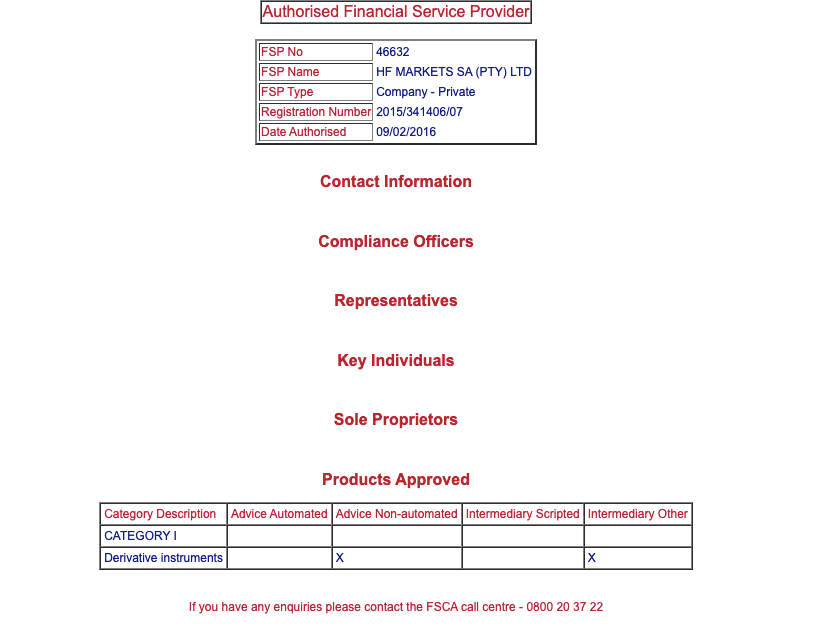
3) FSCA: The Financial Sector Conduct Authority (FSCA), South Africa has licensed HotForex as ‘HF Markets SA (PTY) Ltd’. Hotforex is registered as a Financial Service Provider (FSP) in South Africa, with FSP number 46632.
HotForex FSCA license South Africa

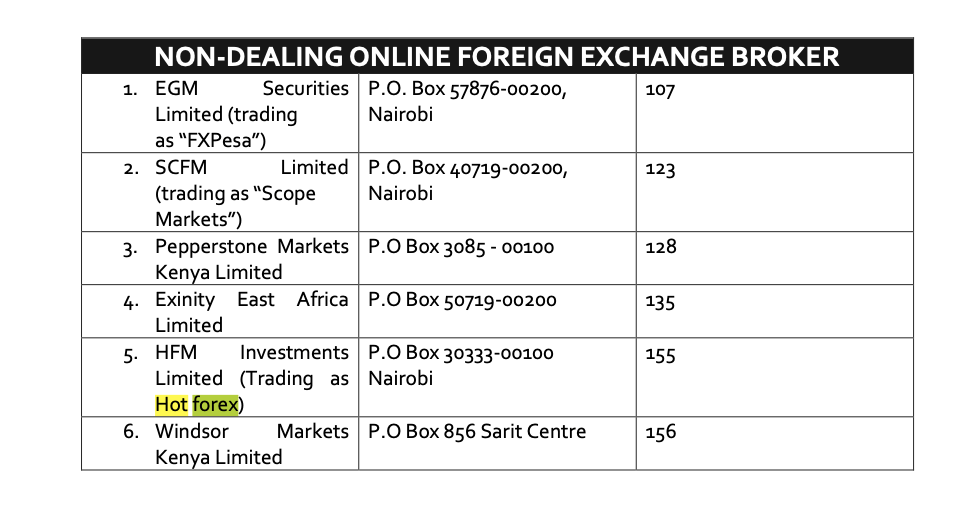
4) CMA: Capital Markets Authority (CMA) Kenya has licensed HotForex as a non-dealing online foreign exchange broker under the name ‘HFM Investments Limited’ with CMA license number 155.
HotForex Kenya License with CMA

5) DFSA: Dubai Financial Services Authority (DFSA) in the United Arab Emirates (UAE) has authorised ‘HF Markets (DIFC) Ltd’ to carry on financial services in the UAE.
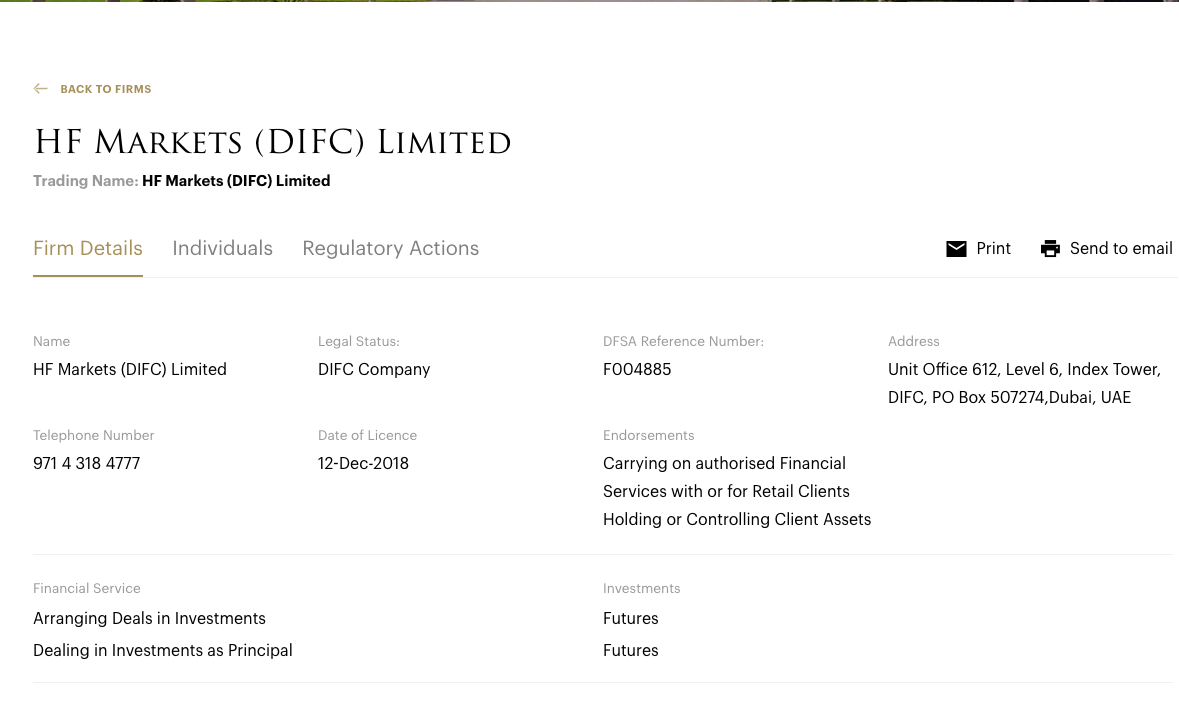
HotForex license in UAE

HF Markets Investor Protection

Client Country Protection Regulator Legal name
UK £85,000 Financial Conduct Authority (FCA) Axi Financial Services (UK) Limited
Kenya No Protection Capital Markets Authority (CMA) HFM Investments Ltd.
Tanzania No Protection St Vincent and the Grenadines Financial Services Authority (SVGFSA) HF Markets (SV) Ltd.
South Africa No Protection Financial Service Conduct Authority (FSCA) HF Markets SA (PTY) Ltd.

Negative balance protection is available for all of HFM’s retail clients. Tanzanian traders are registered under SVGFSA regulation which has no provision for compensation. In addition, HF Market is not regulated in Tanzanian so there is no local regulation that protects you.

HF Markets Leverage

Typical leverage on HF Markets can be up to 1:2,000, depending on the account type. Traders can choose floating leverage or fixed leverage option to operate with. The maximum leverage of 1:2,000 applies only to major forex pairs, other instruments have lower leverage limits.

With leverage of 2,000, you can open a trade position worth up to 2,000 times the value of your deposit. For example, with a deposit of $100, you can place a trade of $200,000.

Note: Trading with leverage is very risky, and you must avoid using more than 1:30 leverage on forex. The availability of a floating leverage option is an advantage, and you must never use 1:1000 leverage. As a caution by HF Markets, leverage is adjusted when your equity exceeds $300,000.

Note that trading leverage products involves risk and you can lose all your money. It is best to avoid trading unless you understand it or have experience. It is important that you do not use all the leverage available as it increases your risk and the chance of losing your money.

HF Markets Account Types

HF Markets has 6 main account types for traders and 2 investment account types. HF Markets also offers Swap-free Islamic Account and a demo account which features unlimited options and is risk-free for beginners to use and familiarise themselves with the trading platform before they open live accounts.

The account types on HF Markets and their basic features are:
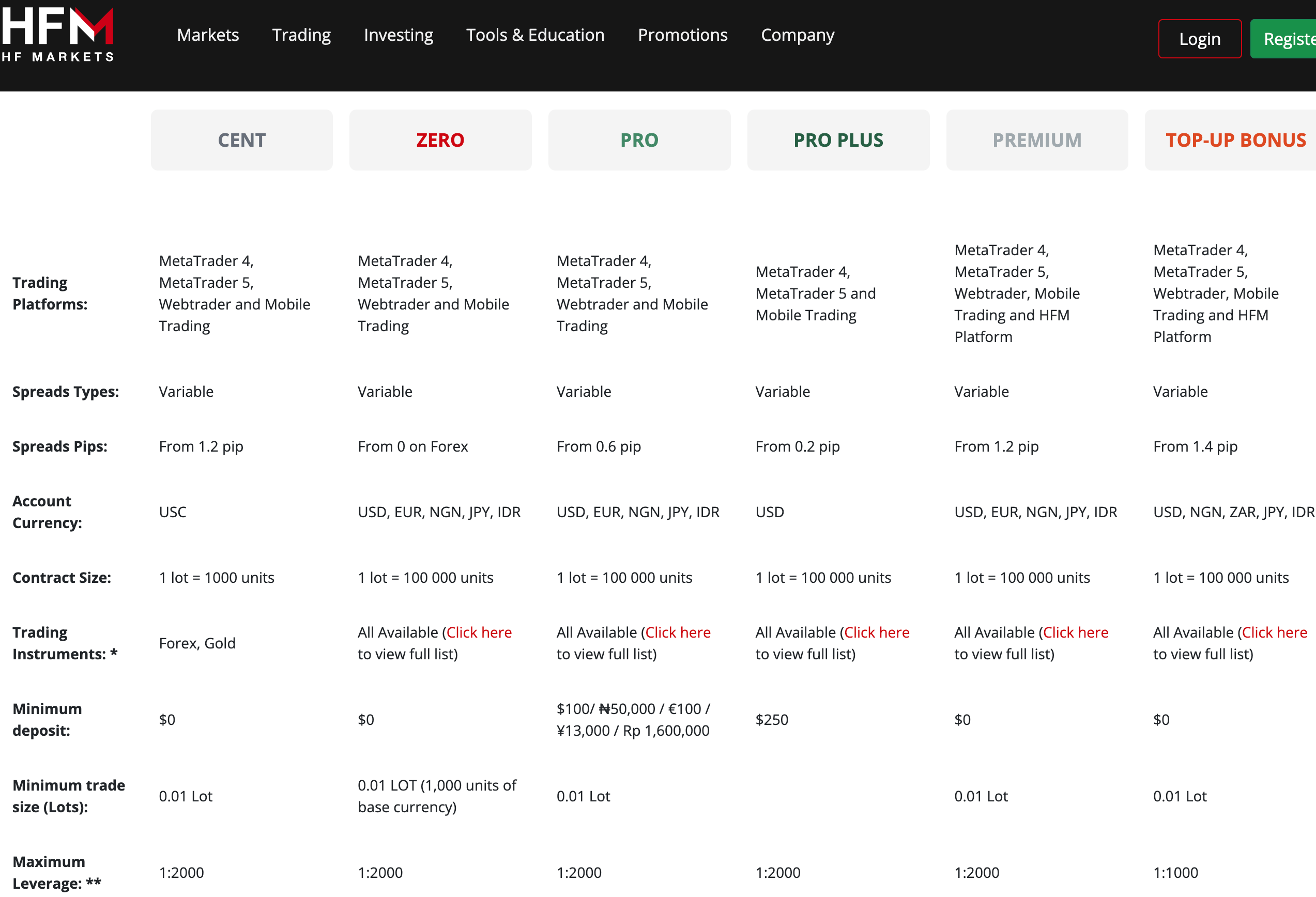
Account Types on HotForex

1) Premium Account: The HF Markets Premium Account is designed for retail clients. This account allows you to trade forex and CFDs on metals, energies, bonds, commodities, indices, ETFs, cryptocurrencies and stocks.

This account does not require you to pay any commissions when you open or close trade positions on forex pairs. Spreads start from 1.2 pip and you pay swap fees whenever you keep a trade position open past the market’s closing time, this applies to most instruments except shares.

The Premium Account on HF Markets does not have a mandatory minimum deposit, the required minimum trade size is 0.01 lot and a maximum of 60 standard lots per position, 500 maximum open orders, and maximum leverage of 1:2,000.

You have negative balance protection with this account, which means you cannot lose more than the amount of money in your trading account. If a trade position is unsuccessful and you have a loss, any negative balance on your account will be reset to zero.

You can access this account on MT 4 and MT 5 (Desktop, Webtrader, and Mobile Trading), as well as HFM Platform.

2) Pro Account: The HF Markets Pro Account is also designed for retail traders who are experienced and allows you to trade forex and CFDs on metals, energies, bonds, commodities, indices, ETFs, cryptocurrencies and stocks.

This account is spread only and you do not pay any commissions when you open or close trade positions on forex pairs. Spreads start from 0.6 pips and you pay swap fees whenever you keep a trade position open past the market’s closing time.

The Pro Account on HF Markets requires a minimum deposit of TZS 272,000 ($100), with a minimum trade size of 0.01 and a maximum of 60 standard lots per position, 500 maximum open orders, and maximum leverage of 1:2,000.

You have negative balance protection with this account, which means you cannot lose more than the amount of money in your trading account.

This account is also accessible on MT 4 and MT 5 (Desktop and Webtrader).

3) Pro Plus Account: The HF Markets Pro Plus Account is also designed for retail traders who are experienced and allows you to trade forex and CFDs on metals, energies, bonds, commodities, indices, ETFs, cryptocurrencies and stocks.

This account does not commissions when you trade forex pairs. Spreads start from 0.2 pips and you pay swap fees whenever you keep a trade position open past the market’s closing time.

The Pro Plus Account on HF Markets requires a minimum deposit of TZS 680,000 ($250), with a minimum trade size of 0.01 and a maximum of 60 standard lots per position, 500 maximum open orders, and maximum leverage of 1:2,000.

You have negative balance protection with this account, which means you cannot lose more than the amount of money in your trading account.

This account is also accessible on MT 4, MT 5, (Desktop and Mobile Trading).

4) Zero Account: The HF Markets Zero Account is designed for retail clients who trade high volumes, use EAs and want to pay lower spreads. This account allows you to trade forex and CFDs on metals, energies, bonds, commodities, indices, ETFs, cryptocurrencies and stocks.

You pay commissions for opening and closing trades per side on this account. Commission charges for 1 lot is $3 (making $6 for a round turn) for majors and $4 for others (making $8 for a round turn). The Shillings commission charge equivalent is 8,160 per side (making TZS 16,320 for a round turn) for majors and TZS 10,880 for others (making TZS 21,760 for a round turn). The spreads on this account start from 0.1 pips for forex, with limits and stops at 2 pips.

The Zero Account on HF Markets does not require a mandatory minimum deposit, minimum trade size of 0.01 is required and a maximum of 60 standard lots per position, 500 maximum open orders, and maximum leverage of 1:2,000.

This account offers swap-free trading on select instruments, for a grace period of 7 days, shares trading will still attract swap-fees.

You have negative balance protection with this account, which means you cannot lose more than the amount of money in your trading account.

You can access this account on MT 4 and MT 5 (Desktop, Webtrader, and Mobile Trading).

5) Cent Account: The HF Markets Cent Account is designed for new traders and allows you to trade forex and gold only.

This account does not commissions when you trade forex pairs. Spreads start from 1.2 pips and swap fees apply when you keep a trade position open past the market’s closing time.

The Cent Account on HF Markets does not have a mandatory minimum deposit, account balance is shown in Cents (United States Cents), that is $10 will be shown as 1,000 cents.

This account requires a minimum trade size of 0.01, a maximum of 200 cents lots per position, 150 maximum open orders, and maximum leverage of 1:2,000.

You have negative balance protection with this account, which means you cannot lose more than the amount of money in your trading account.

You can access this account on MT 4 and MT 5 (Desktop, WebTrader and Mobile Trading).

6) Top-up Bonus Account: The HF Markets Top-up Bonus Account is designed for retail clients. This account allows you to trade forex and CFDs on metals, energies, bonds, commodities, indices, ETFs, cryptocurrencies and stocks.

This account charges spread, but no commissions trade certain instruments like forex pairs. Spreads start from 1.2 pip and you pay swap fees whenever you keep a trade position open past the market’s closing time.

The Top-up Bonus Account on HF Markets does not have a mandatory minimum deposit, the required minimum trade size is 0.01 lot and a maximum of 60 standard lots per position, 500 maximum open orders, and maximum leverage of 1:1,000.

With the Top-up Bonus Account, you get bonus for every deposit you make from 20% and can be up to 50% of your deposited amount. The maximum bonus you can get per deposit is TZS 13.6 million ($5,000).

While you cannot withdraw the bonus amount, you can use it to trade and you can withdraw any profits realised from the trade.

You have negative balance protection with this account, which means you cannot lose more than the amount of money in your trading account.

To get the Top-up bonus account, you must first create a trading account on HFM then request the Top-up bonus account from the client area.

You can access this account on MT 4 and MT 5 (Desktop, Webtrader, and Mobile Trading), as well as HFM Platform.

7) Swap-free Islamic Account: HF Markets offers Islamic Accounts to Muslim traders that are in compliance with the sharia law of no-riba. These accounts are swap-free (interest-free), which means you do not pay any interest for keeping a trade position open past the market’s closing time.

You can convert your Pro, Premium or Zero Accounts to Islamic status and the same features and fees will apply except for the swap fees. This account also supports only USD or EUR as the base currency.

Note that the HF Markets Swap-fee Islamic Account have a grace period of 7 days, during which no rollover fees are charged. If you keep a position open for more than 7 days, you will incur carry charges on some instruments.

To get a swap-free Islamic Account on HF Markets, first, create a Pro, Premium or Zero Account then contact the HF Markets customer support team to convert your account to a swap-free status.

Currently, the Premium, Zero and Cents Account offer swap free trading, which translates to Islamic Account features, so you may not need to convert to a special Islamic Account.

We also noticed from our research that Islamic accounts are not allowed to trade certain instruments, like exotic forex pairs. You should read up the terms and conditions to learn more about the account features.
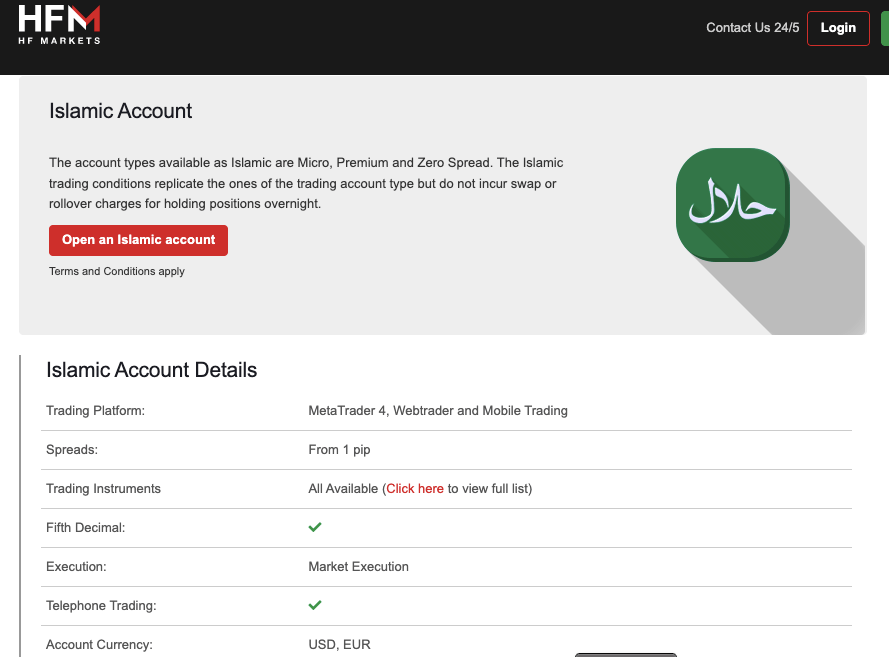
HF Markets Swap-Free Islamic Account

HF Markets Investing Accounts:

1) HFCopy Account: HF Markets HFCopy Account is designed for traders who want to copy the trades of experienced and professional traders. Both professionals who allow others to copy their trades, known as; strategy providers’ or those who copy trades, referred to as ‘followers’ can open this account type.

The maximum number of followers per strategy provider is 1,000. Strategy providers earn a performance fee for letting others copy their trades.

This account type supports only USD as the account currency and requires a minimum deposit of $500 for strategy providers and $100 for followers.

You can find the terms and conditions to copy-trading on HF Markets HFCopy Account via this dedicated domain copy.hfm.com.

2) PAMM Account: The HF Markets PAMM Account program is designed for experienced traders who are fund managers (either individual or corporate). This program allows you to trade on behalf of clients by opening multiple trading accounts and manage them.

The PAMM Account on HF Markets requires a minimum investment of $250. The account supports automated trading using bots.

You can find the terms and conditions to participate in this program via this dedicated domain pamm.hfm.com.

HF Markets Base Account Currency

Your trades, deposits, profits, losses, and withdrawals on the platform are measured in your base account currency.

The available account base currencies on HF Markets Tanzania are the United States Dollar – USD and Euros – EUR.

Based on our research, some account types have limited number of currencies they can set as their account base currency.

HF Markets Fees

HF Markets is transparent about its fees and you can find details on their website. Some trading fees have been reviewed below:

1) Spread: Spreads on HF Markets start from around 0.1 pips and can be up to 1.2 pips, depending on your account type. The spreads are considered moderate compared to other brokers. HF Markets has no fixed spread and operates a variable spread system, which means the spread can change during the day as the market moves and also depending on the size of your trade.

An example of their spreads with the Premium and Pro Accounts are shown on the table below:

Instrument/Pair Premium Accounts Pro Accounts
EUR/USD 1.4 pips 0.4 pips
GBP/USD 1.6 pips 0.6 pips
EUR/GBP 1.4 pips 0.6 pips
XAU/USD 0.25 pips 0.16 pip
Crude Oil 0.09 pips 0.09 pip
Wall Street 2.9 pips 2.9 pip
US 500 0.4 pips 0.4 pip

2) Commissions: HF Markets offers commission-free trading for forex pairs on all account types except the Zero Account. The Zero Account charges low spreads, but has relatively high commission fees, starting at $3 per 1 lot for majors, which is $6 for a round turn, and $4 per 1 lot for others, which is $8 for a round turn. The Shillings commission charge equivalent is 8,160 per side (making TZS 16,320 for a round turn) for majors and TZS 10,880 for others (making TZS 21,760 for a round turn).

3) Overnight Fees (Swap): HF Markets charges swap fees if you keep a trade position open past the market closing time, this applies to all instruments on the Top-Up Bonus Account. Other Accounts including Islamic Accounts are swap-free for a grace period of 7 days for select instruments (most forex pairs), after which admin charges apply. Note that shares attract swap fees on all account types. The size of the swap will depend on whether the trade position is a short or long and the size of the trade.

It is important to note that HF Markets uses a floating swap policy, which means swap rates change daily. You can use the swaps calculator on the HF Markets website to determine your exact swap fees.
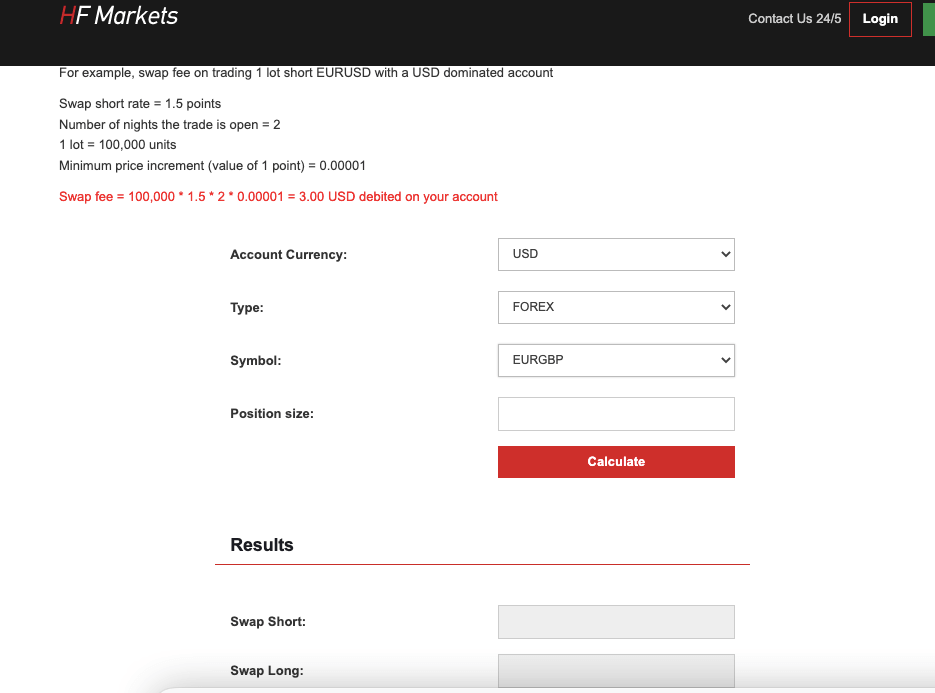
HF Markets Calculator

Non-trading fees

1) Deposit and Withdrawal fees: HF Markets offers free deposits and withdrawals. You do not pay any fees when you deposit funds to your account or withdraw from it. This applies to all account types and payment methods. Note that if you deposit less than $100 via bank transfers, you might incur some deposit fees.

2) Account Inactivity charges: HF Markets charges inactive account fees if you do not perform any trade on your account for 6 months. Any balance in your account will be charged a monthly fee of $5. If you do not have any funds in your account, no fees will be charged.

Fee Amount
Inactivity fee $5
Deposit fee None*
Withdrawal fee None*

*For withdrawals, there is a 1% transaction fee if you are funding your account through bitpay. There are fees for deposits below $100 if you are funding your account via bank transfer.

How to Open HotForex Account in Tanzania (Basic steps)

To start trading on the HF Markets platform, you need to open a live account. Follow the steps below to open your trading account.

Step 1) Go to the HF Markets website at www.hfm.com and click on the ‘Register’ button, highlighted in green colour, at the top right side of the page.
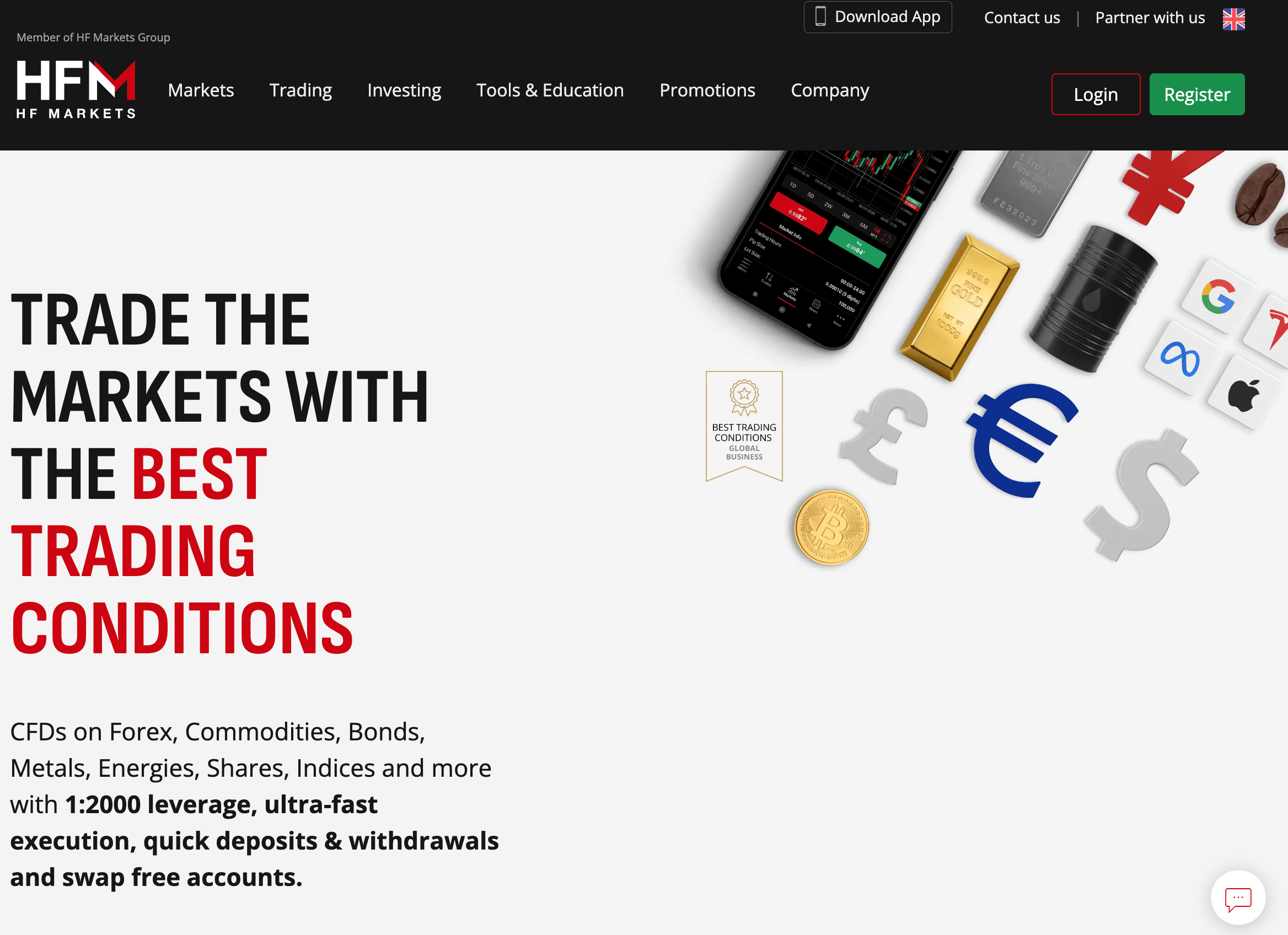
HF Markets Website Tanzania

Select your country of residence, then enter your email address, create a password and click on ‘Register’.

Step 2) Select your country of residence, then enter your email address, create a password, check the terms and conditions box after reading, and click on ‘Register’.
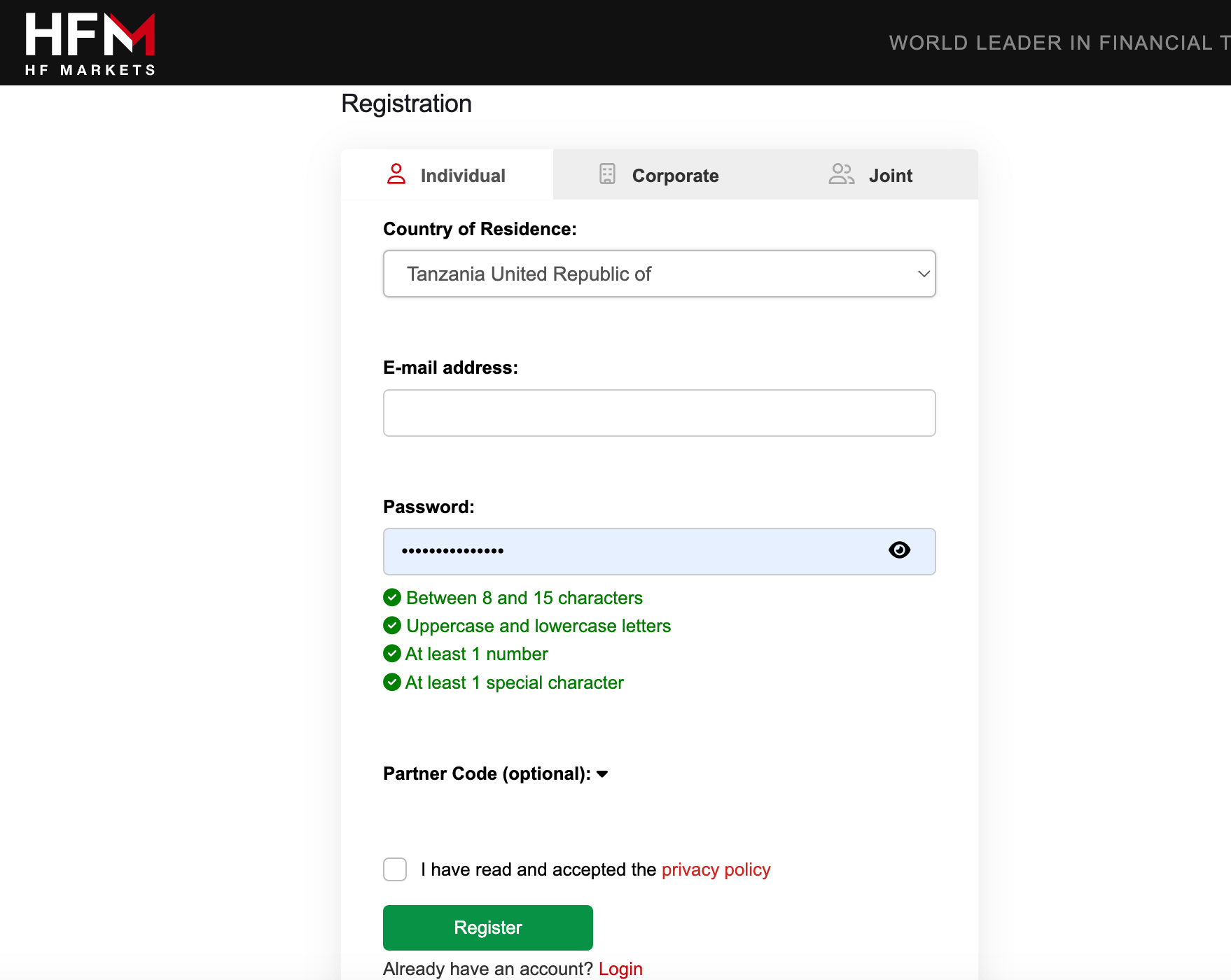
Open Live Account on HF Markets

Step 3) A verification link will be sent to your email address. Go to your email inbox and click the ‘Activate Account’ link to continue with your registration.

Once you click the link to verify your email, you will be redirected to your account area to complete registration.
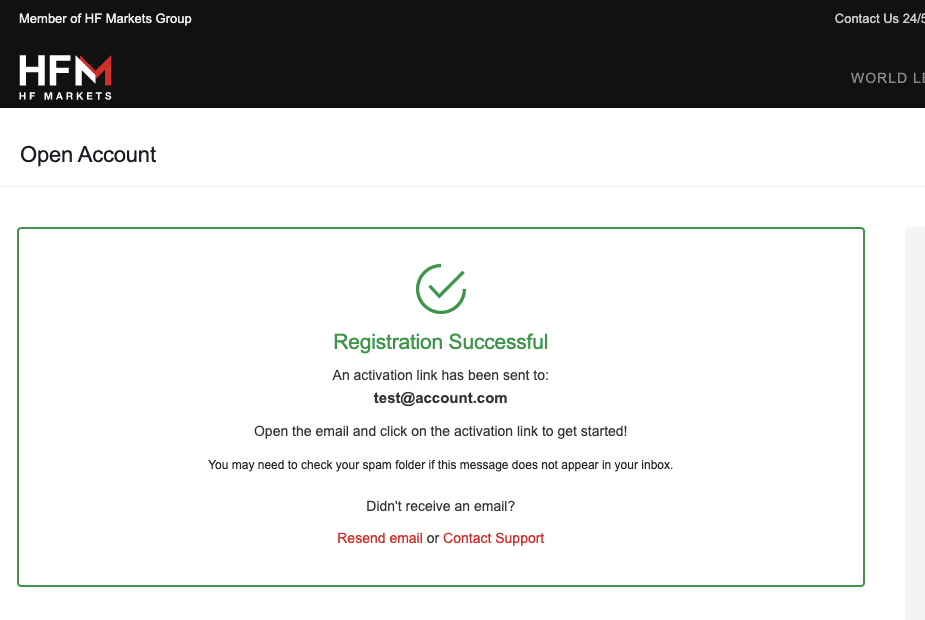
HF Markets Account registration

Step 4) Provide your full name, phone number, date of birth, and select your preferred account currency, then click on ‘continue’.

Step 5) Select your preferred trading account type then verify your phone number. Then click ‘Continue’ to be taken to your account dashboard.
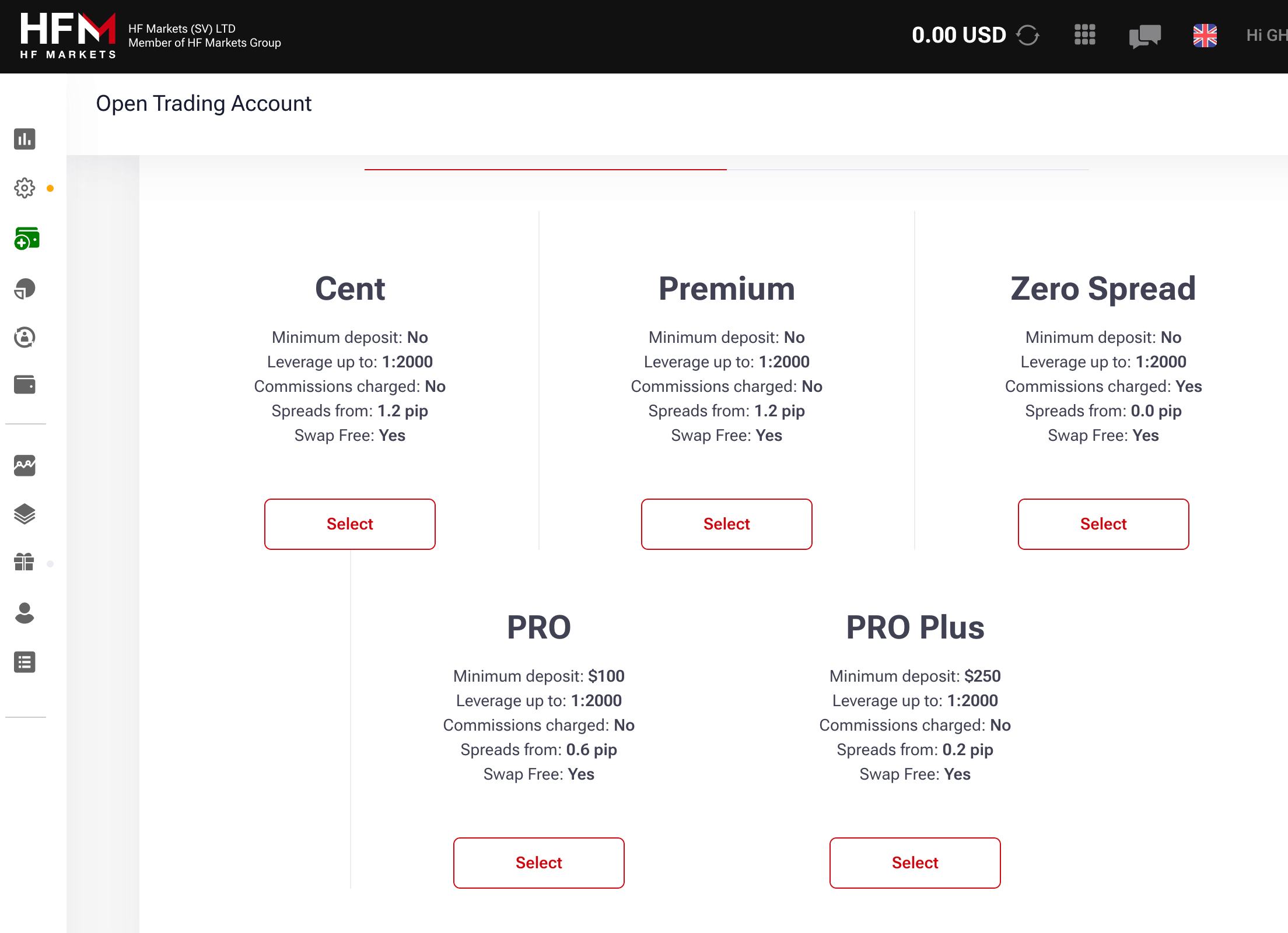
HF New User Registration

Step 6) Once on the dashboard, click on the ‘Complete Registration’ tab on the left menu to provide your address, answer questions about your trading experience.
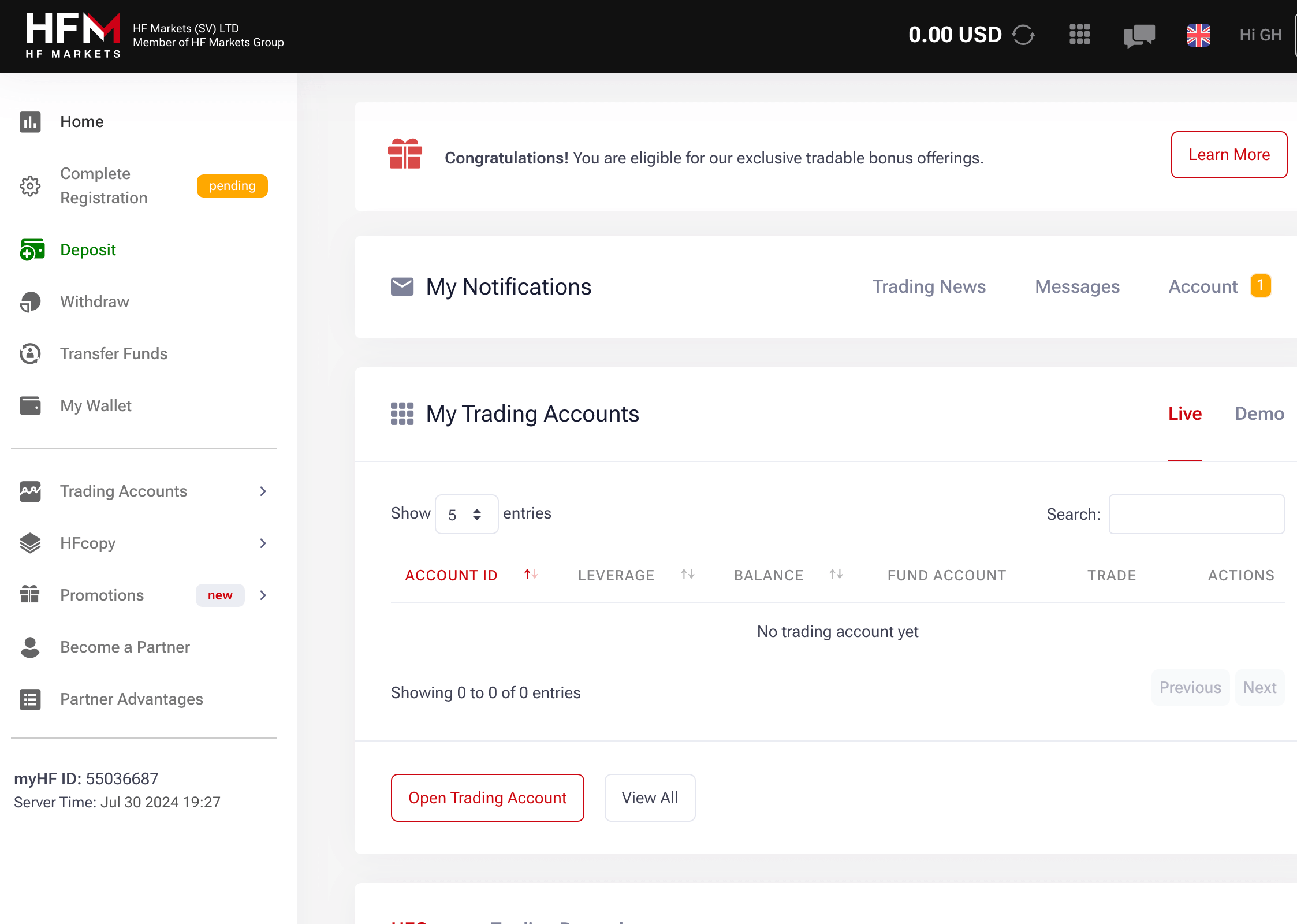
HF Markets Trading Account

Step 7) Provide your ID card and phone number to activate your account.
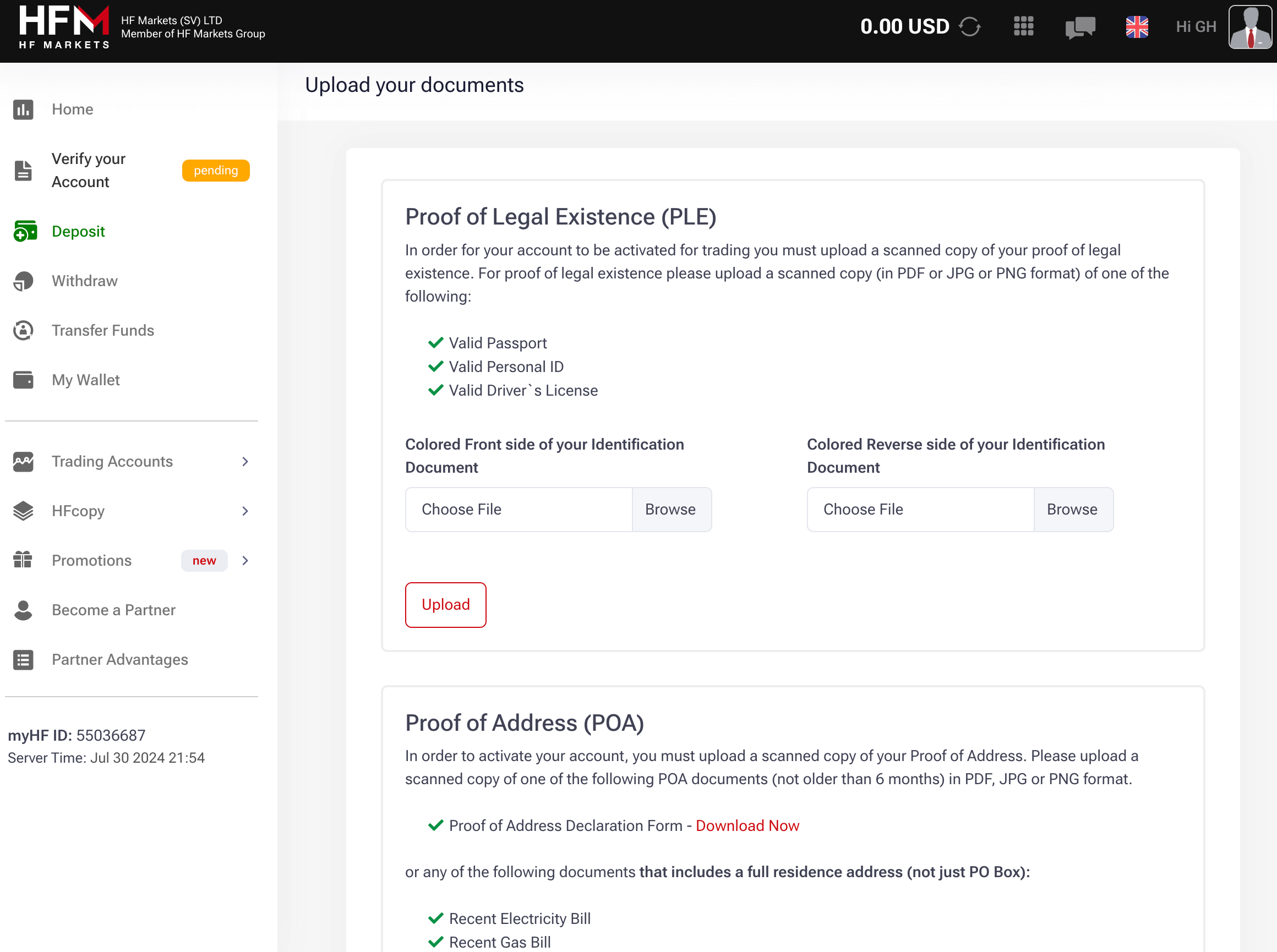
Activate HF Markets Account

HF Markets Deposits & Withdrawals

Payment methods supported by HF Markets for deposits and withdrawals are mobile money, cards, e-wallets and international bank wire transfers. Here is the summary of the deposits and withdrawal options on HF Markets in Tanzania.

HF Markets Deposit Methods

Here is a summary of payment methods accepted by HF Markets for deposits.

Deposit Methods Availability Charges Processing time
DusuPay Yes Free Instant
Cards Yes Free 10 minutes
E-wallet Yes (Skrill & Neteller) Free 10 minutes
Crypto Yes (BTC, ETH, XRP, LTC) Free 10 minutes

HF Markets Withdrawal Methods

Here is a summary of payment methods for withdrawals accepted on HF Markets.

Withdrawal Methods Availability Charges Processing time
DusuPay Yes Free Instant
Cards Yes Free 2-10 business days
E-wallets Yes (Skrill) Free Instant
Crypto Yes (BTC, ETH, XRP, LTC) Free Up to 2 business days

What is the minimum deposit for HF Markets?

The minimum deposit on HF Markets is $5 with cards or e-wallets (Skrill & Neteller) with a maximum deposit amount of $10,000. Cryptocurrency deposits require a minimum amount of $30 with a maximum amount of $10,000 per transaction. The also support deposits via bank transfers via an international bank account.

The minimum deposit for TZS on HF Markets is 12,000 TZS via mobile money with a maximum deposit amount of 5,000,000 per deposit.

How do I Deposit Funds?

Step 1) Log in to your dashboard by visiting the HF Markets website or via my.hfm.com/sv/login.
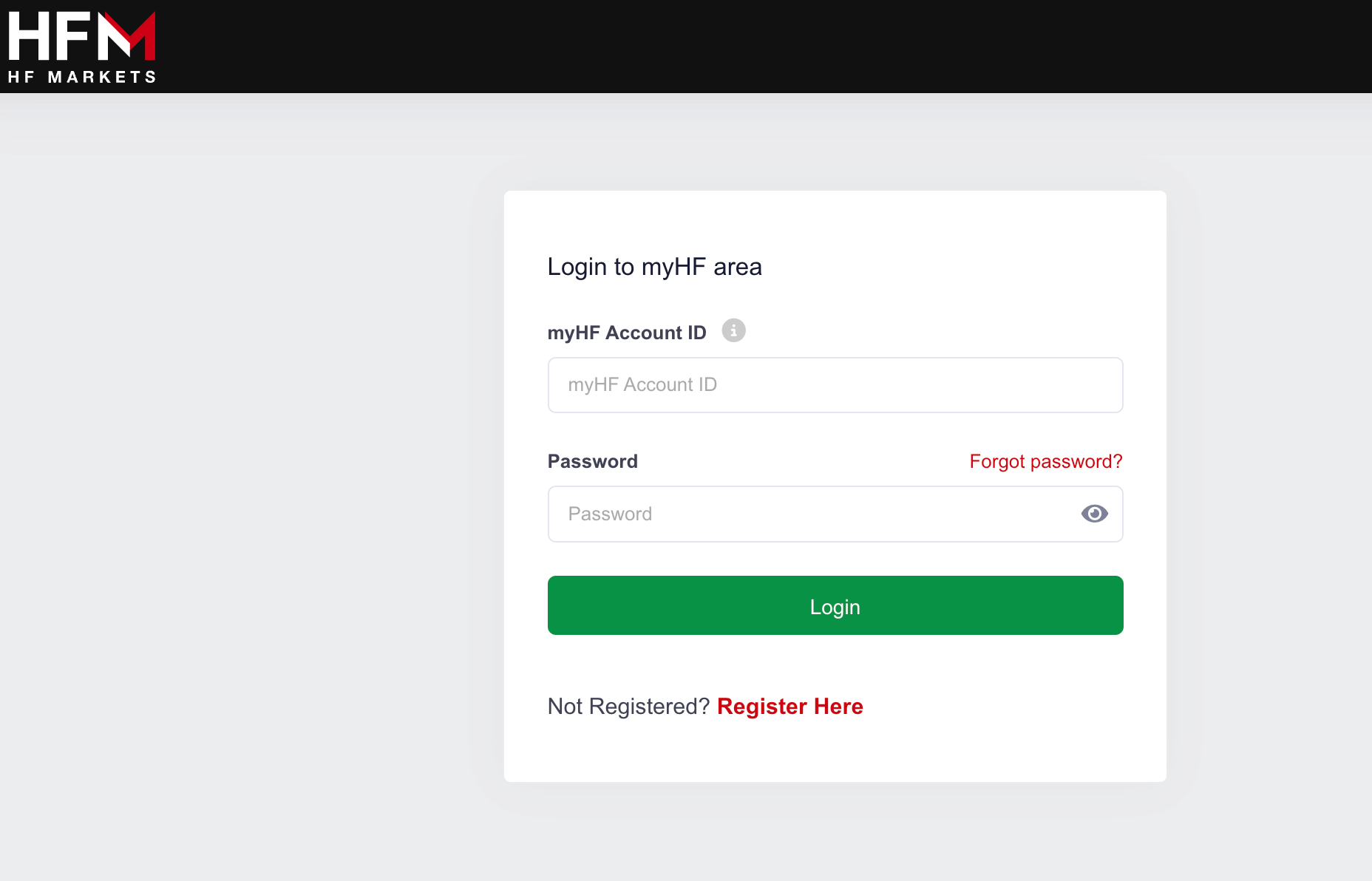
Sign in to HF Markets

Step 2) On your dashboard, you will see ‘Deposit’ on the left column menu (desktop view), click on it, select ‘Alternative’ then select ‘DusuPay’.

HF Markets Trading Account

Step 3) Enter the amount you want to deposit, provide the phone number for payment and click ‘Deposit’ then follow the prompts to complete the deposit.

Step 4) On the left side of your dashboard, locate ‘Transfer Funds’ on the left side menu, and click on it to transfer funds from myWallet to a live trading account or from a trading account to your myWallet. After entering the amount you want to transfer, click on start transfer and follow the instructions to complete the transfer.
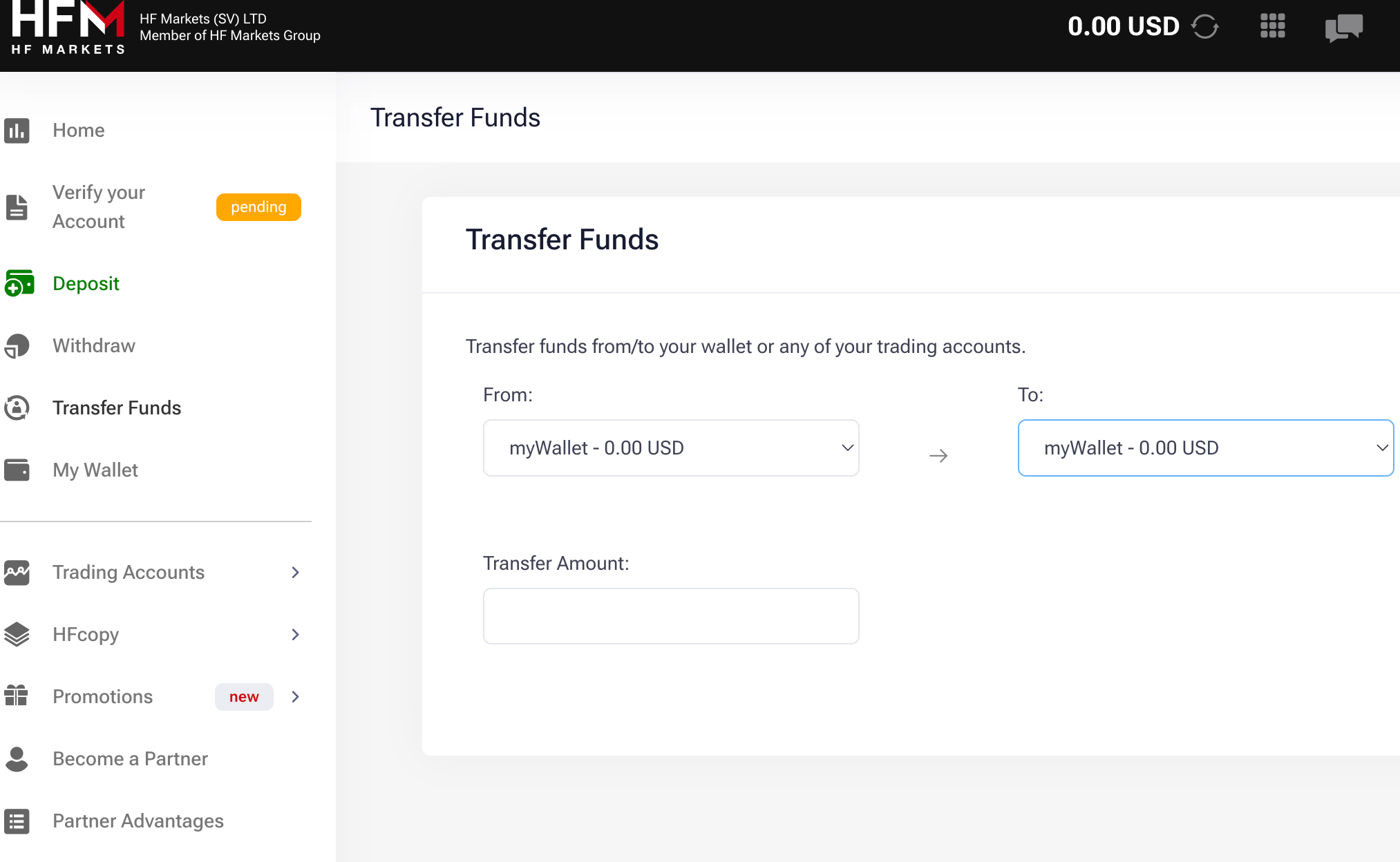
Transfer Funds to HF Markets Wallet

What is the minimum withdrawal amount on HotForex?

The minimum withdrawal from HF Markets is TZS 13,600 ($5) for cards and e-wallets. Mobile money like MoMo have a minimum withdrawal amount of TZS 27,200 ($10). The minimum withdrawal for crypto is TZS 27,200 ($10).

HotForex only approves withdrawals to the same method/source from which the deposit was made. This means if you deposit funds through a mobile money payments, you can only withdraw through a mobile money payments to the same phone number. The same thing applies to other payment methods.

How to Withdraw Funds from HotForex Tanzania?

Step 1) Log in to your dashboard by visiting the HF Markets website or via my.hfm.com/sv/login.

Step 2) On your dashboard, you will see ‘Withdraw’ on the left column menu (desktop view), click on it, then select your preferred method and follow the instructions to withdraw funds in to your card or mobile money wallet.

How many Trading Instruments are available at HotForex?

HotForex offers over 1,200 trading instruments, all of which are CFD instruments, find their categories below:

Instrument Availability Number
Forex CFDs Yes 53 currency pairs on HF Markets (15 majors & 38 minors)
Commodities CFDs Yes 5 Commodities Futures on HF Markets
Energies CFDs Yes 4 Energies Spot and Futures Energies on HF Markets
Metals CFDs Yes 6 CFDs on Metals spot on HF Markets
Indices CFDs Yes 23 Indices Spot and Futures on HF Markets
ETFs CFDs Yes 34 ETFs Spots on HF Markets
Stocks CFDs Yes 53 CFDs Stocks on HF Markets
Bonds CFDs Yes 3 Bonds Contracts on HF Markets
Cryptocurrencies CFDs Yes 40 Cryptocurrencies on HF Markets

HF Markets Trading Platforms

1) HFM WebTrader: This is a trading application developed by HF Markets and is available on desktops for web trading.

2) HFM App: This is a trading application developed by HF Markets and is available on mobile devices only. You can download it from the Google Play Store or Apple App Store.

3) MetaTrader 4 and MetaTrader 5: HF Markets supports the MT4 and MT5 trading applications for trading financial markets. The applications are available on the web, desktop, and mobile devices (Android & iOS). You can also use EAs as professional clients or other tools.

HF Markets Execution Policy

HF Markets takes all reasonable steps to ensure the best possible when executing your orders. Here are some of their best execution factors:

Price: The price for a given financial instrument is provided by HF Markets and it is updated as frequently as possible. Prices are not quoted outside of the broker’s operation times. With HF Markets, there is no guarantee that your orders will be executed at a favourable price. To ensure fairness, HF Markets ensures that their liquidity provider calculates the spread.

Costs: HF Markets charges commission and financing fees. They can be found on their website under contract specifications. These fees are not calculated with the bid/ask spread. They are charged explicitly to your trading account and deducted from your balance.

Speed of Execution: HF Markets strives to offer a high speed of execution within prevailing technological limits. If the reason for a delay in order transmission is due to a poor network connection from your end, your market order might become out of date. In this situation, such an order is declined.

Likelihood of execution: HF Markets reserves the right to decline any type of order. Especially if there is not enough liquidity to execute it. Stop Loss, Take Profit, Buy Limit, Buy Stop, Sell Limit, and Sell Stop Orders on financial instruments offered by the broker are executed at your requested price. In a situation where this is not possible, these orders are executed at the first available price.

HF Markets Education

Podcasts: HF Markets launched trading education podcasts in 2023. It is free and you can listen to it on multiple streaming platforms. According to our review, HFM’s podcast is available on 18 streaming platforms. Here are the platforms in one glance.

At the time of this writing, there are up to 26 different podcasts on HFM’s podcast list. Here are the latest ones.

How To Videos: If you need help downloading/installing any of HF Market’ mobile app, this is what you need. These videos guide you on how to download, HFM App, MT4, and MT5 on your phone (android or iPhone). The guide also covers PC installation.

Live Webinars: HF Markets holds live webinars that can improve your FX knowledge. It does not matter if you are a beginner, intermediate, or an expert trader. There is a webinar for every level. These webinars will improve your trading skills and increase your confidence in forex trading.

Since the webinars are live, you will need to register to book your slot. There are no extra charges for the webinar. On the webinar page, you will find the schedule for each month. You can also select your experience level so that only relevant webinars are recommended for you.

Finally, all webinars end with a Q&A session so you get the opportunity to get answers to your questions from industry expert.

Online Trading Courses Videos: HFM in conjunction with their groups of experts put together this online trading course. It contains a beginner course that covers essential information that every trader must know. It covers the forex market, basic forex terms, and type of orders. There is a glossary in there as well.

There is also a trading tools section that covers capital management, trading psychology, basic and advanced technical analysis. This will be useful as you develop your trading skills.

Furthermore, there are videos on MetaTrader and trading strategies. You will learn how to install MetaTrader, how to add indicators to your charts, and about five rare trading strategies.

Earnings Calendar: Earnings reports are quarterly financial statements issued by publicly traded companies. They are essential if you prefer to trade shares CFDs. Earnings report affect market sentiment because it shows a company’s profit, losses, and other important financial metric.

With HFM’s earnings calendar, you can track when these reports will be released and utilize it for trading. This is not a guarantee of profitable performance, but you will find it useful for your research.

HF Markets Tanzania Customer Service

HF Markets has responsive customer service support that is available 24/5. Traders can reach HF Markets support via any of the means below during working days:

1) Live chat: HF Markets live chat is fast, their representative responds within 2 minutes when a chat is initiated and provides relevant answers to questions asked.

Whether you are a registered user or not, you can access the live chat. You can request a call back via their live chat, and a representative will call you, you will have to submit a valid phone number and email address for this to work. Our team submitted a request but didn’t get a callback.

When our team tested the live chat, we got response within 2 minutes. The live chat is available 24 hours from Monday to Friday.
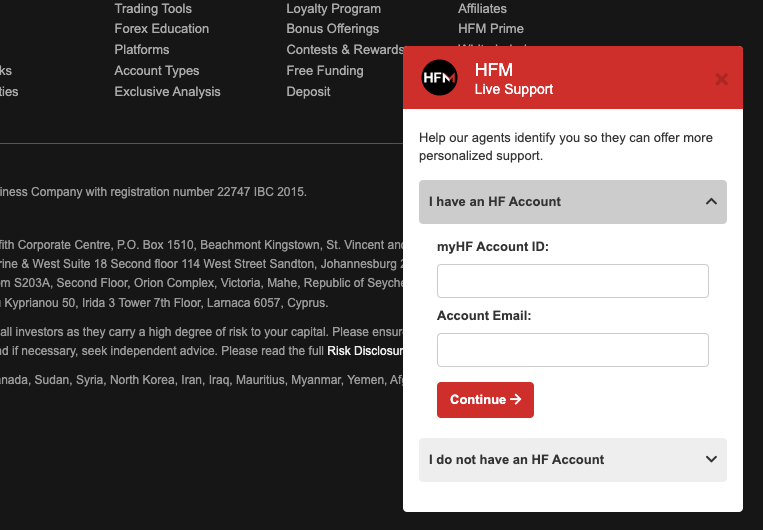
HF Markets Online Support

2) Phone number support: HF Markets has an active international phone number support, and the call centre agents responded in less than 1 minute when we tested it. The answers to questions were relevant. The phone line is active from 9:00 AM to 6:00 PM on working days.

The HF Markets global support phone number is +44-20-3097-8571, available 24 hours for 5 business days (Monday – Friday).

3) Email Support is fair: You can reach HF Markets via email support at [email protected]. Once you send an inquiry email, you will receive an auto-generated response to show that a ticket has been created for your inquiry.

A representative replied in about 9 minutes, we sent another question and got a reply in less than 10 minutes. The answers to our questions were relevant and satisfactory.

HF Markets Bonus

HF Markets offers bonuses for different activities. Each category of bonuses has its terms and conditions to qualify. Current bonus offerings are

1)20% Top-up Bonus: HF Markets also offers deposit bonus of 20% which is capped at US$5,000 (TZS 13.6 million). You cannot withdraw the bonus but you can use it to trade and withdraw the profits. You still need to meet the trading requirement before the profits can be withdrawn.

Do we Recommend HF Markets Tanzania?

HF Markets is regulated in multiple jurisdictions which means they are mandated to protect client funds. HF Markets customer support is available in Tanzania and they respond quickly to enquiries on business days.

HF Markets has negative balance protection, have low fees compared to some brokers, and offers bonuses to traders. They also have many account types, so you can choose an account with features that work best for you.

One downside to trading with HF Markets is that they charge account inactivity fees after 6 months, but you can avoid this if you withdraw all funds, leaving your balance at zero.

Based on these details, we recommend that you check out HF Markets website to see their full details, also chat with the live support to answer any questions you may have to help you make up your mind.

HF Markets Tanzania FAQs

What’s the minimum deposit for HF markets?

12,000 TZS is the minimum deposit on HF Markets if you are using mobile money payments like. Other payment methods require a higher amount, like deposits via cards require a minimum deposit of 27,200 TZS ($10). Some account types require up to $100.

Ultimately, based on our review of the several methods for deposits and account types, the minimum deposit depends on the payment method used and your trading account type.

Is HotForex regulated in the UK?

Yes, HF Markets is regulated in the UK by the FCA as ‘HF Markets (UK) Limited’ to provide financial products and services with Reference number 801701.

How long does it take to withdraw from HF markets?

Instant for DusuPay, up to 2-10 business days for cards and bank transfers, and up to 2 business days for cryptocurrencies. The amount of time it takes to withdraw from HF Markets depends on your payment method.
Exness Minimum Deposit

The minimum deposit required for trading on Exness in Shillings is TZS 27,200 ($10), and this amount is exclusively applicable to standard account types and when depositing via cards or e-wallets.

It’s crucial to keep in mind that the minimum deposit increases when you trade with any of the professional accounts. In this article, we have provided an all-encompassing guide on Exness minimum deposit in Tanzania. The guide covers all of their accounts. We also covered how to deposit your funds.

Exness Website Homepage

How Much is Exness Minimum Deposit in Tanzania?

Exness support different kinds of trading account according and varying minimum deposits.

Let us break them down.

1) Standard Accounts

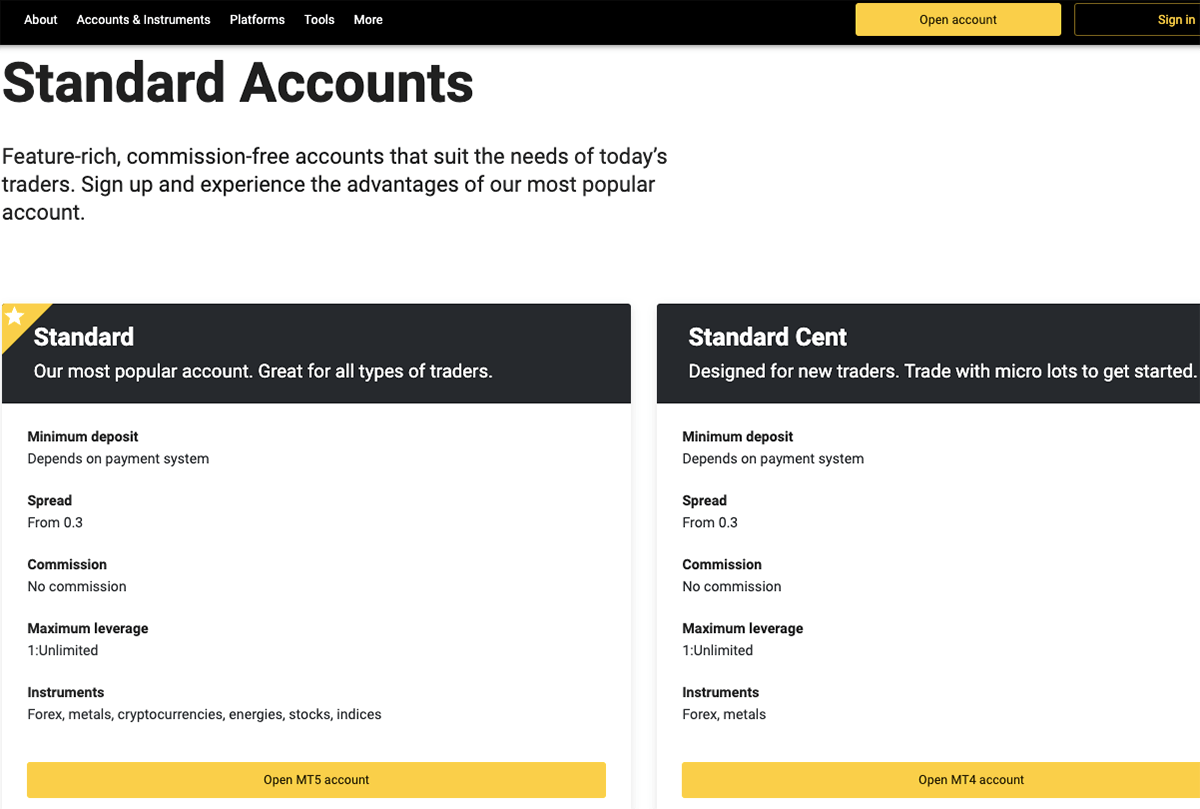
The minimum deposit for Exness Standard Accounts varies based on the deposit method you choose. However, the minimum deposit amount available for all deposit methods is $10 (TZS 27,200).

There are two types of standard accounts that you can trade with on Exness, namely the Standard Account and the Standard Cent Account. These accounts are best for beginners who may want to test their trading skills on a live account with smaller amounts.

Exness Account Types

2) Professional Accounts

Professional Accounts on Exness

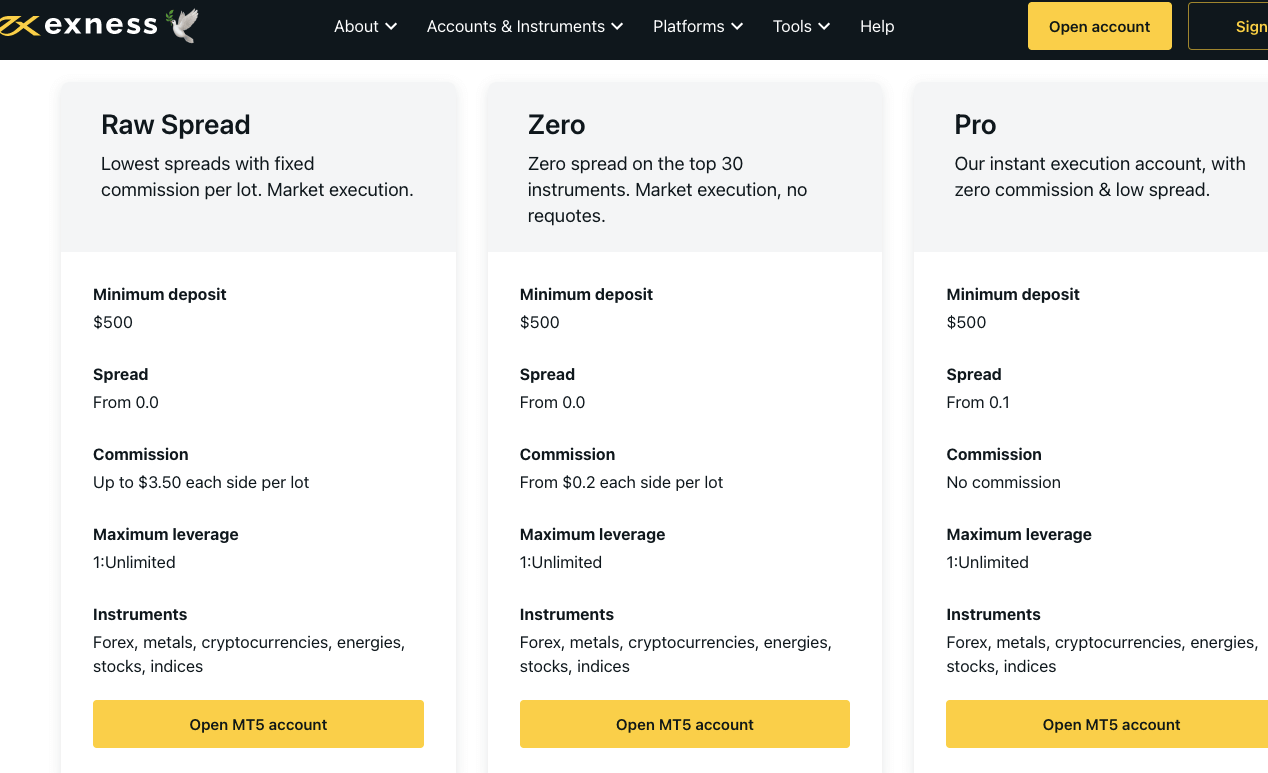
Exness Professional Accounts require a minimum deposit of $500. In Shillings, that will be TZS 1.3 million. These accounts are designed for experienced traders who are comfortable trading with larger sums and have honed their skills.

Exness offers various types of Professional Accounts such as Zero Account, Raw Spread Account, and Pro Account to cater to diverse trading needs.

Though these accounts are called professional accounts, they are not the standard accounts for institutional traders. They are for retail traders who are experienced.

3) Portfolio Management Accounts

Portfolio Accounts on Exness

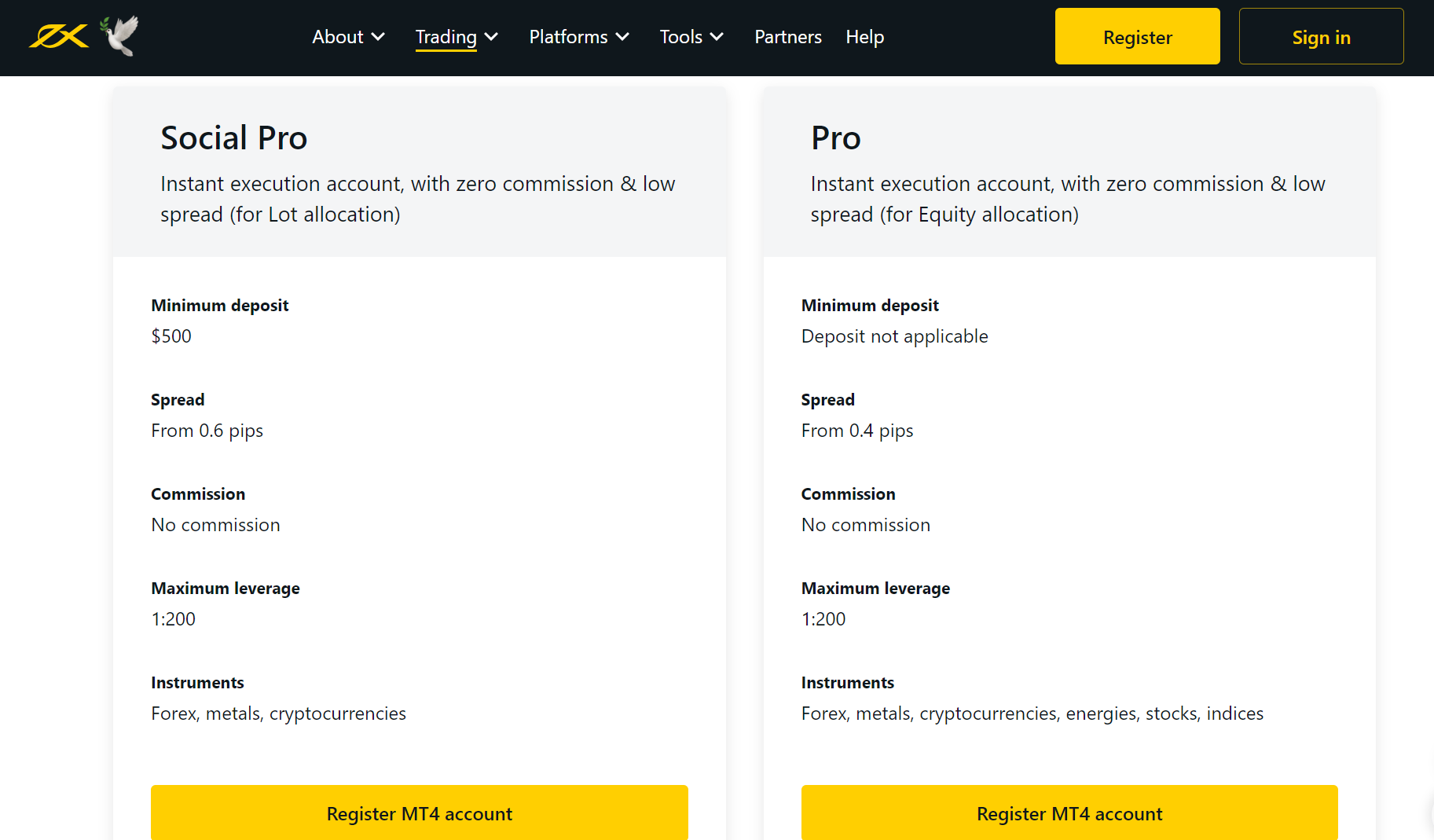
To open a Social Pro (Portfolio management) Account, a minimum deposit of $500 (TZS 1.3 million in Tanzania) is required.

However, for the Pro (Portfolio Management) Account, no minimum deposit is applicable.

The Portfolio Management accounts are designed for eligible accounts that require the services of a portfolio manager.

4) Social Accounts

Copy trading on Exness

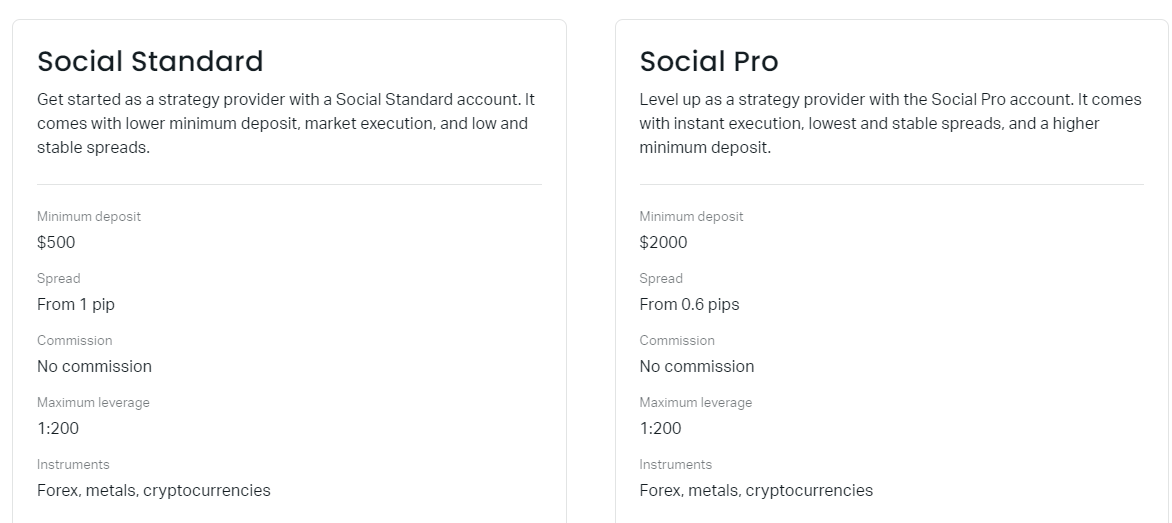
Exness minimum deposit for Social Standard account is $500 (TZS 1.3 million), and the Social Pro Account has a minimum deposit of $2,000 (TZS 5.4 million in Tanzania).

The social accounts are for strategy providers who wish to make money by sharing their trading strategies.

Visit Broker

Note: CFD trading is risky

Exness Deposit Methods and Required Fees in Tanzania

To fund your Exness account, you can choose from various deposit methods and make a deposit of any amount above the minimum required for your preferred method.

It’s worth noting that if the minimum deposit for your account type is higher than the minimum deposit for your deposit method, you’ll still need to deposit the minimum amount required for your Exness account type.

Bank Cards
Minimum deposit for a bank card is $10 (TZS 27,200) and within 30 minutes of sending the money, you should see it in your Exness account.

Withdrawal using this method takes about 24 hours and has a minimum withdrawal amount of $3 (TZS 27,200).

Skrill
When depositing with Skrill, you need a minimum deposit of TZS 27,200 ($10) and this method has a deposit speed of 30 minutes.

You can withdraw a minimum amount of $10 (TZS 27,200) with this method and withdrawal takes up to 24 hours.

Neteller
The minimum deposit amount for Neteller is $10 (TZS 27,200) and it also takes about 30 minutes for the money to reflect in your Exness account.

For withdrawal, the minimum amount is $4 (TZS 10,880) and it takes up to 24 hours.

Perfect Money
Like other methods, Perfect Money has a minimum deposit of $10 (TZS 27,200) and a transaction speed of 10 minutes.

You can withdraw as low as $2 (TZS 5,440) and withdrawal takes about 24 hours.

Stic Pay
Stic Pay has a minimum deposit of $10 (TZS 27,200) and a speed of 30 minutes for deposit.

The minimum amount for withdrawal is $1 (2,720) and it takes about 24 hours

Exness Deposit Rules

Here are some key rules to always keep in mind when depositing money into your Exness account:

1)Exness does not charge a deposit or withdrawal fee. However, the third party funding platform you are using like your bank may charge you some fees.

2)You can deposit and withdraw money from your trading account at any day and time. However in a situation where deposit or withdrawal is not instant, you may have to wait for up to 24 hours.

3)You must deposit from or withdraw to your personal account. Exness will not receive payment from a third party account to your trading account nor will they pay to any third party account.
When you deposit in a currency that is not the same as your account base currency, you will have to pay a conversion fee.

Visit Broker

Note: CFD trading is risky

How to Deposit Money Into Your Exness Account

Here is a step by step guide on how to deposit money into your Exness account.

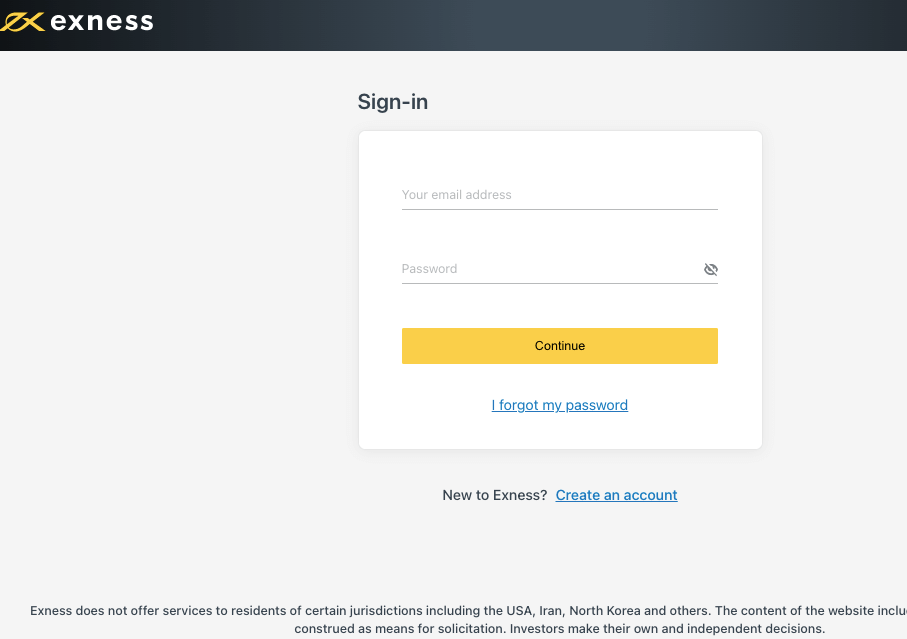
1) Visit your Personal Area on your trading platform

Sign In to Exness

2) In your Personal Area, click on ‘Deposit’ on the left side of the page

3) Select a payment option, for Tanzania, its best to select a payment method.
The payment options that will be displayed on your screen are those that are available to your country. If you need to deposit instantly, switch on ‘instant only’ so that the only payment options that will be displayed on your screen are those with instant speed.

4) You will be taken to a page where you will select your phone network provider, then enter the amount you want to deposit, and choose the account you want to fund. You will receive a text message on your phone with the direction to complete the deposit. When the payment is confirmed, you will be notified.

Step 5) After you complete the steps above, your Exness trading account is credited with the deposited funds.

After you have successfully completed the transaction, you can view your transaction history on your Personal Area.

Deposit on Exness

Comparison Of Exness Minimum Deposit With Other Brokers

Here is how Exness compares with their competitors for minimum deposit.

Broker Minimum Deposit
Exness TZS 27,200 ($10)
HF Markets TZS 13,600 ($5)
XM TZS 13,600 ($5)
FBS TZS 8,160 ($3)

Visit Broker

Note: CFD trading is risky

What base currencies are accepted by Exness?

Here are the base currencies allowed by Exness: AED, ARS, AUD, AZN, BDT, BHD, BND, BRL, CAD, CHF, CNY, EGP, EUR, GBP, GHS, HKD, HUF, IDR, INR, JOD, JPY, KES, KRW, KWD, KZT, MAD, MBT, MXN, MYR, NGN, NZD, OMR, PHP, PKR, QAR, SAR, SGD, THB, UAH, UGX, USD, UZS, VND, XOF, ZAR.

Frequently Asked Questions

What is Exness minimum deposit in Tanzania?

TZS 27,200 ($10) is the minimum amount you can deposit in Exness. However, this will only be possible if you are using a standard account and depositing via cards. For other account types and payment methods, the minimum deposit is higher.

What is Exness minimum withdrawal?

TZS 5,440 ($2) is the minimum amount you can withdraw from Exness, using cards. Other payment methods may require a higher amount.

How much does Exness charge per withdrawal?

$0. Exness does not charge a deposit or withdrawal fee. However, your third-party platform may charge you a fee.

How long does Exness take to deposit money??

Deposit on Exness can be instant for cards and e-wallets or may take between 30 minutes to 24 hours. When depositing funds, you can specifically choose to use instant methods if you need to fund your account urgently.

Exness Review 2025

Exness is a Forex and CFD broker offering CFDs on forex, precious metals, energies, indices, stocks and cryptocurrencies for both individual and institutional traders. Exness was founded in 2008 and regulated in Seychelles.

As a regulated Forex broker, Exness is authorized by Multiple Top-Tier Financial Regulators to provide services for trading Forex & CFDs on financial instruments. Their website provides access to real-time charts for all instruments.

This review covers the Exness platform features including regulation, available tradable instruments, leverage, customer support, trading and non-trading fees, account types, and deposits/withdrawals options.

Exness Review Summary
🏢 Broker Name Exness (SC) Ltd
📅 Establishment Date 2008
🌐 Website www.exness.com
🏢 Address E​xness (SC) Ltd, 9A CT House, 2nd floor, Providence, Mahe, Seychelles.
🏦 Minimum Deposit $10 (TZS 27,200)
⚙️ Maximum Leverage 1:2,000
📋 Regulation FSA Seychelles, FCA, CySEC, FSCA, FSC Mauritius
💻 Trading Platforms MT4 & MT5 for PC, Mac, Web, Android, iOS and Exness Trader for Web, iOS and Android
Start Trading with Exness

Exness Pros

  • Licensed by Top-Tier Regulators
  • No inactive account fees
  • Offers commission-free trading
  • Has negative balance protection

Exness Cons

  • Slow email support
  • Has high leverage, which means higher risk
  • Has a limited range of instruments

Is Exness broker legit?

Exness is considered a low-risk Forex broker for Tanzanian traders because they are licensed in multiple jurisdictions under different names and authorized by Top-Tier financial regulatory organizations. Some of the regulations of Exness are listed below:

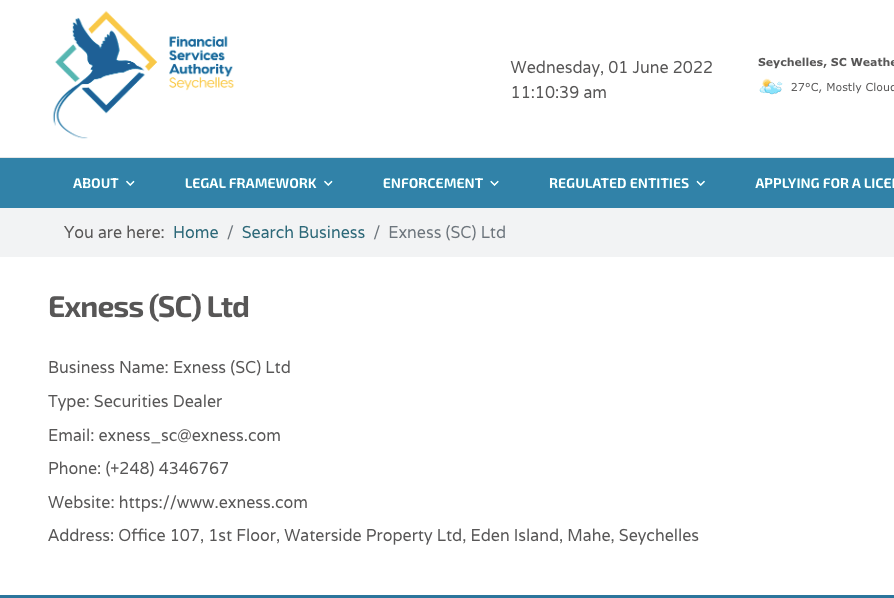
1) Seychelles Financial Services Authority (FSA): Exness is a registered Securities Dealer in Seychelles and regulated by the FSA in Seychelles as Exness (SC) Ltd with license number. Traders from Tanzania are registered under this Offshore regulation.

Note that because the broker is not regulated in Tanzania, you are trading at your own risk and the offshore regulation protection for customers may not cover you.

Exness License

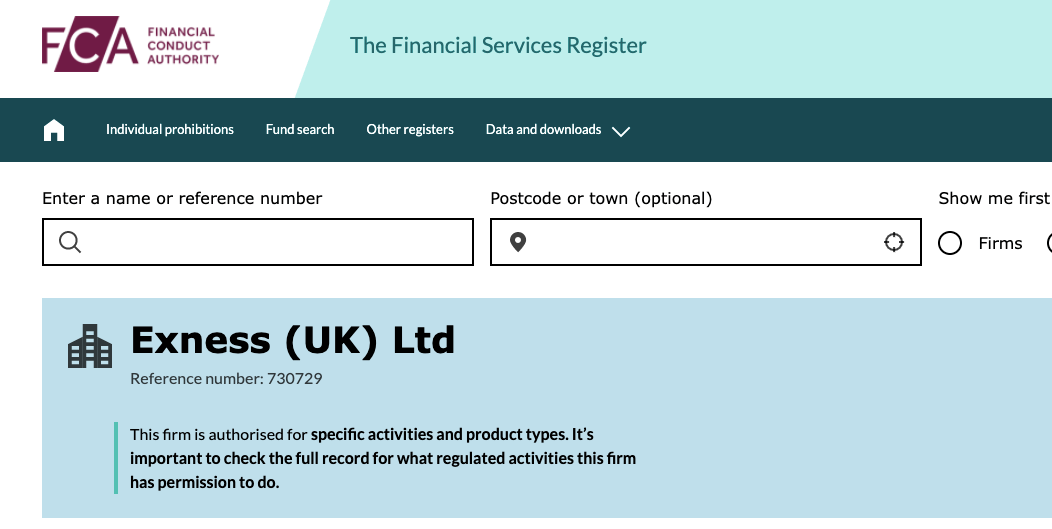
2) Financial Conduct Authority (FCA), United Kingdom: Exness is licensed by FCA, a Tier 1 regulator, in the United Kingdom of Great Britain (UK) as Exness (UK) Ltd, which is registered as an Investment firm with Financial Services Register number 730729. The Exness UK website is www.exness.uk.

Exness UK Regulation

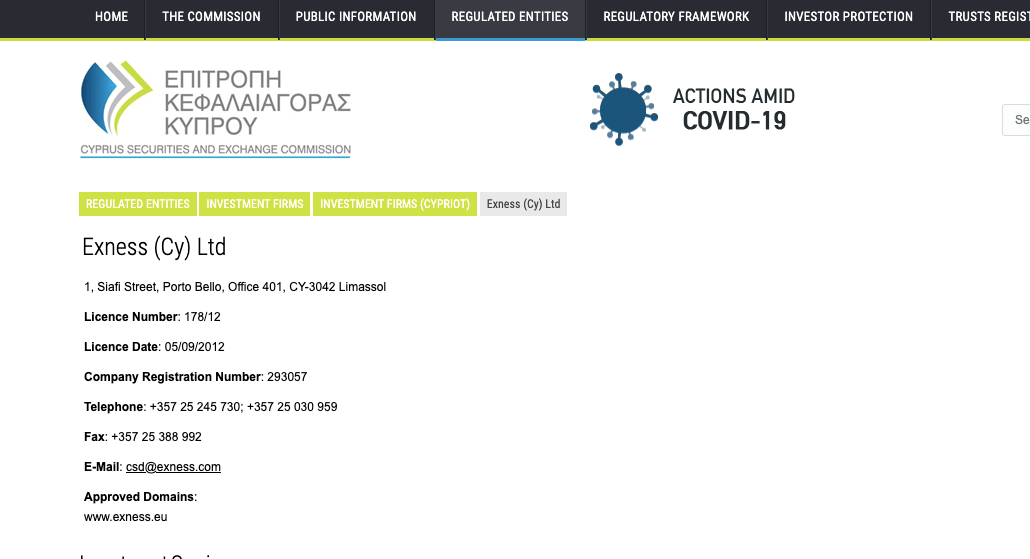
3) Cyprus Securities and Exchange Commission (CySEC): Exness is authorized by CySEC, a Tier 2 regulator, in Cyprus as an Investment Firm with license number 178/12. Registered as Exness (Cy) Ltd, and their website of operations is www.exness.eu.

Exness Europe Regulation

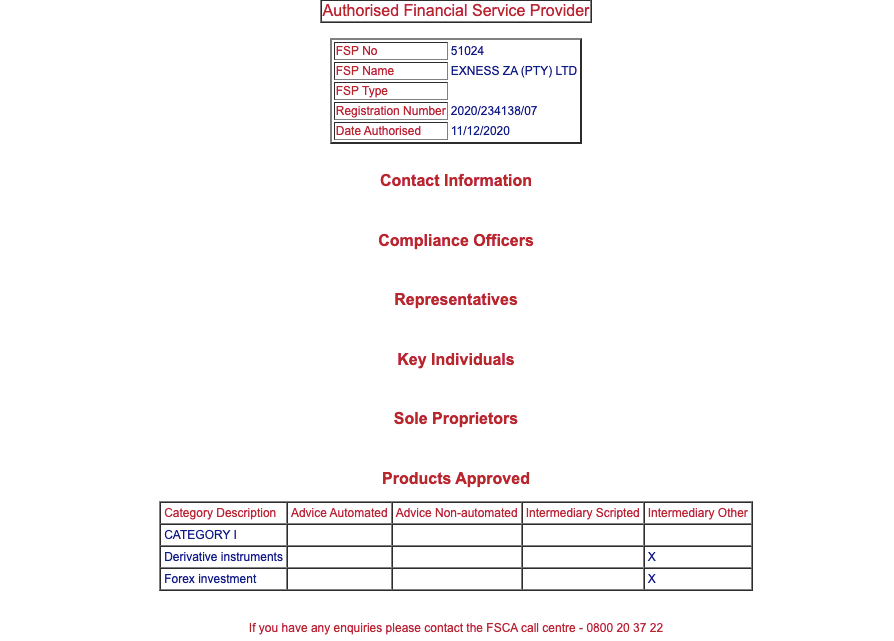
4)Financial Sector Conduct Authority (FSCA) in South Africa: Exness is regulated in South Africa as Exness ZA (Pty) Ltd, by the FSCA and authorised as a Financial Service Provider (FSP), with FSP registration number 51024, issued in 2020.

Exness License in South Africa

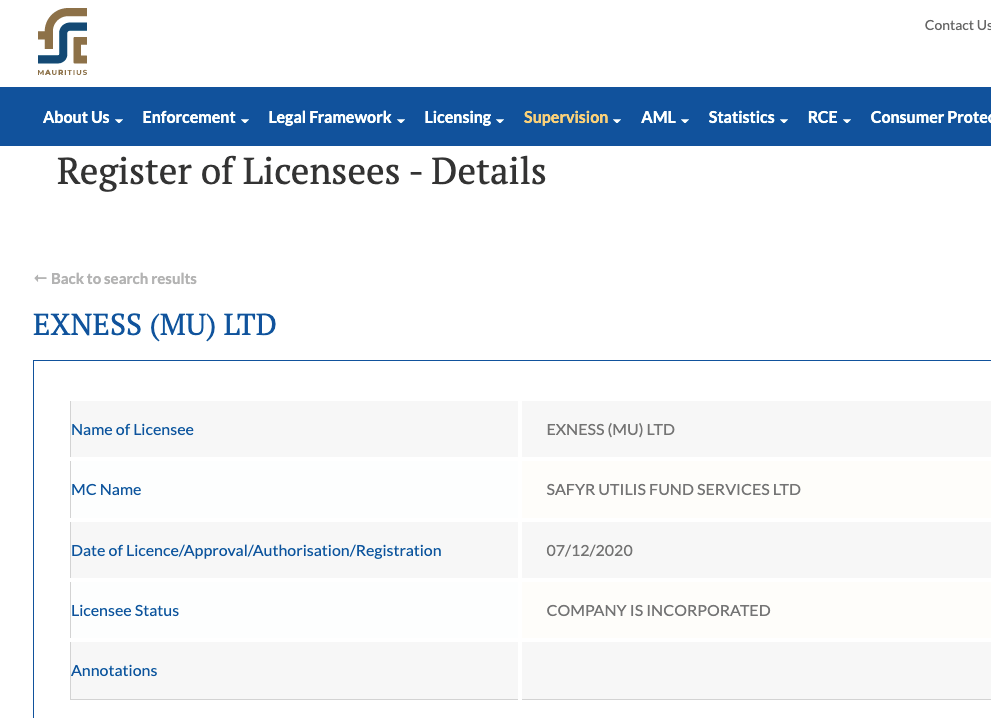
5) Financial Services Commission (FSC): Exness is regulated by FSC in Mauritius as Exness (MU) Ltd, an investment dealer.

Exness FSC Regulation

Exness Investor Protection

Client Country Protection Regulator Legal name
United Kingdom £85,000 Financial Conduct Authority (FCA) Exness (UK) Ltd
South Africa No Compensation Financial Sector Conduct Authority (FSCA) Exness ZA (Pty) Ltd
Cyprus (EU) €20,000 Cyprus Securities and Exchange Commission (CySEC) Exness (Cy) Ltd
Tanzania No Protection Seychelles Financial Services Authority (FSA) Exness (SC) Ltd

Exness Leverage

Exness offers unlimited leverage for trading for all account types, including 2 Standard Accounts and 3 Professional Accounts. This means that you can open a trade position worth 1,000 times or more of your deposit.

For example, with a deposit of $100, you can open a trade position worth $100,000 or more, without any limits on the leverage. Depending on your risk appetite and the amount of leverage you want to use, higher leverage means that the chances of loss are higher too.

However, some instruments have preset leverage, which is fixed and you cannot change it. Before you access the unlimited leverage, you must close at least 10 trades, otherwise, you will have a maximum leverage of 1:2,000.

Leverage on Exness depends on your equity as well. Accounts with equity of less than $1,000 have unlimited leverage, while accounts with equity of up to $4,999 have maximum leverage of 1:2,000, accounts with equity between $5,000 and $29,999 have a maximum leverage of 1:1,000, and accounts with more than $30,000 have a leverage limit of 1:500.

Note: All instruments on Exness trade at a maximum leverage of 1:200 during weekends and holidays. It is important that you do not use high leverage as it increases your risk and you can lose all your money. You should avoid CFDs and leveraged products trading unless you understand them and have experience.

Exness Account Types

Exness trading account types are categorised into 2; Standard and Professional Accounts, accessible with the MT4, MT5, and Exness Trader trading applications.

Your account type on Exness determines the tradeable instruments available to you and the fees you will pay. Both the Standard and Professional Accounts have sub-categories of accounts. Details of the different account types offered by Exness are described below:

Exness Standard Accounts

Exness offers 2 Standard Account types, the Standard Account and Standard Cent account.

1) Standard Account: This account type is designed for all types of traders, and the tradeable instruments on Standard Accounts are Forex, metals, energies, stocks, indices, and cryptocurrencies, accessible on the MT5 platform.

There are no commission charges with this account, spreads start at 1 pip for majors like EURUSD, and you pay swap fees whenever you keep a trade position open past the market closing time.

You can trade with unlimited leverage, a maximum trade lot size of 200 and a minimum of 0.01, and unlimited open orders. There is no mandatory minimum deposit on this type of account.

This account has negative balance protection which means you cannot lose more than the money deposited. If you suffer a loss on a trade position and your account balance goes negative, the negative balance will be reset to zero.

2) Standard Cent Account: The Exness Standard Cent Account is a subcategory of the Exness Standard Account, designed to suit new traders. This account allows you to trade only Forex and metals and is accessible only on the MT4 platform.

Standard Cent Account is also commission-free, spreads start at 1 pip for majors like EURUSD, and you pay swap fees if your open trade rolls over to the next trading day before you close it.

The account has unlimited leverage as well. The minimum trade lot size is 0.01 and the maximum is 200 with 1,000 maximum open orders.

No fixed minimum deposit is required on the account and it has negative balance protection.

Exness Account Types

Exness Professional Accounts

The Exness Professional Accounts are designed for experienced traders, this account type has 3 subcategories. The features of Exness Professional Account types are shown below:

3) Raw Spread Account: The Exness Raw Spread Account can be accessed on all trading platforms. Tradeable instruments on this account are Forex, cryptoсurrencies, energies, metals, stocks, and indices.

Spreads start at 0.0, and commission charges are about $3.5 per side lot (which makes it $7 for a round turn) for major pairs like EURUSD. You also pay swap fees for overnight positions.

The account features unlimited leverage, and an unlimited number of open positions, with minimum and maximum lot sizes of 0.01 and 200 respectively and requires a minimum deposit of $500 (TZS 1.3 million).

This account also has negative balance protection on Exness.

4) Zero Account: The Exness Zero Account can be accessed on all trading platforms and features zero spreads for the 30 major instruments. Tradeable instruments on this account are Forex, cryptoсurrencies, energies, metals, stocks, and indices.

Commission charges on Exness Zero Account are from $0.2 per side lot and up to $3.5 per side ($7 per round turn) for major pairs like EURUSD. Spreads start from 0.0 pips, and you pay swap fees for keeping a position open past the market closing time.

The Zero Account on Exness has the lowest spread. They are fixed spreads at 0.0 pips for 95% of the trading day.

There is no maximum leverage on this account and no limit to the number of open orders. You need to trade a minimum lot size of 0.01 lot and a maximum of 200, with a minimum deposit of $500 (TZS 1.3 million) and you have negative balance protection as well.

5) Pro Account: The Exness Pro Account can also be accessed on all trading platforms. Tradeable instruments on this account are Forex, cryptoсurrencies, energies, metals, stocks, and indices.

This is a spreads-only account, with no commission charges for opening or closing trade positions. Spreads start from 0.1 pips for major and you will be charged overnight funding costs if you keep a trade position open overnight into a new trading day.

The maximum lot size is 200 with a minimum of 0.1, with unlimited leverage and a required minimum deposit from traders of $500 (TZS 1.3 million).

This account offers unlimited open positions and negative balance protection.

Professional Accounts on Exness

6) Swap-free Account: Exness offers Interest-free Islamic Accounts to Muslim traders for all account types. With this account, you do not pay any swap fees for keeping a trade position open overnight.

If you want a swap-free Islamic Account on Exness, first open a standard or professional account, then contact customer support to change the status of your account to an Islamic Account.

Note that for countries that have Islam as the predominant religion, swap-free status is applied automatically.

7) Portfolio Management Accounts: Exness offers a Portfolio Management accounts to clients who manage funds for others. There are 2 types of these accounts, Social Pro which requires a minimum deposit of $500 and Pro (Portfolio Manager) which requires no minimum deposit.

With the Exness portfolio management accounts, you can trade CFDs on forex, metals, cryptoсurrencies, energies, stocks, and indices. This account type has zero commission fees, spreads start from 0.4 pips with maximum leverage of 1:200.

8) Exness Social Trading Accounts
Exness supports two social trading accounts. This trading account is useful if you want to share your trading strategies on Exness social trading app.

i) Social Standard Account: This account has a $500 minimum deposit with spreads beginning from 1 pip. CFDs on forex, metals, and cryptocurrencies are the instruments offered.

ii) Social Pro Account: The Social Pro Account has the same conditions as the Social Standard. However, the minimum deposit is higher at $2000 with spreads starting from 0.6 pips.

Exness charges no commission on their social trading accounts

Copy trading on Exness

Exness Base Account Currency

Exness supports many base account currencies, depending on the account type. The standard cent account has the lowest number of supported currencies.

Exness does not hav TZS (Tanzanian Shillings) as the base account currency. Tanzanians that open Exness accounts can only choose between USD and EUR.

Exness Overall Fees

Fees on Exness depend on the account type, although there are some general fee rules. Details of the trading and non-trading of Exness are shown below:

1) Spreads: Typical spread starts from 0.0 pips for the Professional Account types and 0.3 for the Standard Account types. The typical average spread for majors like EURUSD on the Standard Account is 1 pip. Note that the spreads on Exness are dependent on the account type of the trader and the instrument you are trading.

Exness operates a floating spread system, which means spreads can change at any time of the day. Find the average spreads for majors on Exness as of February 2024 on the table below:

2) Commission fees: Most account types on Exness charge no commission on trades. Only the Professional Account (Raw Spread and Zero) have commission charges starting from $0.2 and up to $3.5 for each side lot for major pairs like EURUSD, which makes it $0.4 to $7 for a round turn. Other pairs have higher commissions on the Zero Account while Raw Spread has a fixed commission per side lot of $3.50.

Commission fees are charged whenever you open and close a trade position with the Raw Spread and Zero Accounts.

Exness Trading fees Table

Here is a summary of the average fees Exness charges on some instruments:

CFD instrument Spread (Standard Account) Commission (Zero Account)
EUR/USD 1 pip $3.5 per lot
GBP/USD 1.2 pips $4.5 per lot
EUR/GBP 1.6 pips $9 per lot
XAU/USD (Gold) 20 pips $8 per lot
Crude oil $0.03 over market $3.5 per lot
UK100 57.8 pips $1.25 per lot
SPX500 16.5 pips $0.5 per lot

3) Swap fees: Anytime you keep a trade position open past the closing time of the market closing time (10 PM GMT +0), you are charged swap fees which are added to your profit or loss at the time you close the trade.

The swap fee is calculated based on the size of the instrument you are trading, the spread, the number of days you keep the position open, and whether your position is a long swap (buy) or short swap (sell).

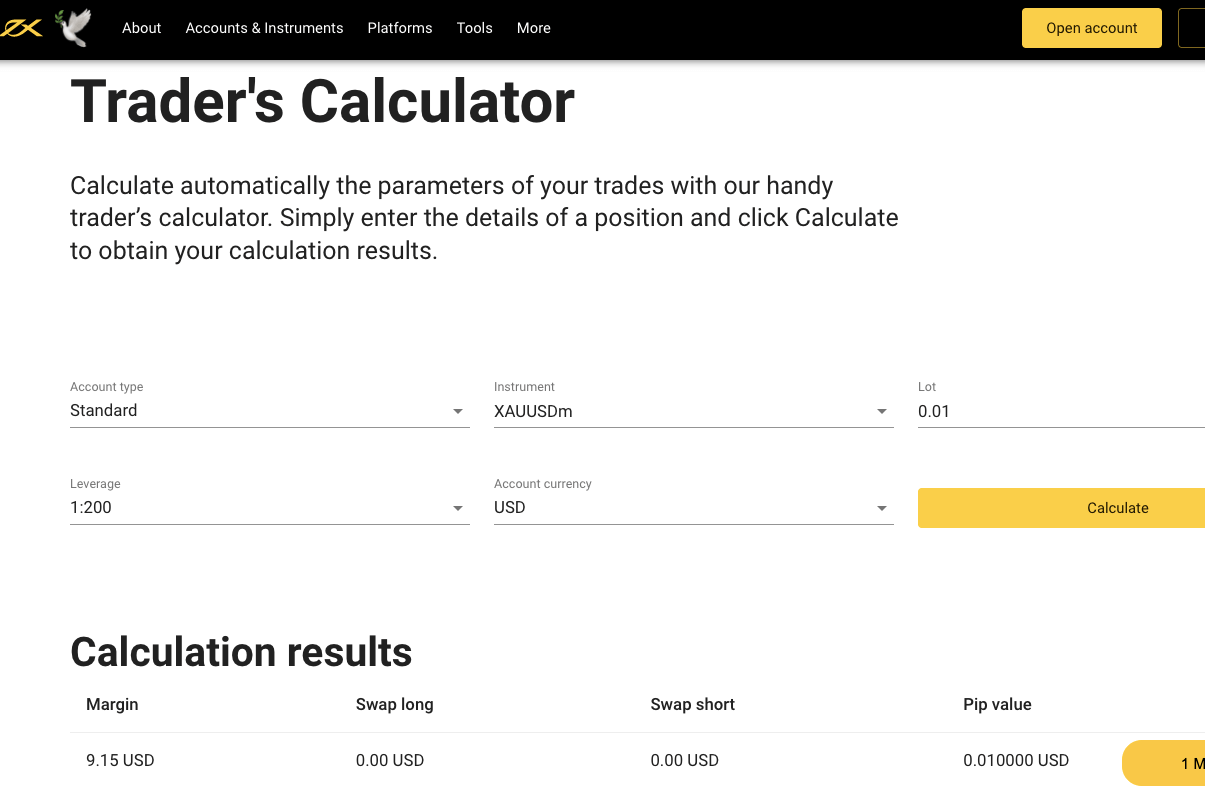
If your position is a buy (long swap), you may get interest added to your profit instead of a fee. You can estimate the fees you will pay by using the calculator on the Exness website.

Note that Islamic Accounts do not pay swap fees, and some instruments like cryptocurrencies, stocks, indices, and XAUUSD (Gold) are not charged swap fees for all account types.

Exness Calculator

Non-trading fees

4) Deposit and Withdrawal fees: Exness charges zero deposit fees and zero fees for withdrawals from the platform. This applies to all account types. Although Exness does not charge any deposit/withdrawal fees, your credit card provider, bank, or payment method may apply a transaction fee or commission.

5) Account Inactivity charges: No inactivity fees are charged on Exness accounts that have been inactive or dormant for any period of time.

Exness Non-trading fees

Fee Amount
Inactivity fee None
Deposit fee Free*
Withdrawal fee Free*

*Note that your payment processing company may charge some independent transaction fee.

How to Open Exness Account in Tanzania

To start trading on the Exness platform, you must open a live account. Follow these steps to open an account on Exness:

Step 1) Go to the Exness website home page at www.exness.com and click on the ‘Register’ button, highlighted in yellow colour at the middle of the page or at the top right side of the home page.

Exness Website Homepage

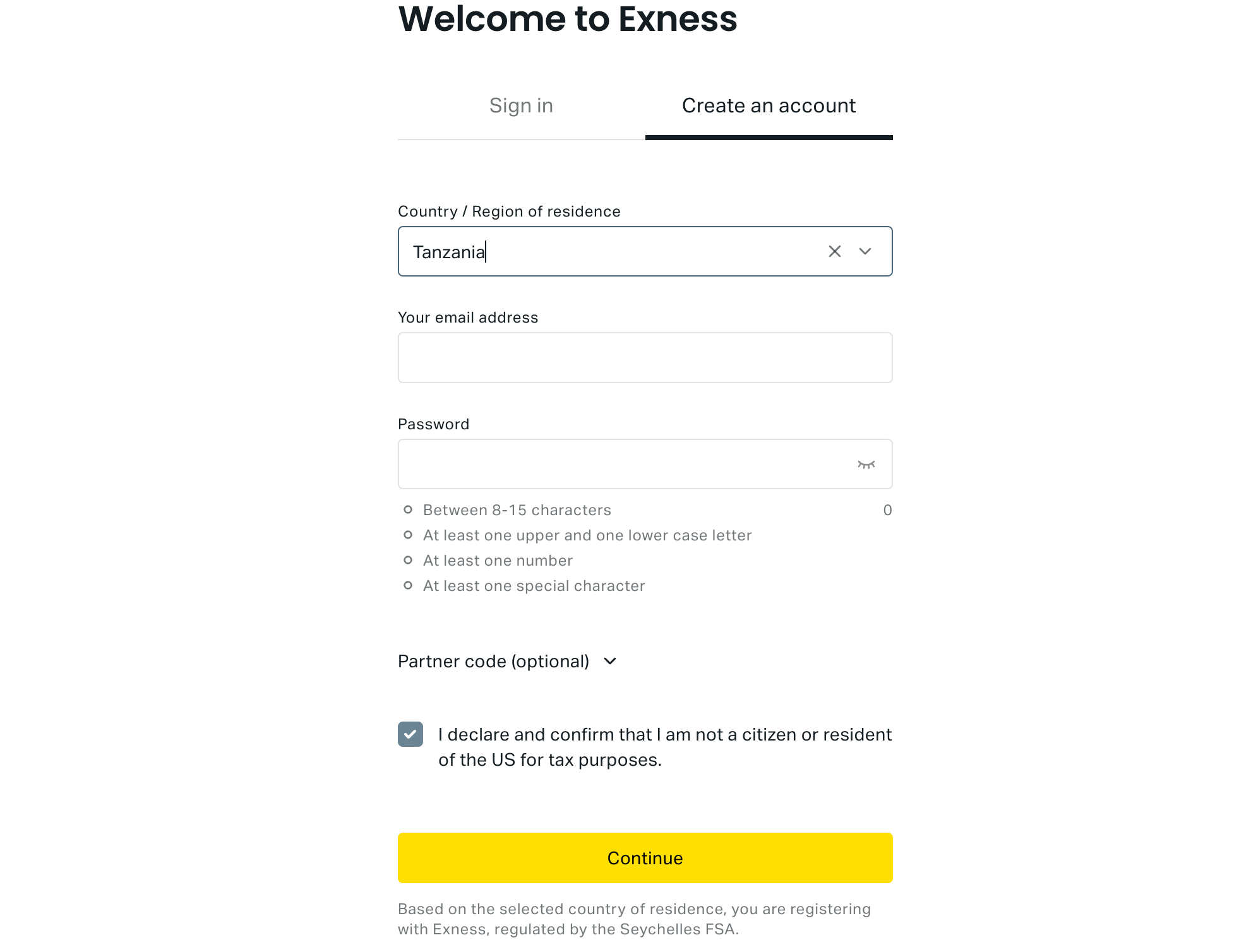
Step 2) Select your country of residence, fill out your email address and create a password for your account, check the box below the form fields to confirm you are not a US citizen or resident, then click ‘Continue’.

Exness Registration

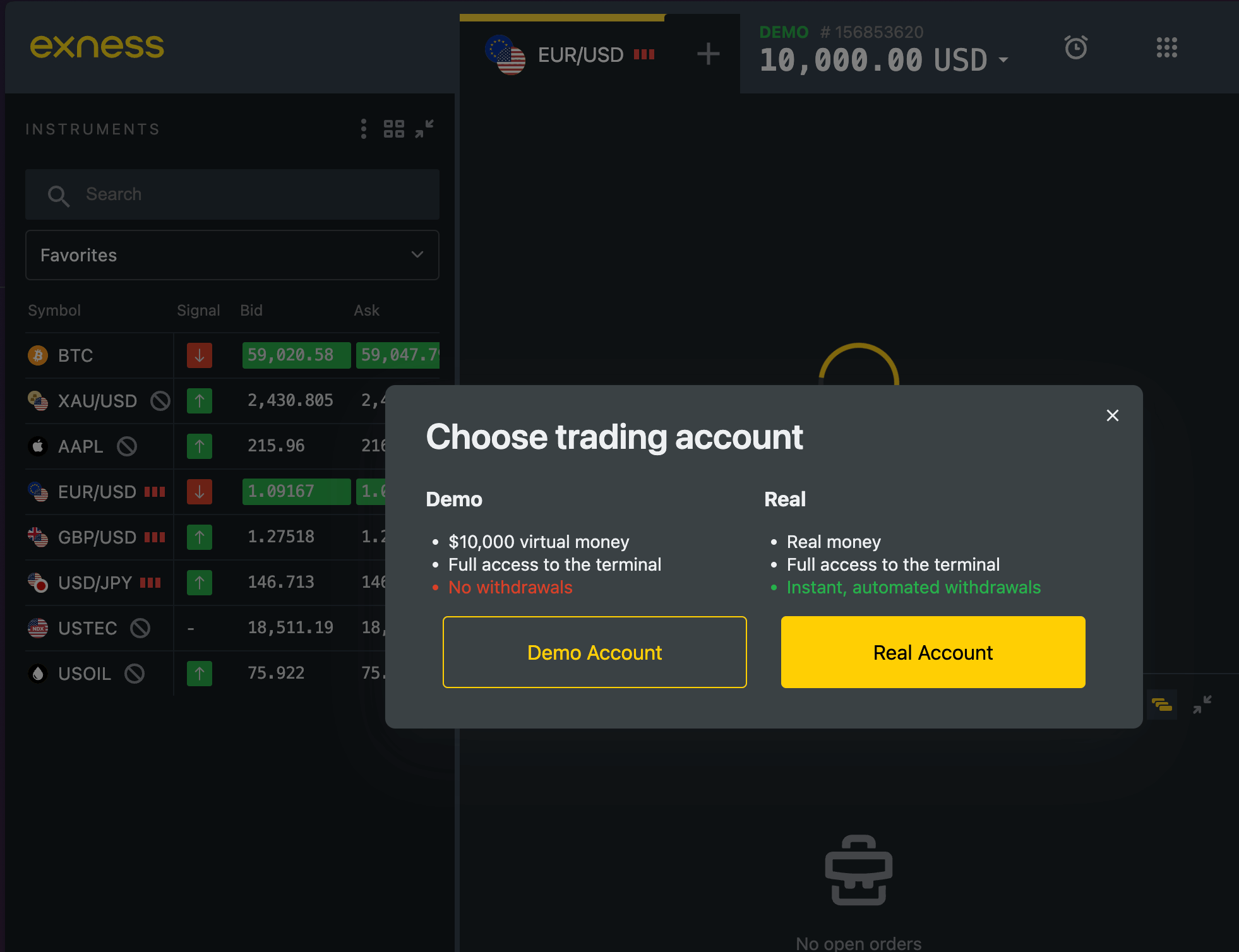
Step 3) You will be required to choose if you are opening a live account or demo account, select ‘Real Account’.

Exness Trading Account

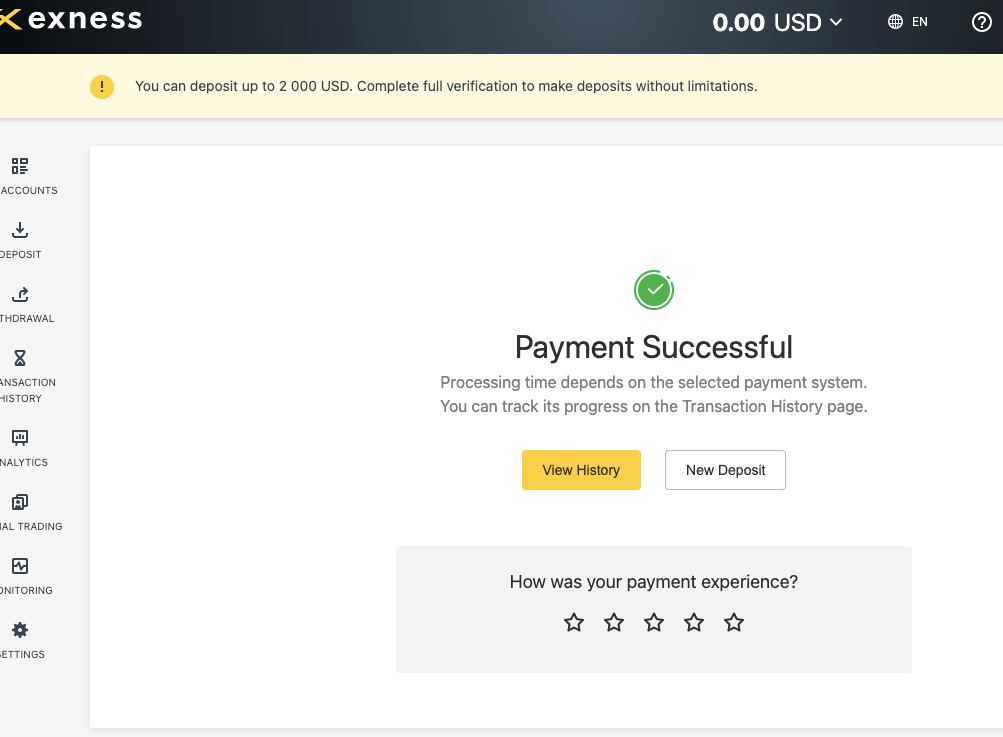
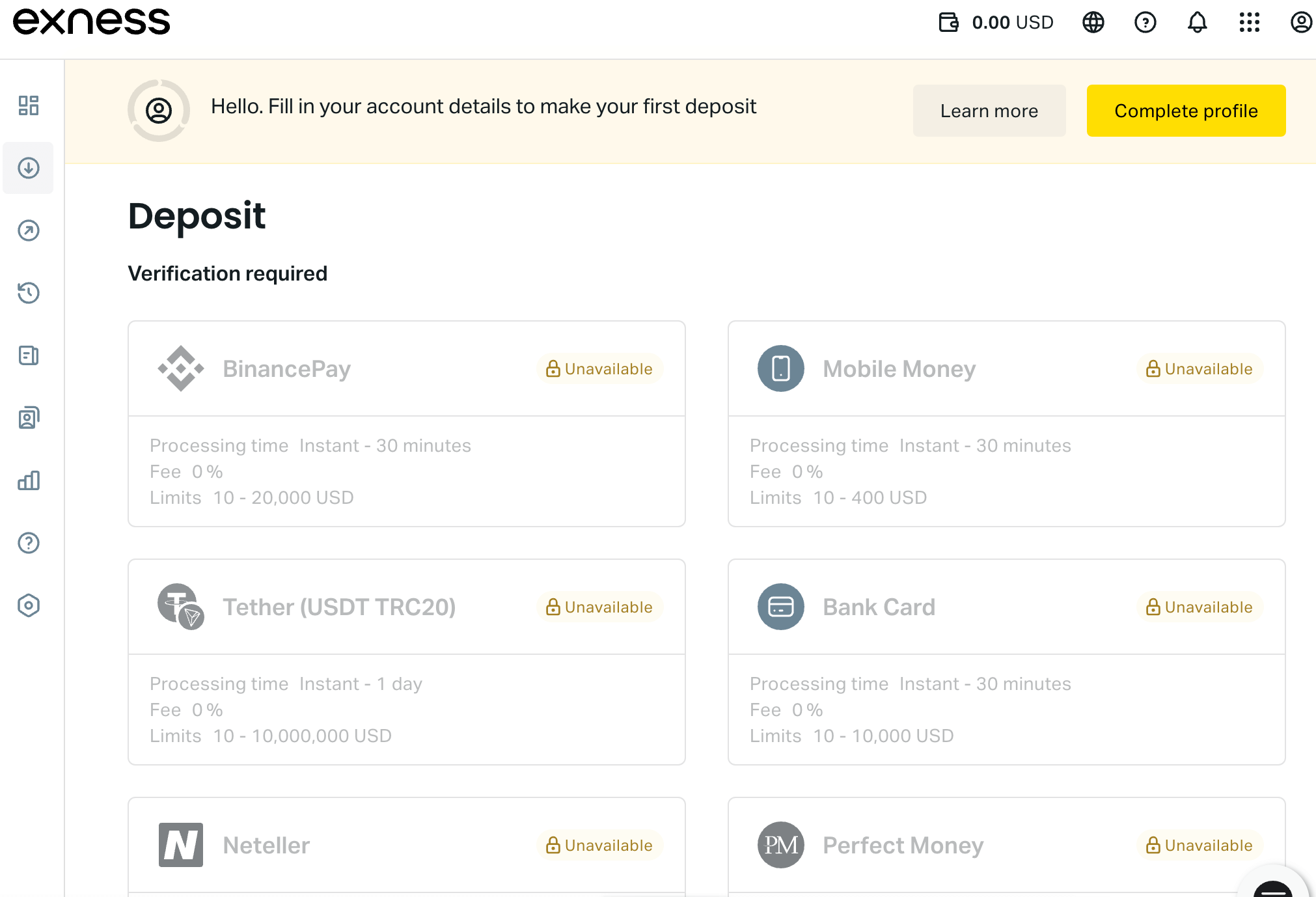
Step 4) You will be taken to your dashboard/personal area page that shows deposit options, and a notification highlighted in yellow, requesting that you complete your profile to make deposits and start trading. Click on ‘Complete Profile’ button.

Exness Payment Methods

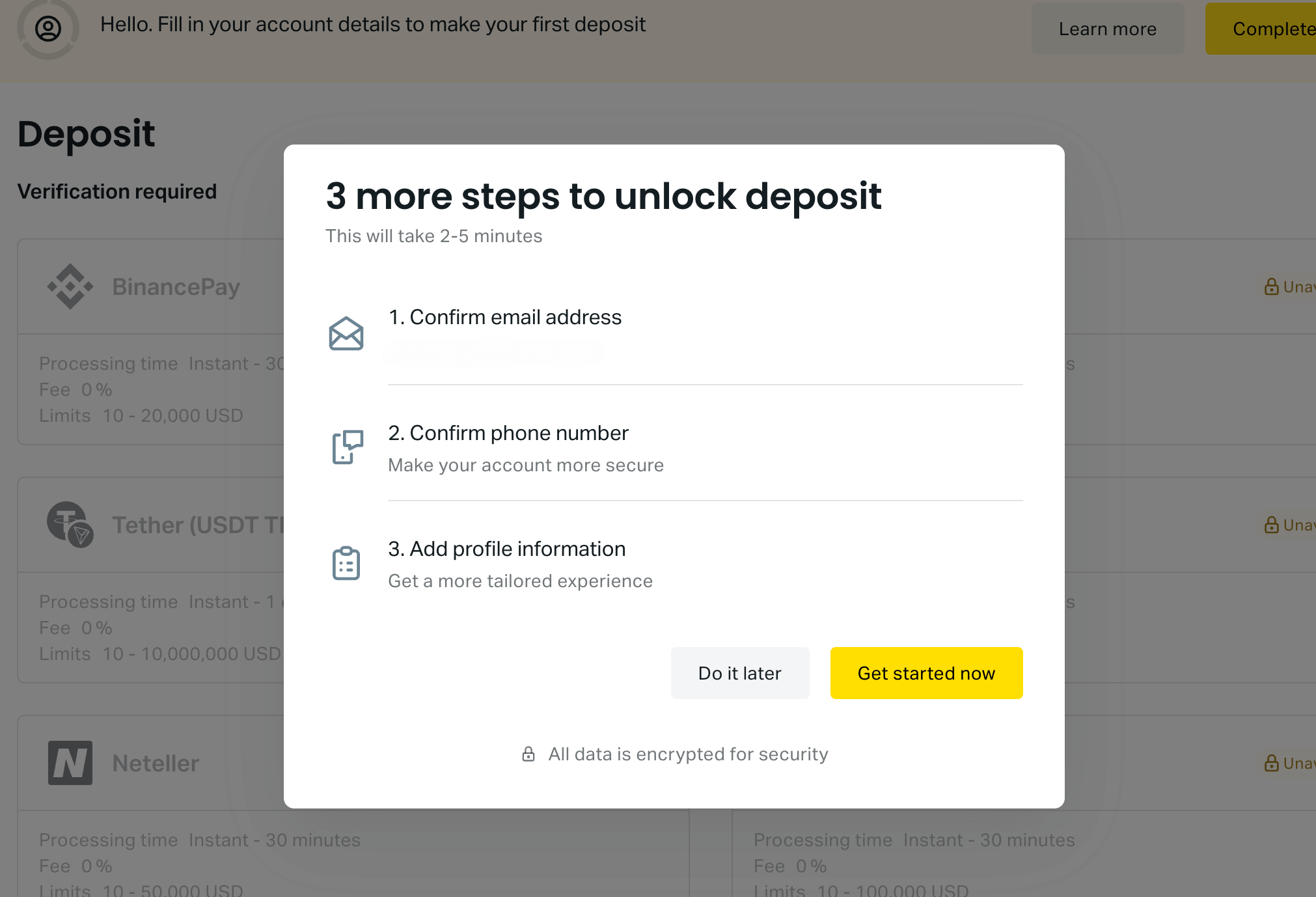
Step 5) Next requirement is to verify your email address, click on ‘Get started now’, to get a code that you can use to verify your email address. Get the code from your email inbox, type it in the field provided, and click on ‘Continue’ to proceed.

Create Account on Exness

Step 6) You will also be required to verify your phone number via a text or call. Then fill in some personal information like name, date of birth, and address, then click ‘Continue’ to complete your registration.

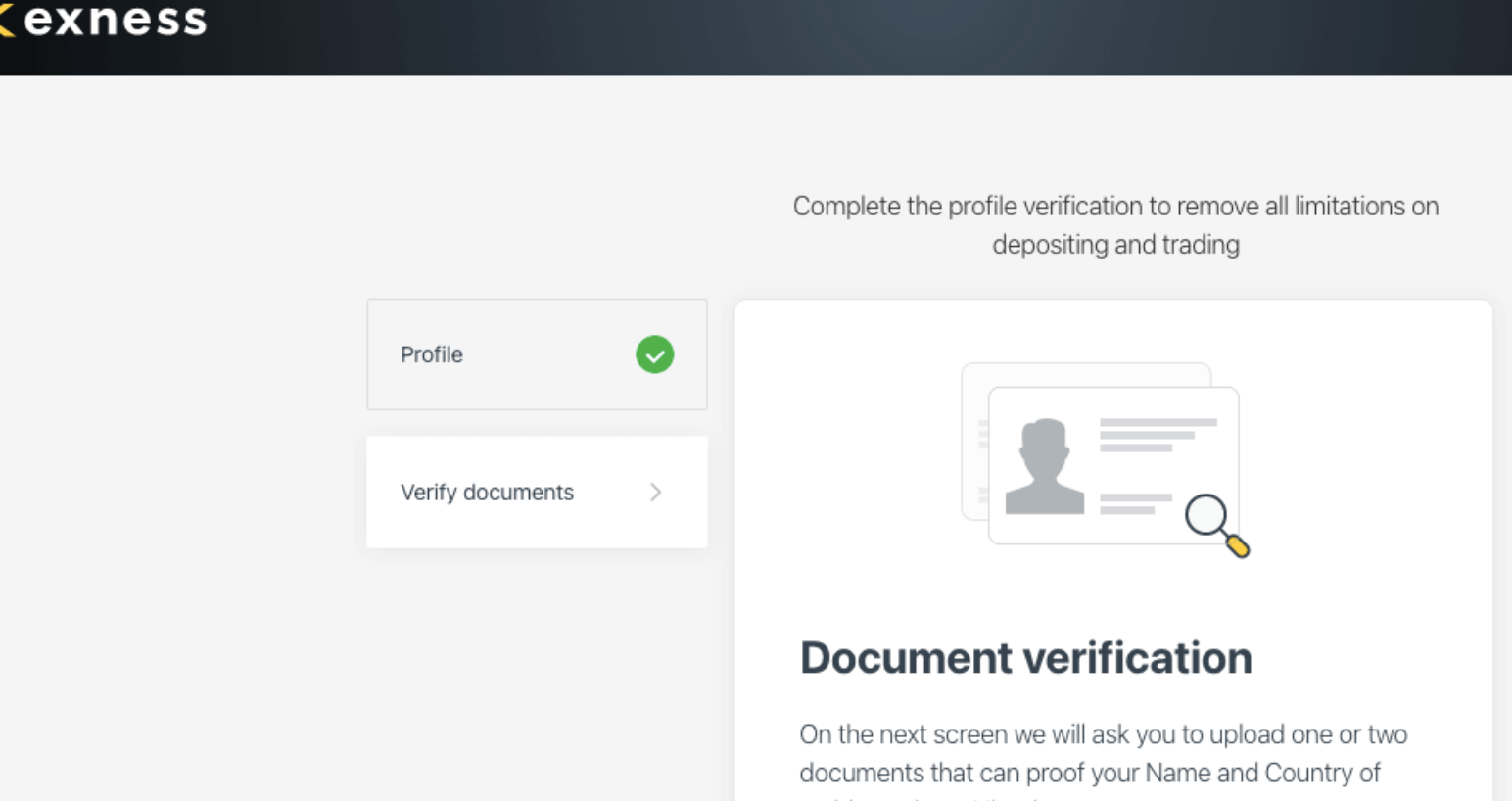
After the registration is complete, you can choose to make a deposit immediately, this will take you to your Exness personal area or you can choose to complete verification by uploading some identity documents.

Verify Exness Account

If you proceed to deposit without completing verification, you have a maximum deposit limit of $2,000.

Exness Deposits & Withdrawals

Payment methods supported by Exness for deposits and withdrawals are e-wallets and cards. Here is the summary of the deposits and withdrawal options on Exness in Tanzania.

Exness Deposit Methods

Here is a summary of payment methods accepted by Exness for deposits.

Deposit Methods Availability Charges Processing time
Cards Yes Free within 30 minutes to 5 business days
E-wallet Yes (Skrill, Neteller, and others) Free within 30 minutes to 3 business days
Cryptocurrency Yes (USDT & BTC) Free 24 hours to 3 business days

Exness Withdrawal Methods

Here is a summary of payment methods for withdrawals accepted on Exness.

Withdrawal Methods Availability Charges Processing time
Cards Yes Free up to 10 business days
E-wallets Yes (Skrill, Neteller, and others) Free 8 hours to 5 business days
Cryptocurrency Yes (USDT & BTC) Free up to 3 business days

What is the minimum deposit for Exness?

The minimum deposit on Exness is $10 (TZS 27,200) for e-wallets, crypto, and bank cards. Wire transfers require a minimum deposit of $10,000 and are processed within 48 hours.

How do I Deposit Funds?

To deposit funds into your Exness Account in TZS, follow the steps below:

Step 1) Log in to your Exness Personal Area by visiting www.exness.com and clicking ‘Sign In’ on the top right side to log in or go to my.exness.com/accounts/sign.

Sign In to Exness

Step 2) Once you’re logged into your personal area (dashboard), click on ‘DEPOSIT’, which is on the left side column menu, and select a payment method.
Step 3) Next, you select the trading account you want to deposit funds into and enter the amount of money you want to deposit then click ‘Next’ to proceed.

Step 4) You will be taken to a page where you will select your phone network provider (MTN, Airtel). Then you will receive a text message on your phone with the direction to complete the deposit. When the payment is confirmed, you will be notified.

Step 5) After you complete the steps above, your Exness trading account is credited with the deposited funds.

Deposit on Exness

What is the Exness Minimum withdrawal?

The minimum withdrawal on Exness is $1 for Webmoney, $2 for PerfectMoney, $4 for Neteller, $10 for Skrill, BTC, and bank cards, and $100 for USDT.

How to Withdraw Funds from Exness in Tanzania?

To withdraw funds from your Exness account to your bank account in Tanzania, follow the steps below:

Step 1) Go to the Exness website home page at https://www.exness-trade.pro and click ‘Sign In’ on the top right side to log in.

Step 2) Once you’re logged into your personal area (dashboard), click on ‘WITHDRAWAL’, which is on the left side column menu, and select a payment method.
Step 3) Select the trading account you would like to withdraw funds from, then enter the amount of money you want to withdraw in the field provided.

Step 4) You will be shown a summary of the withdrawal transaction details, and a code will be sent to you either by email or text, for you to confirm the withdrawal, enter the code received and click on ‘Confirm’ to proceed to the next page.

Step 5) After confirming the withdrawal, you will be asked to fill in your Tanzanian phone number through which you want to receive the funds.

Step 6) Next thing is to click ‘Confirm’ after putting in the information, and you will get a pop-up screen saying the withdrawal process is complete.

Exness Trading Instruments

You can trade any of the following instruments with Exness.

Instrument Availability Number
Forex CFDs Yes 99 currency pairs (8 majors, 26 minors, and 65 exotics)
Energies CFDs Yes 3 Energies on Exness (Brent, Crude Oil, and NatGas)
Metals CFDs Yes 10 pairs of Metals on Exness (including pairs of Gold, Silver, Platinum, and Palladium to USD and EUR)
Indices CFDs Yes 10 Indices on Exness (Dow Jones, S&P 500, US Wall Street, France 40, EU Stocks, and others)
Stocks CFDs Yes 98 Stocks on Exness (including, Google, Apple, Alibaba, Adobe, Cisco Systems, Amazon, etc)
Cryptocurrencies CFDs Yes 35 pairs of Cryptocurrencies on Exness (including ETH, Litecoin, Dogecoin, Ripple, Houbi, BTC, etc.)

Exness Trading Platforms

Exness supports the following trading platforms:

  1. MetaTrader 4 & MetaTrader 5: Exness supports the MT4 and MT5 trading applications for trading financial markets. You can access the applications on the web, desktop and mobile devices (Android & iOS).
  2. Exness Trader: This is the proprietary Exness trading platform, developed by Exness. You can access it via the Exness Terminal on the web and mobile Exness Trader App for Android and iOS devices.

Exness WebTrader

Exness Trading Tools

Exness has some tools that traders can use to improve their experience. You can use the following tools on the Exness Platform in Nigeria to analyze markets, plan trades, and manage risk effectively:

1) Trading Central Signals: You can use this tool to receive actionable trading signals generated by professional analysts on Trading Central platform. This is designed to help you stay informed and potentially spot favorable entry and exit points.

2) Market news by FXStreet: Exness has integrated the FXStreet forex news into their platform and you can access news about the latest updates and trends in the market.

3) Economic Calendar: The Exness Economic Calendar is designed to show upcoming economic events in various countries and regions that can impact currency movements. This tool is designed to help you anticipate and adjust your trading strategies accordingly.

4) VPS Hosting: If you open an Exness trading account with at least $500, you get a free VPS service. VPS means Virtual Private Server. It is a remote terminal solution that ensures trading continues even if trading terminal is closed. Even if there is computer crashes or power cuts, VPS is not affected.

Exness Tanzania Customer Service

The Exness customer care service is fair, it has a number of channels for support to customers. They include:

1) Live chat support: Exness has a 24/7 live chat that is not very fast, sometimes they have long waiting queues. When you first click the live chat button, the Exness Virtual Assistant bot starts by sending you quick messages about account types and other Exness related info, you can then type ‘chat agent’, to be transferred to a chat agent.

Note that the Exness Assistant will request your email address before transferring you to a live chat agent. If left idle for a while, the chat closes automatically.

Exness Live Chat

2) Email support: The email support is relatively slow, compared to the email support of other brokers. When our team sent them an email, it was replied to after several hours, a follow-up email was sent, and it also took hours to get a response.

The answer provided was relevant and they recommended live chat for faster response in the mail, with a link to it. The Exness email address is [email protected].

3) Physical office: Exness has physical office addresses in the jurisdictions where it is regulated, London, the UK, Johannesburg, in South Africa, among others. Exness does not have a physical office location in Tanzania.

4) Phone support: Exness does not have phone support for traders in Tanzania. It has international phone support is in Cyprus. The Exness phone number is +357-2503-0959. When our team tried calling, it did not connect.

Exness Trading Tools

Exness has some tools that traders can use to improve their experience. You can use the following tools on the Exness Platform in Tanzania to analyze markets, plan trades, and manage risk effectively:

Analytic Tools on Exness

1) Trading Central Signals: You can use this tool to receive actionable trading signals generated by professional analysts on Trading Central platform. This is designed to help you stay informed and potentially spot favorable entry and exit points.

2) Market news by FXStreet: Exness has integrated the FXStreet forex news into their platform and you can access news about the latest updates and trends in the market.

3) Economic Calendar: The Exness Economic Calendar is designed to show upcoming economic events in various countries and regions that can impact currency movements. This tool is designed to help you anticipate and adjust your trading strategies accordingly.

4) VPS Hosting: If you open an Exness trading account with at least $500, you get a free VPS service. VPS means Virtual Private Server. It is a remote terminal solution that ensures trading continues even if trading terminal is closed. Even if there is computer crashes or power cuts, VPS is not affected.

5) Podcast: Exness podcast is called the born-to-trade podcast. You can listen to deep conversations with traders and industry experts. You can pick a thing or two from what they say and apply it to your trading.

Exness Podcast

Investment Calculator

The investor calculator on Exness is designed to help you do the following things:

1) Estimate Margin: The tool allow you to estimate the margin requirement for your desired trade size, which will help you ensure you have sufficient funds to avoid margin calls.

2) Calculate Pip Value: The tool also helps you calculate the potential profit or loss per pip movement for a specific trade, helping you assess risk and reward potential.

3) Calculate Profit: The Exness investor calculator can you estimate the potential profit or loss for a given trade you are considering to enter, based on entry and exit price, leverage, and commission fees.

Do we Recommend Exness in Tanzania?

Exness is considered low-risk because the broker is multi in Top-tier regulations jurisdictions, like FCA, FSCA, and CySEC. The broker also offers negative balance protection which makes the platform safer for trading as you cannot lose more than your deposit.

The fees on Exness are moderately low when compared to some brokers, but are not the lowest. You can choose from the different account types depending on whether you prefer to pay more spreads or commissions.

The customer support of Exness is not robust, as their live chat is the most reliable contact medium. Exness website is easy to navigate with lots of information and the account creation process was fast.

We recommend that you visit the broker’s website and probably chat with live agents to answer your questions to help you decide if the broker is right for you and the account type you prefer.

Exness Tanzania FAQs

Which Exness account is best?

The best Exness account would be the Standard account, which has no commission fees, allows you trade multiple instruments and has competitive spreads. If you prefer to pay commissions with lower spreads, then the Exness Zero or Raw spread account will be best for you.

Thus the best Exness Account depends on your preference of the fees to pay and the instruments to trade.

Is Exness a good forex broker?

Exness is considered a good broker because they are regulated by Tier 1 and Tier 2 financial regulators to protect client funds. Exness also has negative balance protection and offers commission-free trading with some account types.

Which country is Exness from?

Exness is authorised to offer their services in multiple countries including South Africa, the United Kingdom, Cyprus, Mauritius and Seychelles. The broker has offices in these countries and is regulated by their financial regulators. Exness works in Tanzania and accept traders from Tanzania.

How long do Exness withdrawals take?

Withdrawals to e-wallets take up to 5 business, while withdrawals to crypto wallets take 3 business days, and bank cards take up to 10 business days.

What is the minimum deposit of Exness?

$10 (or TZS 27,200) is the minimum deposit for Exness, applicable for cards, and e-wallets.

FBS Minimum Deposit

FBS minimum deposit is $5 (TZS 13,320).

This review is a breakdown of FBS minimum deposit requirements in Tanzania, supported payment methods, associated fees, and how FBS’s minimum deposit compares to other CFDs and forex brokers in Tanzania. Let’s find out how much you need to get started with FBS.

What’s the minimum deposit for FBS?

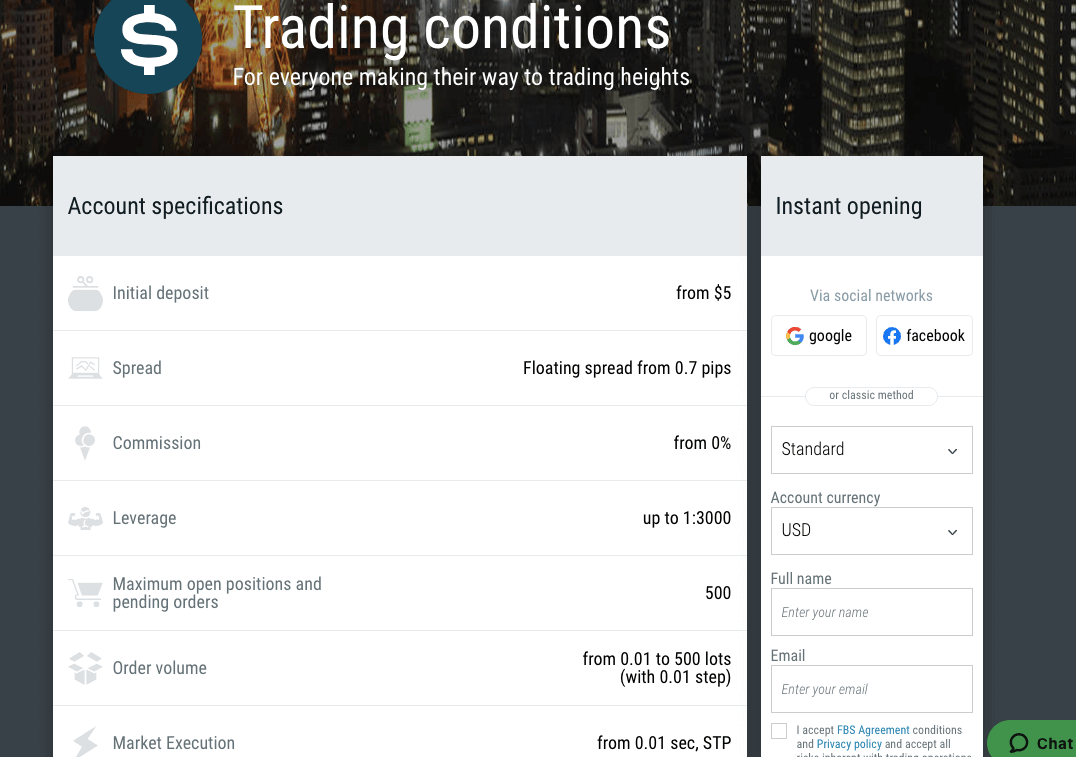
FBS offers only 1 trading account for all traders and the minimum deposit for the FBS account is $5 (TZS13,320). However, the actual minimum deposit on FBS in Tanzania depends on the payment method you are using.

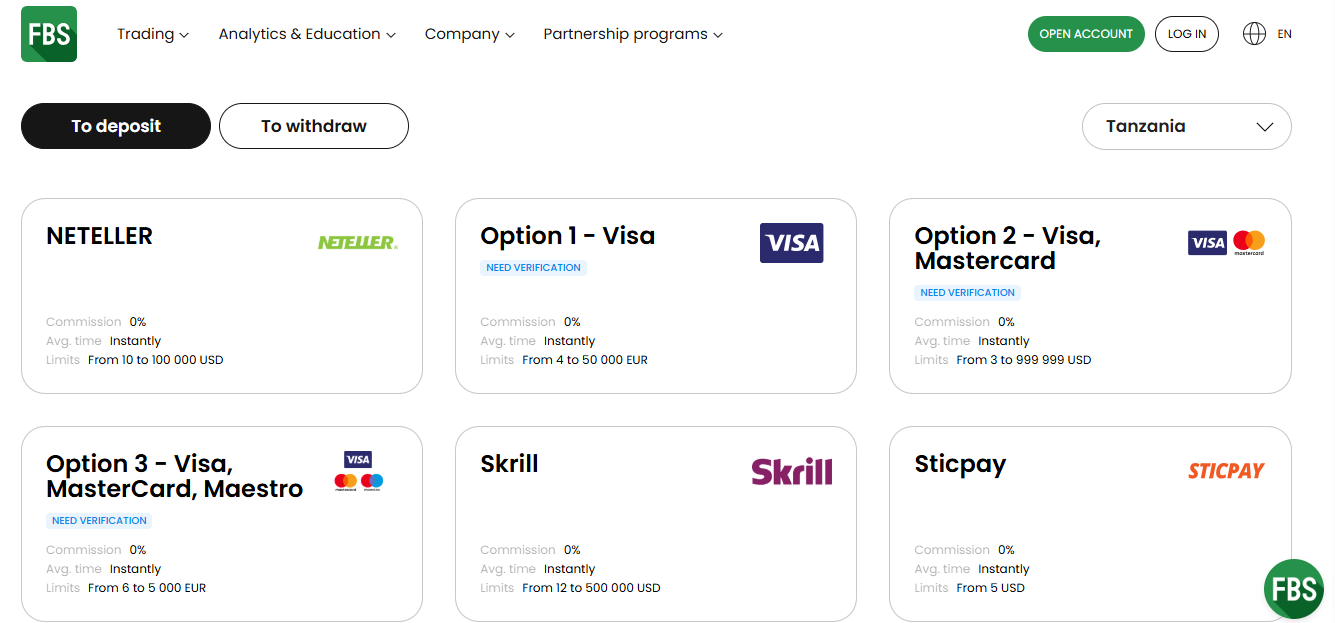
Cards (Visa and Mastercard) require a minimum deposit of TZS 7,990 ($3), e-wallets require a minimum deposit of $10 (TZS,26,640) and $12 (TZS32,000) for Neteller and Skrill respectively.

Accepted Deposit Methods on FBS Tanzania

FBS offers a range of ways to deposit into your trading account:

1)Credit/Debit Cards (Visa, Mastercard): FBS accepts deposits via cards. The minimum deposit when using cards on FBS is TZS 7,990 ($3), funds are generally credited instantly to your trading account. FBS charges zero fees for deposits via cards.

FBS also supports withdrawal to cards, the minimum withdrawal amount on FBS for card withdrawals is TZS 2,720 ($1). It takes about 15-20 minutes for the withdrawal to be processed and can take up to 7 days to receive the funds. FBS charges withdrawal fees, starting from €0.5 per transaction.

2) E-wallet (Skrill): FBS accepts deposits via Skrill. The minimum amount when depositing via Skrill is $12, it is instantly credited to your trading account. FBS charges zero deposit fees when depositing via this method.
You can also withdraw to your Skrill wallet. Minimum withdrawal amount is $10, which is processed with 15-20 minutes, for you to the receive the funds and can take up to 48 hours if there is a delay. FBS does charges a fee of 1-2% + 0.29 EUR per transaction for withdrawals to Skrill wallet.

3) E-wallet (Neteller): FBS accepts deposits via Neteller. The minimum amount when depositing via Neteller is $10, it is instantly credited to your trading account. FBS charges zero deposit fees when depositing via this method.
You can also withdraw to your Neteller wallet. Minimum withdrawal amount is $4, which is processed with 15-20 minutes, for you to the receive the funds and can take up to 48 hours if there is a delay. FBS does charges a fee of 2% per transaction for withdrawals to Neteller wallet. The minimum fee is $1 and is capped at a maximum of $30.

Visit Broker

Note: CFD trading is risky

FBS Deposit Methods Table

The table below summarizes the deposit methods accepted by FBS for deposits.

Deposit Methods Availability Minimum Deposit Fees Processing time
Cards Yes Free Instantly
E-wallets (Skrill) Yes Free Instantly
E-wallets (Neteller) Yes Free Instantly

FBS Deposit Rules

1. Deposit Fees: FBS does not charge any deposit fee when you are depositing funds using cards and e-wallets (skrill, neteller). Although FBS offers free deposits for these payment methods. Note that your bank, card issuer or payment processor may charge an independent fee.

2. Deposit Time: You can make deposits to your FBS trading account at anytime. Deposits via cards (Mastercard/Visa) and e-wallets (Skrill and Neteller) are credited instantly.

3. Payment Source: Deposits must come from accounts (e-wallets and cards) held in your own name. You will be required to verify your account before you can deposit using cards. You will need to provide your ID and proof of address to verify your account. You will also be required your phone number.

How do I deposit money into my FBS account?

Step 1: Access your FBS dashboard.

Sign in to FBS

Step 2: Navigate and click on ‘Deposit’ then select for your preferred payment method for deposit.

FBS Payment Methods Tanzania

Step 3: Input the desired amount to add to add to your trading account, then click the ‘Deposit’ button. Follow the prompts to finalize your deposit transaction.

Comparison Of FBS Minimum Deposit With Other Brokers

Here is a comparison of FBS minimum deposit with that of their competitors.

Broker Minimum Deposit
FBS TZS 8,160 ($3)
Exness TZS 27,200 ($10)
HF Markets TZS 13,600 ($5)
XM TZS 13,600 ($5)

Visit Broker

Note: CFD trading is risky

FBS Minimum Deposit Tanzania FAQs

What is the minimum amount to start trading with FBS?

TZS 8,1600 ($3) is the minimum amount you can deposit on FBS to start trading. This applies if you are depositing via cards (Mastercard and Visa) in Tanzania. The minimum amount when depositing with e-wallet is $12 for Skrill, $10 for Neteller.

What is the minimum withdrawal from FBS trader?

$1 is the minimum withdrawal amount from FBS in Tanzania. This applies if you are withdrawing funds through Visa/MasterCard (Option-2). The minimum withdrawal for e-wallets is €3.

How long do FBS withdrawal take?

Withdrawals on FBS are processed 15-20 minutes, however, it can take up to 7 days for you to receive the funds in your card. It can take up to 48 hours for e-wallets (Neteller and Skrill) to receive the funds.

How long does FBS deposit take?

Deposits are credited instantly in Tanzania for cards and e-wallets (Skrill and Neteller).

Can I deposit in FBS without verification?

You cannot deposit on FBS without verification. You must first verify your identity and address to activate your account. You will need to submit proof of address and government issued ID card as well as verify your phone via a code.

How much is the deposit fee on FBS

FBS offers free deposits when you deposit on the platform using cards (Mastercard and Visa) and e-wallets (Skrill and Neteller). However, your payment processor, bank or card may charge an independent fee.

Can I deposit $1 on FBS?

No, FBS has no funding method with $1 as minimum deposit.

Does FBS have a TZS account?

No, FBS does not offer a trading account in TZS currency. You will have to choose either USD or EUR to serve as your trading account currency which.

FBS Review 2026

FBS is an online Forex and CFDs broker offering trading services for financial markets such as foreign exchange (forex) currency pairs, indices, cryptocurrencies, metals, stocks and commodities.

FBS was founded in 2009. The broker is regulated in South Africa, Australia, Cyprus and Belize.

This review of FBS will examine the fees, trading instruments, account opening process, customer support, deposit/withdrawal options and trading platforms offered by the broker.

FBS Review Summary
🏢 Broker Name FBS Markets Inc.
📅 Establishment Date 2009
🌐 Website www.fbs.com
🏢 Address 9725, Fabers Road Extension, Unit 1, Belize City, Belize
🏦 Minimum Deposit $5
⚙️ Maximum Leverage 1:3000
📋 Regulation FSC Belize, VFSC, FSCA, ASIC, CySEC
💻 Trading Platforms MT4, MT5 and FBS Trader available on PC, Mac, Web, Android, & iOS
Visit FBS

FBS Pros

  • Regulated in multiple jurisdictions
  • Offers commission-free trading
  • Has 24/7 live chat support
  • Does not charge dormant account fees
  • Has negative balance protection for all accounts

FBS Cons

  • Few tradable instruments available
  • Has high leverage
  • Not regulated in Tanzania
  • Charges deposit/withdrawal fees on mobile money

Is FBS good broker?

FBS is the trading name of the FBS brand which is licensed in various countries by Top-Tier financial regulators under different names. The multiple regulations of FBS make them a legit broker for traders in Tanzania.

Here are the various jurisdictions in which FBS is authorised:

1) Financial Services Commission (FSC), Belize: FBS is also licensed in Belize as ‘FBS Markets Inc.’ with license number 000102/310. Traders in Tanzania are registered under this regulation.

Note that it is best to avoid forex trading as it is not regulated in Tanzania. This is because with offshore regulation, the consumer protection of the foreign countries may not cover traders from Tanzania.

FBS Tanzania License

2) Financial Sector Conduct Authority (FSCA), South Africa: FBS is regulated in South Africa by FSCA as ‘Trade Stone SA (Pty) Ltd’ and authorized to provide financial services, with FSP (Financial Services Provider) number 50885, issued in 2020.

FBS Regulation with FSCA in South Africa

3) Australian Securities & Investments Commission (ASIC): FBS is regulated in Australia by ASIC as ‘Intelligent Financial Markets Pty Ltd’, and licensed to offer financial services, with ACN (Australia Company Number) 155 185 014, issued in 2012. The broker uses ‘FBS Oceania’ as a trading name in Australia.

FBS ASIC Regulation in Australia

4) Vanuatu Financial Services Commission (VFSC): FBS is regulated in the Republic of Vanuatu by the VFSC as an international business under the name ‘Mitsui Markets Limited’, with registration number 14812, issued in 2016.

FBS Regulation in Vanuatu

5) Cyprus Securities and Exchange Commission (CySEC): FBS is regulated in Europe by CySEC and licensed to offer investment services under the name ‘Tradestone Ltd’, with license number 331/17, issued in 2017. FBS serves clients in the EU area through this license.

FBS License in Europe

FBS Investor Protection

Client Country Protection Regulator Legal name
Australia $20,000 Australian Securities & Investments Commission (ASIC) Intelligent Financial Markets Pty Ltd
Cyprus (European Union Area) €20,000 Cyprus Securities and Exchange Commission (CySEC) Tradestone Ltd
South Africa No compensation Financial Sector Conduct Authority (FSCA), South Africa Trade Stone SA (Pty) Ltd
Tanzania No protection Financial Services Commission (FSC), Belize FBS Markets Inc.

FBS Leverage

The leverage on FBS depends on the account equity balance and the instrument you are trading. The maximum leverage on FBS is 1:3000, which applies to forex pairs when your account equity is under $200.

Accounts with equity of $200-1,999 have a maximum leverage of 1:2,000, those with account equity of $2,000-4,999 have leverage of 1:1,000, if your account equity is $5,000-29,999, max leverage is 1:500. Equity of $30,000-149,999 have max leverage of 1:200. If your account equity is over $150,000 your leverage is capped at 1:100 and can be as little as 1:1. All of these apply to forex pairs.

The maximum leverage for indices and metals is 1:500, energies is 1:200, while stocks is 1:100.

With a leverage of 1:1000, you can open a trade position worth 1,000 times your deposit. For example, if you deposit $100 you can place a trade worth $100,000.

Note; do not use all the available leverage in your trade as it will increase your risk and you can lose all your money. Leveraged products trading involves risk and you should not trade them unless you understand them and have experience.

FBS Account Types

FBS offers one account type, the Standard Account, which combines the features of the previous 3 account types. You can request an Islamic Account or open a demo account on FBS to practice trading with virtual money before putting your real money.

Here is an overview of the trading account conditions on FBS.

1) Standard Account: The FBS Standard Account is designed for more experienced traders who trade large lots of instruments and is accessible on the MT4 and MT5 trading platforms.

This is the default account you get when you first sign up on FBS, it allows you to trade, forex pairs, forex exotics, indices, metals, energies and stocks. and you can also open a demo version of this account type for practice.

This account has floating spreads starting from 0.7 pips, you do not pay commission charges for opening and closing trade positions, but pay swap fees if you keep a trade position open past the market’s closing time.

This account requires a minimum deposit of $5, with a minimum trade size of 0.01 lots and maximum open positions of 500, with maximum leverage of 1:3000 for major forex. This account also has negative balance protection.

This account has negative balance protection, which means that if a trade position is unsuccessful and you make a loss, any negative balance on your account will be reset to zero and you don’t have to deposit additional funds to clear it.

Account Types on FBS

2) Islamic Account: FBS offers Swap-free Islamic Accounts to traders in Tanzania. The account is designed for Muslim traders who want to abide by the sharia law of no-riba.

You can convert your account to an Islamic status. To activate swap free for your account you should check the box upon creating your account or send a request to support with:

1) The copy of your identity document you used for verification of your account.
2) The account number you want to activate Swap Free option for.

You can send a request to [email protected] to activate the swap free status.

Be kindly informed that swap free is not applicable to Crypto trading.

The swap-free account on FBS does not charge any swap fees or interest for keeping a trade position open past the market’s closing time.

If you keep a position open for more than 2 days, the broker may charge a fixed fee for the number of days the trade position remained open.

The Swap Free option is available for all trading instruments; however, when trading Forex Exotic, you will be charged a commission once a week instead of the swap.

FBS Base Account Currency

FBS offers 2 account base currencies for you to choose from when creating an account on the platform. They are Euros – EUR and United States Dollars – USD. Although you can deposit TZS and it will be converted to the base currency of your account.

All your deposits, trades, profits, losses, and withdrawals are measured in your chosen account currency.

FBS Overall Fees

Fees on FBS Tanzania depend on the account type you have, and the instrument you are trading. Find a summary of the trading and non-trading fees on FBS below:

Trading fees

1) Spread: Whenever you trade an instrument on FBS, the broker adds a markup to the market (ask) price of the instrument. This markup is called spread, it is the difference between the ask (sell) price and bid (buy) price of financial instruments and is measured in pips.

The spreads you pay on FBS depend on your account type, the instrument you are trading, and the size of your trade. Find the typical spread you will pay for major instrument pairs on FBS Tanzania per standard lot (trade size of 100,000 units) below:

2) Commission fees: FBS does not charge commission fees on trades. FBS offers commission-free trading on all accounts.

FBS Trading fees Table

Here is a summary of the typical fees (minimum spread and commission) FBS charges on some instruments:

CFD instrument Spread Commission
EUR/USD 0.9 pips None
GBP/USD 1.0 pips None
EUR/GBP 1.6 pips None
(XAUUSD) Gold 0.23 pips None
Oil(Brent) 0.03 pips None
UK100 1.8 pips None
US30 3.0 pips None

3) Swap fees: The closing time of the market on FBS is 11:59 PM trading platform time, if you keep a trade position open past the closing time, the trade will roll over to the next day and you will incur overnight funding costs also called rollover fees or swap fees.

The swap fees will depend on the instrument you are trading, the size of the trade, the spread, leverage, and whether your trade position is a long swap (buy) or short swap (sell). Islamic Accounts do not pay swap fees, because they are swap-free.

You can use the Trader’s Calculator on the FBS website to calculate the likely swap fees you will pay on a trade.

FBS Trading Calculator

1) Deposit and Withdrawal fees: FBS charges zero deposit fees for cards (Mastercard and Visa), and e-wallets (Skrill and Neteller) in Tanzania. However, your payment processor may charge an independent fee.

Withdrawal fees of €0.5 applies to each withdrawal to cards (Mastercard and Visa). Withdrawals to e-wallets attract a fee of 1-2% + €0.29 for Skrill, 2% for Neteller per transaction.

2) Account Inactivity charges: FBS does not charge inactive account fees. If you do not log in to your account or do not perform any trade, no fees will be incurred, and any funds in your account will not be touched.

FBS Non-Trading fees Table

Fee Amount
Inactivity fee None
Deposit fee None
Withdrawal fee per transaction = €0.5 for cards, 1-2% + €0.29 for Skrill, 2% for Neteller

*Note that your payment processing company may charge some independent transaction fee.

How to Open FBS Account in Tanzania?

Follow these steps to open a trading account on FBS.

Step 1) Go to the FBS website at www.fbs.com and click on the ‘OPEN ACCOUNT’ button.

FBS Website Homepage

Step 2) Enter your full name and email on the form that appears, then click ‘Register as Trader’.

FBS Account Creation

Step 3) Create a password for your account and click ‘Change password’, then go to your email inbox and click the verification link sent.

New Account Signup on FBS

Step 4) After confirming your email, click ‘Proceed’ on the page that appears, click on ‘Try Services’ to continue registration.

Register with FBS

FBS New Account

Step 5) Enter your full name, date of birth and country of residence then click ‘Save’.

FBS New user account

Step 6) You will be redirected to your account dashboard where a standard account has been created for you.

Click on ‘Get Verified’ button to enable you access the full account features.

FBS client area

Step 7) Select your country of citizenship, whose ID card you will use to verify your account. Then upload the ID and verify your account. You will also need to verify your phone number.

activate FBS account

After verifying your account, you will be able to make deposit, place trades, and withdraw funds from your FBS account.

FBS Deposits & Withdrawals

Payment methods supported by FBS for deposits and withdrawals are cards (Mastercard and Visa) and e-wallets (Skrill, Neteller, Sticpay, PerfectMoney). The account/card used for deposit and withdrawal must have the same name as the one on your FBS trading account.

Here is the summary of the deposits and withdrawals on FBS Tanzania.

FBS Deposit Methods

Here is a summary of payment methods accepted by FBS for deposits.

Deposit Methods Availability Charges Processing time
Cards Yes Free Instantly
E-wallets (Skrill) Yes Free Instantly
E-wallets (Neteller) Yes Free Instantly

FBS Withdrawal Methods

Here is a summary of payment methods for withdrawals accepted on FBS.

Withdrawal Methods Availability Charges Processing time
Cards Yes €2 per transaction 15-20 minutes (max 7 business days)
E-wallets (Skrill) Yes 1-2% + 0.29 EUR per transaction 15-20 minutes (max 48 hours)
E-wallets (Neteller) Yes 2% (minimum of $1 and capped at $30) per transaction 5-7 minutes (max 48 hours)

What is the minimum deposit for FBS?

The minimum deposit on FBS is depends on your account type and payment method you are using. Cards (Visa and Mastercard) requires a minimum of TZS 8,160 ($7,990) while e-wallets (Skrill and Neteller).

How do I deposit money into FBS?

Follow these steps to add money to your FBS account

Step 1) Log into your FBS dashboard via www.fbs.com/cabinet/login

Sign in to FBS

Step 2) Click the ‘Deposit’ on the dashboard and choose the payment method you want to use.

FBS Payment Methods Tanzania

Step 3) Enter the amount you want to add, click the ‘Deposit’ button and follow the on-screen instructions to complete your deposit.

What is FBS Minimum withdrawal?

The minimum withdrawal amount on FBS varies depending on the payment method you are using, although it starts from $1. When withdrawing to cards (Visa and Mastercard), the minimum amount is TZS 2,720 ($1). The minimum withdrawal to e-wallets are $4 for Neteller and $10 for Skrill.

How much can I withdraw money from FBS?

To withdraw funds from Trade Nation, follow these steps.

Step 1) Log into your FBS dashboard via www.fbs.com/cabinet/login

Step 2) Click ‘Withdraw’ on the dashboard and choose the payment method you want to use.

FBS Withdrawal time

Step 3) Enter the amount you want to withdraw and follow the on-screen instructions to complete your withdrawal.

FBS Trading Instruments

You can trade over the following financial instruments on FBS:

Instrument Availability Number
Forex CFDs Yes 72 currency pairs on FBS (28 majors and 44 Forex Exotics)
Commodities CFDs Yes 3 spot Energies on FBS (Brent, Crude, NatGas)
Metals CFDs Yes 8 pairs of Metals on FBS (Gold, Palladium and Silver paired to USD and EUR)
Indices CFDs Yes 11 spot indices on FBS (AU200, UK100, US30, and others)
Stocks CFDs Yes 127 stocks on FBS (US stocks)
Cryptos CFDs Yes 5 pairs of cryptocurrencies on FBS (BTC, ETH, BCH, XRP, and LTC paired to USD)

FBS Trading Platforms

Trading platforms supported by FBS are:

1) MetaTrader 4 and MetaTrader 5: FBS supports the MT4 and MT5 trading applications as platforms for trading the financial markets. You can access the platform via the web, and download it on desktop (Windows and Mac) and on mobile devices (iOS and Android).

2) FBS Trader: The FBS Trader is a proprietary trading platform developed by FBS and is available on mobile devices only. You can download it from the Apple App Store or Google Play Store.

FBS Mobile App

FBS Trading Tools

FBS has some trading tools that you can use alongside the trading platform, they are:

1. FBS Economic Calendar: The FBS Economic Calendar Feature helps you keep tabs on important economic events. The built-in Economic Calendar is like a friendly fortune teller for the markets, highlighting key dates like interest rate changes, inflation reports, and job data.

Remember, these events can cause currencies to jump or dive, so being prepared is key! FBS’s calendar help you know what’s coming up and can potentially plan your trades accordingly.

2. FBS Trader’s Calculator: The FBS Trader’s Calculator is a built feature you can access on the FBS website in Australia. You can use it to know how much you could win or lose on a trade. You can also use the calculator to check your margin requirements or the value of each pip movement. You can also access the calculator on their website under the Tools section.

3. FBS Currency Converter: The FBS Currency Converter is your instant translator when trading different currencies. It shows you the exact exchange rate between any two currencies in a flash. Whether you’re dealing with euros, yen, or something else entirely, this tool takes the guesswork out of international trades. It helps you know exactly how much you’re getting and can make sure you are securing the best deals.

FBS Education

1) Forex guidebook: The forex guidebook is a comprehensive forex trading course. The course has 4 levels: Beginner, Elementary, Intermediate and Experienced. The materials are well structured and you can learn systematically.
It covers the definition of forex, technical analysis, fundamental analysis, terminologies, how to calculate your profit, etc.

Learn Forex with FBS

2) Trader’s blog: FBS’ trader’s blog covers various forex trading topics. The sections include forex trading basics, psychology, strategy, risk management, and stories of successful traders. Non of the content is financial advice. Just some tips you might find helpful.

3) Glossary: If you are new to forex, you will find out quickly that there are a lot of jargons associated with it. There is only so much you can learn if you don’t know the definitions of these terms. You can learn primary forex terms with FBS’ glossaries.

FBS Promotions

FBS offers a number of promotions to traders in Tanzania registered under FBS Markets Inc, regulated in Belize. Find a summary of various FBS bonuses below:

  1. 100% Deposit Bonus: This bonus is offered to new traders on their first deposits. You get double the amount you deposit, you can use it to trade and withdraw the profits.
  2. Cashback: FBS rewards traders with cash rebates on trades of up to $15 per lot traded. You can withdraw this cashback or use it to trade and then withdraw the profits.

Note that you will have to activate these bonuses in your Personal Area to enjoy them. Also, check the Terms and Conditions to be sure you want to activate the bonus on FBS. You can also check out the broker’s website for other bonuses.

At the time of this update, FBS has discontinued all bonuses.

FBS Tanzania Customer Service

FBS offers 24/7 customer support to traders via the following channels:

1) Live chat support: The FBS live chat is available 24 hours every day and can be accessed on the broker’s website.

When you first initiate the chat, a chatbot will suggest likely answers in articles to you. Click on ‘Get in touch’ to transfer to a live agent. You will be required to submit your email and name to start the chat.

When our team tested the live chat on the FBS website, the wait time was under 2 minutes before a live agent responded to our chat and the answers to our questions were relevant and prompt.

FBS Live Chat

2) Email support: FBS also offers email support to clients in Tanzania. The email is available 24/7 as well. We sent an enquiry to the FBS email support and got an auto-response acknowledging receipt of our enquiry but no live agent replied after several hours. The FBS email address for enquiries in Tanzania is [email protected].

3) Phone support: FBS does not offer phone line supports to clients in Tanzania, although you can request a call back from the support team via live chat by providing your phone number and the customer support representative will call you within 7 days.

Does FBS Allow Scalping?

Yes, FBS permits Scalping. FBS is an Electronic Communication Network (ECN) broker, which implies that they connect buyers and sellers using electronic communication networks. This feature enables them to offer a tight spread and fast execution speed.

To commence scalping on FBS, they suggest using the ECN account available on MT4. However, it’s essential to remember that scalping is risky, and you must have robust risk management strategies to avoid or mitigate losses.

Do we Recommend FBS Tanzania?

FBS is regulated by Tier-1 and Tier-2 financial regulators. This means the broker is obliged to protect clients’ funds. FBS also offers negative balance protection for all clients.

The fees on the platform are moderate as they offer commission-free trading and competitive spreads, and zero inactive account fees, although the broker charges withdrawal fees on all payment methods.

FBS offers a variety of account types to choose from, including demo and Islamic Accounts. This means both beginners and expert traders can sign up on the platform and find an account that is right for them. Although they offer few tradable instruments.

FBS customer support is fair, as they respond fast to enquiries via live chat alone and it is available 24/7.

We recommend that you try FBS after reviewing the instruments available on the platform to be sure they have the assets you want to trade.

FBS Tanzania FAQs

What is the minimum deposit for FBS?

TZS 7,990 ($3) is the minimum deposit on FBS via bank cards (Visa and Mastercard) in Tanzania. Deposits via e-wallets require a minimum deposit of $10 for Neteller and $12 for Skrill.

Is FBS available in Tanzania?

FBS is available in Tanzania, and Tanzanian traders are registered under the broker’s regulation in Belize by the Financial Services Commission, Belize as FBS Markets Inc.

How many days does FBS withdrawal take?

15-20 minutes is the processing time if you are withdrawing to cards and e-wallets in Tanzania. It can take up to 7 days for you to receive funds to cards and 48 hours for e-wallets.

Does FBS charge inactivity fee?

FBS does not charge account inactivity fee. If you do not log into your account or perform any trade for any amount of time, no fees will be charged on the funds in your account.

XM Minimum Deposit

XM minimum deposit in Tanzania is $5 (13,420TZS). That is all you need to open an account with XM Trading.

This article is a breakdown of XM minimum deposit requirements, payment methods, processing time for deposits and other important info you should know about funding your trading account with XM in Tanzania.

XM Intro Page

What is the minimum deposit for XM?

XM offers three trading accounts. Standard Account, Ultra Low Standard Account, and Shares Account.

You need $5 (13,420TZS) to open any of the accounts except for the Shares Account.

Though this is the the minimum deposit required, it is recommended that you fund your account with more money. This will help you cover the margin costs of your trades.

Let us look into XM’s trading accounts briefly.

1) Standard Account

Minimum deposit is also $5 (13,420TZS) but 1 lot size here is the standard 100,000 units in terms of contract size. The minimum spread is 1 pip.

XM charge no extra commission per standard lot on this account as well and the minimum trade volume is 0.01. Per ticket, you will be restricted to 50 lots. You cannot exceed this figure.

The Standard Account has the same base currencies as the Micro Account.

2) Ultra Low Standard Account

This account is divided into Ultra Low Standard Account and Ultra Low Micro Account. The minimum deposit is $5 (13,420TZS) but for both sub-divisions.

However, they vary in contract size. 1 lot size is 1000 units of currency for Ultra Low Micro Account. while the same lot size is 100,000 units for Ultra Low Standard Account.

They also vary for minimum trade volumes. For Ultra Low Micro Account, it is 0.1 lots. For Ultra Low Standard Account, the minimum volume is 0.01 lots

The account has the lowest spread beginning from 0.6 pips. All base currencies for the account are EUR, USD, GBP, AUD, ZAR, SGD.

3) Shares Account

This account is specifically for trading shares CFDs. The only base currency for this account is USD and the minimum deposit is $10,000 (26,850,000TZS). You will pay a commission per standard lot traded.

Minimum trading volume is 1 lot so this account is for high volume traders.

4) Islamic Account

XM’s Islamic Account is swap free to accommodate traders that do not want to pay or receive interest. The Micro, Standard, Ultra Low Standard Account, and Shares Account all have an Islamic Account option.

The minimum deposit and all trading conditions are the same except for payments of swap.

Accepted Deposit Methods on XM Trading

XM offers different funding methods for forex traders in Tanzania:

Cards: XM accepts cards from Visa and MasterCard. Processing time is instant without any extra charges

Bank Transfer: You can fund your account via bank transfer. Transaction processing can take 2-5 business days. Bank transfer deposits is free. If your deposit is below $200 (537,000TZS), you will be charged $15 (40,275TZS)

E-wallets: XM accepts webmoney, Neteller, and Skrill for traders in Tanzania. XM does not charge extra fees for e-wallets. Processing time is instant.

Note: Though XM might not charge any fees for some deposit methods, your card/e-wallet providers or bank might charge you a fee when you fund your account.

Visit Broker

Note: CFD trading is risky

XM Trading Deposit Rules

1) XM does not accept third-party payments. All payments made must come from accounts, cards, or e-wallets that bear your name.

2) XM does not charge fees for deposits but your payment providers might charge.

3) All withdrawals must be made to the original source before you can change your deposit methods. This means if you fund your account with an e-wallet, you have to withdraw via the same method.
4) You can transfer funds between trading accounts that belong to you. You cannot transfer funds to another client’s trading account.

5) If you’ve fund your account using a debit or credit card, you can only withdraw an amount equal the amount you deposited back to the same card.

How Do I Deposit Money into my XM Account?

1) Log in to your XM Member Area through the XM website.

XM Client Page

2) Click on ‘DEPOSIT FUNDS’ and choose the funding method you prefer.

Fund XM Account

3) Enter the amount you want to pay and click deposit.

Comparison Of XM Minimum Deposit With Other Brokers

Here is how XM’s minimum deposit compares with select brokers in Tanzania.

Broker Minimum Deposit
XM $5 (13,420TZS)
FBS $5 (13,420TZS)
FP Markets $100 (268,500TZS)
HF Markets $0 (0TZS)
AvaTrade $100 (268,500TZS)

Visit Broker

Note: CFD trading is risky

What base currencies are accepted by XM?

XM accounts are denominated in USD. Any currency you deposit in will be converted to USD. It will be the equivalent of the currency you deposit with.

XM Minimum Deposit FAQs

How much is an XM minimum deposit?

XM Minimum deposit is $5. In Tanzania, that will be 13,420TZS.

Is XM regulated in Tanzania?

XM is not locally regulated in Tanzania.

Is XM good for beginners?

Yes, XM has a good research and learning center that beginners can maximize. They have webinars, tutorials, and educational videos.

Does XM charge inactivity fee?

XM charges dormancy fee when there is no trading activity, deposits, or withdrawals on your account in a 90-day period.
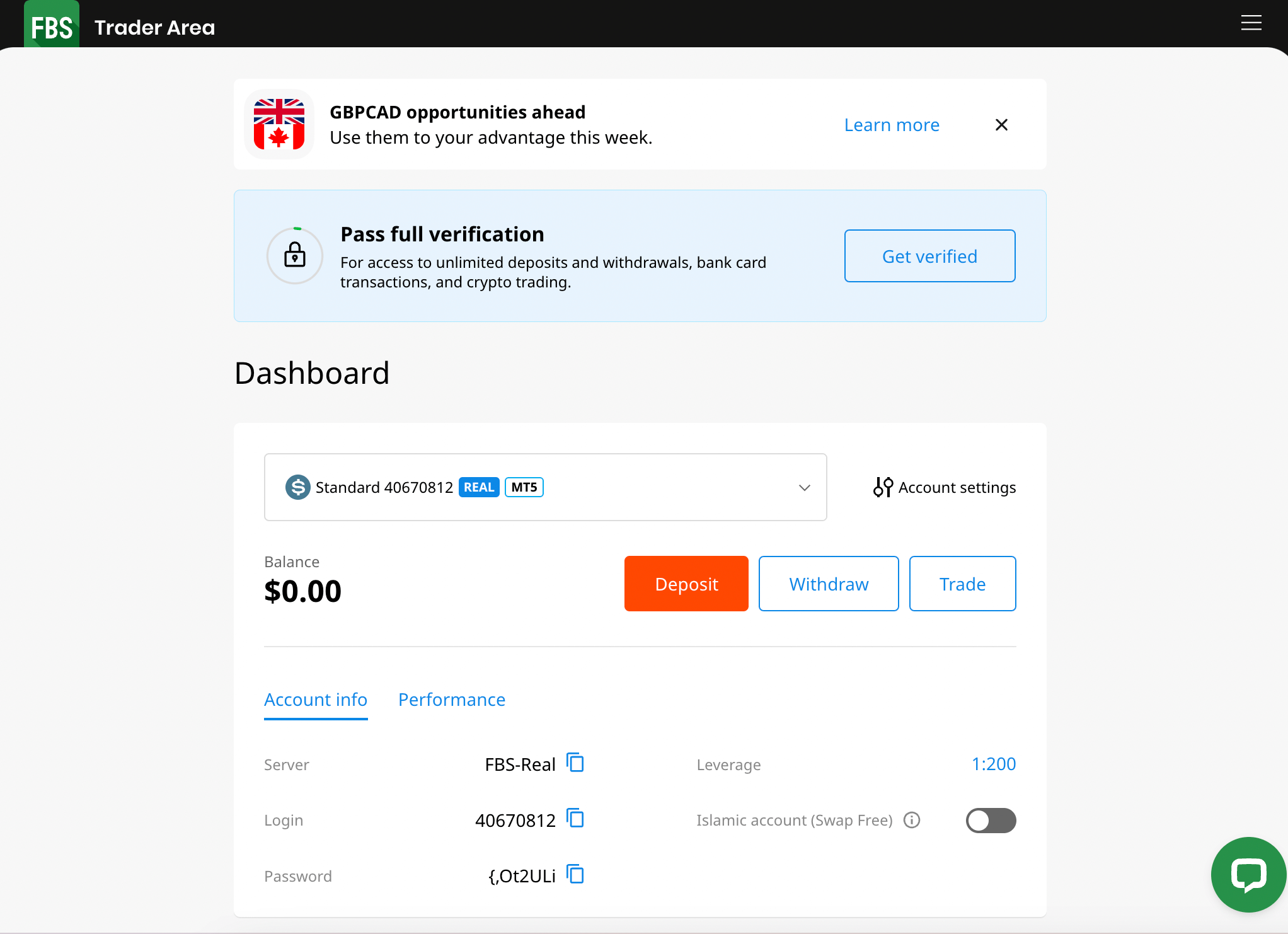
Which country own XM?

XM is the trading name of Trading Points Holdings Limited. The company is incorporated in Cyprus.
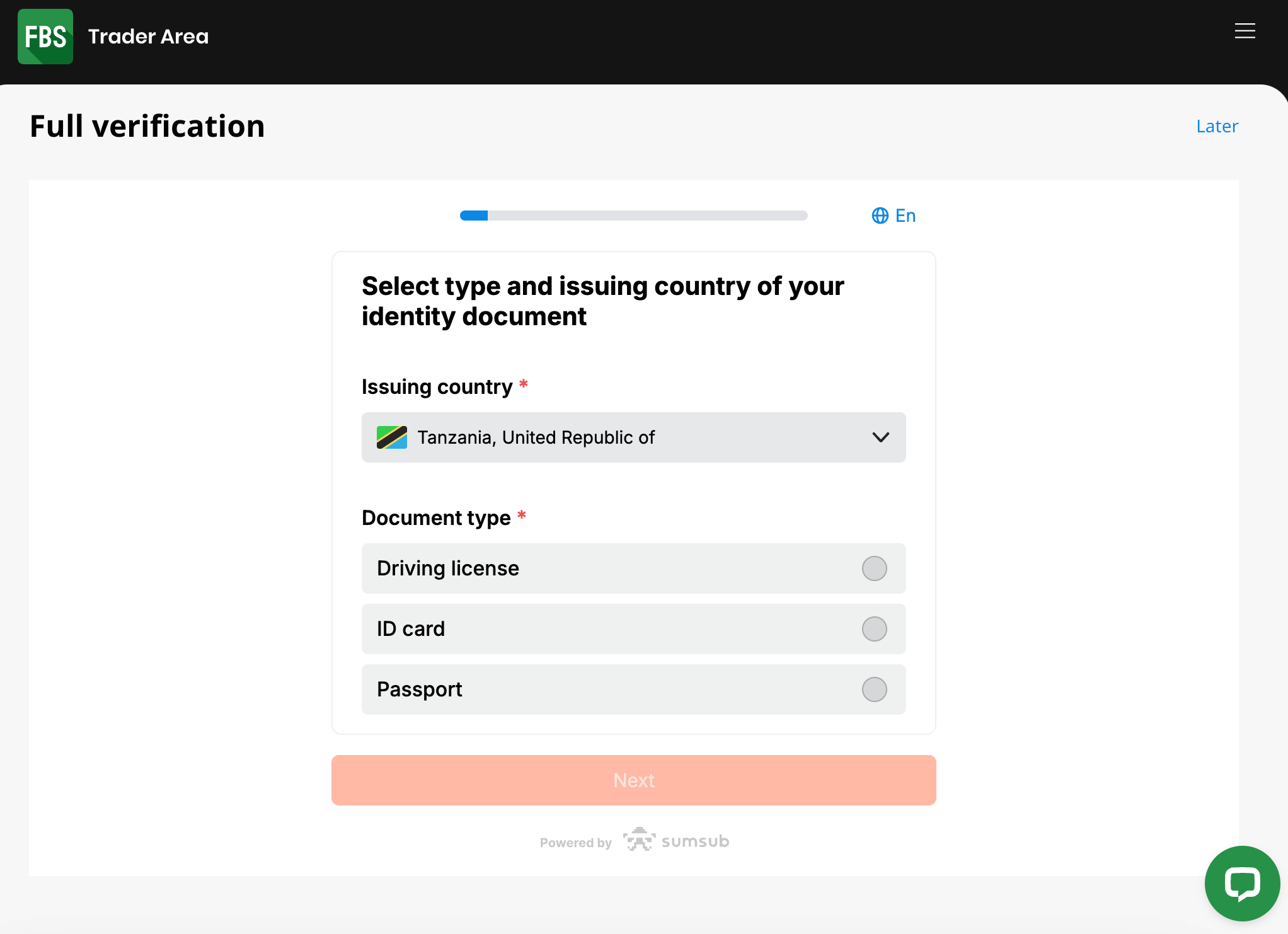
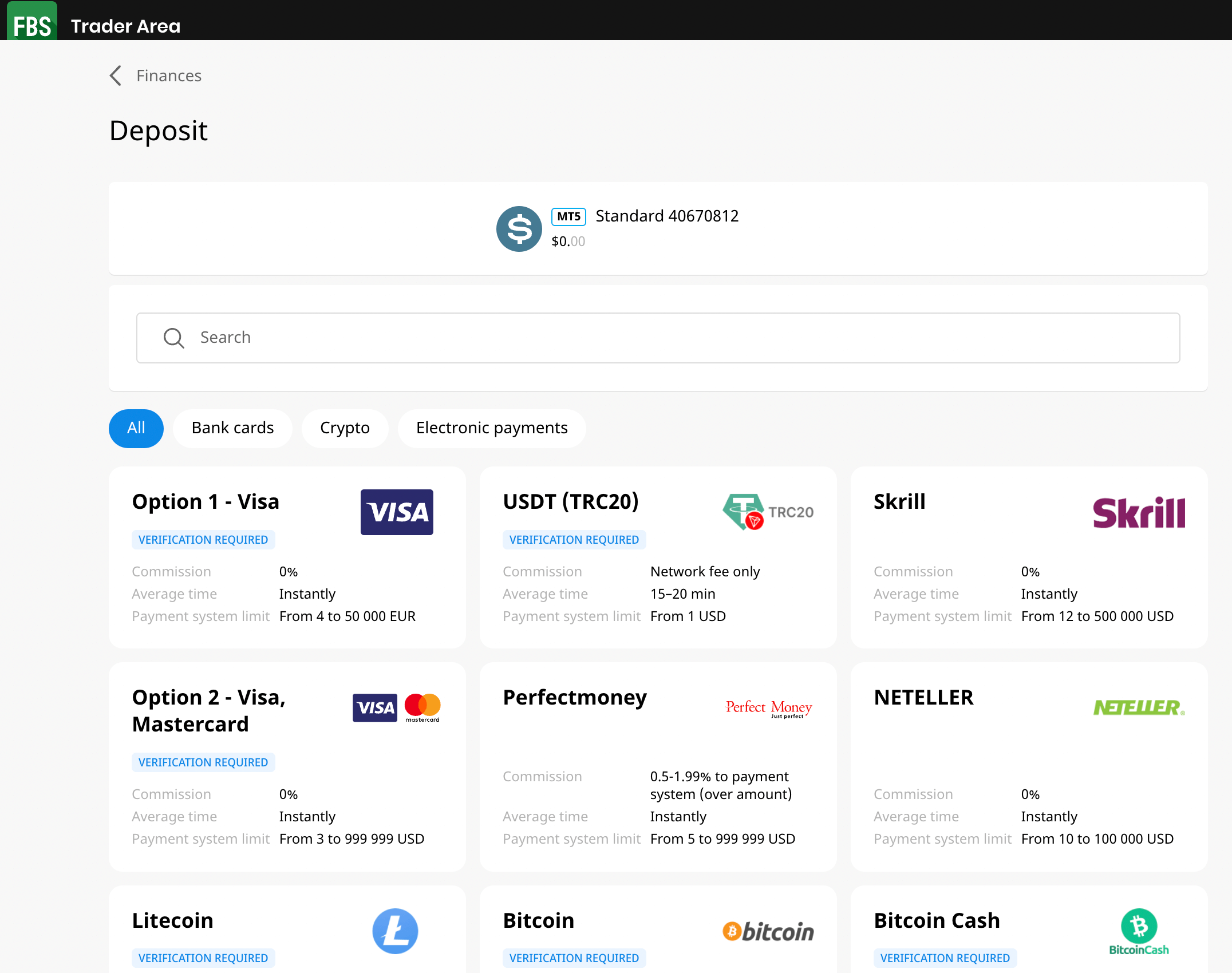
XM Review 2025

XM is a forex and CFDs broker with a platform for trading foreign exchange currency pairs, metals CFDs, energies CFDs, indices CFDs, crypto CFDs, stocks CFDs, commodities CFDs, and shares.

XM was founded in 2009 and launched the website trading-point.com. In 2013, after acquiring XEMarkets.com, it changed its trading name to XM.com. The broker is licensed by top-tier financial regulators in Belize, Australia, Cyprus, South Africa and Dubai.

This review of XM gives you an overview of the account types, trading fees, tradable instruments, trading platforms, customer support and deposits/withdrawal options available on the platform.

XM Review Summary
Broker Name XM Global Limited
Establishment Date 2009
Website www.xm.com
Address XM Global Limited, Suite 404, The Matalon, Coney Drive, Belize City, Belize
Minimum Deposit $5 (13,420TZS)
Maximum Leverage 1:1,000
Regulation FSC Belize, ASIC, CySEC, DFSA, FSCA
Trading Platforms MT4, MT5, XM App
Visit XM

XM Pros

  • Has 24/7 customer support
  • Offers free deposits and withdrawals
  • Offers commission-free trading
  • Supports MT4 and MT5 trading platforms
  • Fast account opening process
  • User friendly website
  • Relatively fast processing of deposits/withdrawals

XM Cons

  • Charges dormant account fees
  • Few tradable instruments available
  • No TZS-based account

Can I trust XM?

XM is the trading name of Trading Point Holdings Ltd, which is regulated under different names by various Tier-1 and Tier-2 financial regulators. XM is also regulated with the FSCA in South Africa.

Here are some of the jurisdictions in which XM is regulated.

1) Financial Services Commission (FSC), Belize: XM is licensed in Belize as ‘XM Global Limited’ with license number 000261/309. Traders in Tanzania are registered under this regulation.

XM License in Belize

2) Australian Securities & Investments Commission (ASIC): XM is regulated in Australia as Trading Point of Financial Instruments Pty Limited with ACN (Australian Company Number) 164-367-113 since 2013 and is licensed to provide financial services in Australia.

XM License in Australia

Note: XM has changed their name under ASIC regulation. Their new registered name is Trading.com Markets Pty Ltd. The AFSL number remains unchanged.

3) Cyprus Securities and Exchange Commission (CySEC): XM is regulated in Europe by CySEC as Trading.com Markets EU Ltd and authorized to offer investment service, with license number 256/14 issued in 2014.

XM Regulation in Europe

4) Dubai Financial Services Authority (DFSA): XM is regulated in Dubai, UAE as Trading Point MENA Limited, DFSA Reference Number: F003484, authorized to carry on financial services in 2019.

XM Regulation in Dubai

5) Financial Conduct Authority: XM holds a UK license as well. They used to hold a temporary license. Now they are permanently regulated under the name TRADING.COM MARKETS UK LIMITED. Their FCA number is 705428 with an office in London.

6) Financial Sector Conduct Authority: XM is regulated as a financial service provider in South Africa under the name. XM (ZA) Pty Ltd. Their authorisation number is 49976. However, XM (ZA) Pty Ltd only acts solely as an intermediary between the client and XM Global Limited. XM (ZA) Pty Ltd is not an issuer of CFD products.

XM Leverage

The leverage on XM varies, depending on the instrument you are trading. The maximum leverage on XM is 1:1,000, which applies to major forex pairs, other instruments have lower leverage limits.

With leverage of 1:1,000, you can open a trade position worth 1,000 times your deposit. For example, if you deposit $100 you can place a trade worth $100,000.

XM leverage also has limits based on your total equity. Total equity of US$5 to US$20,000 can access a maximum leverage of 1:1,000, total equity of US$20,001 to US$100,000 has a maximum leverage of 1:200, and total equity of more than US$100,00 have a maximum leverage limit of 1:100.

XM Account Types

XM offers 3 types of trading accounts for retail clients: Standard, XM Ultra Low and Shares Accounts. You can request Islamic Accounts on XM or open demo accounts to practice trading on the platform.

Below are details of the various account types currently available on XM and their features:

Account Types on XM Tanzania

1) Standard Account: The XM Standard Account is available on MT4 and MT5 platforms and lets you trade Forex and CFDs on indices, energies, metals, cryptocurrencies, stocks and agriculture commodities.

This account does not charge commission fees for opening or closing trade positions. Spreads start from 1 pip for major pairs and you pay swap fees for keeping a position open overnight on the Standard Account.

The contract size for this account is 100,000 for 1 lot, with a required minimum deposit of $5 (13,420TZS), and a minimum trade lot size of 0.01. The maximum number of open positions on the Standard Account is 300 with a leverage limit is 1:1,000.

You have negative balance protection with this account, which means that you cannot lose more than the money you deposit. If you make a loss on a trade position, your account cannot run into a negative balance.

2) XM Ultra Low Account: The XM Ultra Low Account is available on MT4 and MT5 platforms and offers lower spreads. You can open a Micro Ultra Low or Standard Ultra Account.

Spreads on this account start from 0.6 pips for major pairs, no commission fees are charged for opening or closing trade positions, and you do not pay swap fees on some selected instruments if you keep a trade position open overnight.

The contract size for this account is 100,000 per 1 lot for Standard Ultra and 1,000 per 1 lot for Micro Ultra. The minimum trade lot size is 0.01, and the maximum number of open positions is 300 with a leverage limit is 1:1,000. The Ultra Low Account does not qualify to receive bonuses.

This account also requires a minimum deposit of $5 (13,420TZS) and you have negative balance protection.

3) Shares Account: The XM Shares Account is designed for experienced traders, available on MT4 and MT5 platforms and supports only USD as account currency. You can only trade shares with this account.

Spreads on this account depend on the underlying exchange and commissions start from US$5 per trade. This account is swap-free by default, so you do not pay swap fees for keeping a trade position open past the market’s closing time.

The contract size for this account is 1 share per 1 lot, with a minimum trade size of 1 lot, and a maximum number of open positions is 50. This account does not use leverage.

This account requires a minimum balance of US$10,000 and you have negative balance protection.

4) Islamic Account: XM offers an Islamic Account that is swap-free for Muslim traders who want to adhere to the sharia law of no-riba.

To avoid paying swap fees, Islamic Accounts on XM pay commissions for every trade.

You can convert a Standard, Ultra Low Account or Shares Account to Islamic status, and the same features will apply, except that the Islamic Account does not pay any swap fees.

If you want an Islamic account, first open a Standard, Ultra Low Account or Shares Account, then contact customer support to convert your account to the swap-free status. Note that you will have to agree to the terms of conditions of the Islamic Account.

XM Base Account Currency

Base account currencies supported on XM are AUD – Australian Dollar, USD – United States Dollar, EUR – Euro, GBP – British Pound (Sterling), SGD – Singapore Dollar, and ZAR – South African Rand. You can choose one when creating an account.

Your trades, deposits, withdrawals, profits and losses are measured in your account base currency. Note that some account types cannot have some currencies.

Trading fees

Spreads: XM charges spreads whenever you trade instruments, which is the difference between the bid and ask prices. The lowest spreads start at 0.6 pips for Ultra Low Account and 1 pip for the Micro and Standard Account. Here are the average spreads on XM:

Instrument/Pair Micro/Standard Account Ultra Low
EUR/USD 1.7 pips 0.7 pips
GBP/USD 2.1 pips 0.7 pips
EUR/GBP 2 pips 0.9 pip
Gold/USD 35 pips 15 pips

Commission fees: XM offers commission-free trading for all account types except Shares and Islamic Accounts. This means that you will not pay any commission when you open or close trade positions on the platform.

The Shares Account charges a minimum commission of USD 5 per trade while commissions on Islamic Account depend on the instrument being traded.

Swap fees: If you keep a trade position open past the closing time of the market which is 22:00 GMT, the trade rolls over to the next day and you incur a rollover fee also called overnight funding cost or swap fee, this is applicable to all account types on XM except Islamic and Shares Accounts.

The swap fees depend on the instrument you are trading, the leverage used, the spread, and whether your position was long (buy) or short (sell).

Islamic and Shares Accounts are swap-free and do not pay any swap fees for holding a position overnight.

Non-trading fees

Deposit and Withdrawal fees: XM does not charge any fees for deposits and withdrawals on all payment methods which applies to all account types. Although, all deposits and withdrawals below 200 USD processed via international bank wire transfer incur a fee of $15 (40,270TZS) per transaction.

Some international banking institutions may charge independent fees.

Account Inactivity charges: If you do not perform any trade on your account or log in for 90 days, your account is considered inactive, and will be charged $5 (13,420TZS) every month as inactive account fees on any funds in the account. If you have no funds in it, no fees will be charged.

How to Open XM Account in Tanzania?

To start trading on XM, follow these steps to open an account.

Step 1) Visit the XM website homepage at www.xm.com and click on ‘OPEN AN ACCOUNT’

XM Website Tanzania

Step 2) Fill out your name, email, and phone number on the form that appears. Select your country of residence, preferred trading platform and account type, check the box below ‘Confirmation’ to receive newsletters then click the ‘PROCEED TO STEP 2’ button.

Open Account with XM Tanzania

Signup with XM

Step 3) Provide your date of birth and address, and choose whether you are a US citizen or not.

Create Account on XM South  Africa

Step 4) Select your preferred base account currency, set maximum leverage and choose if you want to receive bonus then answer questions about your financial, employment, and education background and knowledge/experience as an investor.

XM Leverage

XM New Account Requirement

Step 5) Create a password, check the confirmation box to agree to the terms and conditions, then click ‘OPEN A REAL ACCOUNT’.

XM Account Opening

Step 6) Got to your email inbox and click the verification link sent, then log into the XM dashboard (Member Area)

XM Account Creation

XM Member Area

Step 7) On the dashboard, click on VALIDATE YOUR ACCOUNT HERE, then provide your Tax Identification Number (TIN) and click Submit.

Click on START VERIFICATION to upload a government-issued ID card or utility bill to verify your identity and address.

Validate Account on XM Tanzania

XM Account Activation

Note that until your account is verified, you cannot place trades or initiate withdrawals.

XM Deposits & Withdrawals

Payment methods accepted for deposits and withdrawals on XM include cards, e-wallets (Skrill, Neteller), and online bank transfers.

Learn about the minimum amount and the time it takes to process deposits and withdrawals from XM below:

XM Deposit Methods

Here is a summary of payment methods accepted by XM for deposits.

Deposit Methods Availability Charges Processing time
Local Bank Transfer Yes Free ($15 (40,270TZS) for transactions below 200 USD) 3 hours
Cards Yes Free Instant
E-wallet Yes Free Instant

XM Withdrawal Methods

Here is a summary of payment methods for withdrawals accepted on XM Trading.

Withdrawal Methods Availability Charges Processing time
Local Bank Wire Transfer Yes Free ($15 (40,270TZS) for transactions below 200 USD) 2-5 business days
Cards Yes Free 2-5 business days
E-wallets Yes Free 24 hours

What is the minimum deposit for XM?

The minimum deposit on XM is $5 (13,420TZS) for all payment methods which applies to all account types.

How do I put money in my XM account?

Step 1) Log in to your XM Member Area through the XM website or by visiting my.xm.com/member/.

Login to XM Tanzania

Step 2) Click on the DEPOSIT FUNDS tab on the dashboard and select the payment method you would like to use.

XM Deposit Methods

Step 3) Enter the amount you want to deposit, click DEPOSIT, and follow the on-screen instructions to complete the deposit.

Deposit funds to XM Tanzania

What is the XM minimum withdrawal?

The minimum withdrawal on XM Tanzania is $5 (13,420TZS) and withdrawals are processed within 24 hours.

How can I withdraw from XM?

You can follow these steps to withdraw your money from XM.

Step 1) Log in to your XM Member Area (dashboard).

Step 2) Click on the WITHDRAW FUNDS tab.

Step 3) Select a withdrawal method and the trading account you wish to withdraw from, enter the amount you want to withdraw and follow the on-screen instructions to complete your funds’ withdrawal on XM.

XM Trading Instruments

Below are financial instruments that can be traded on XM

Instrument Availability Number
Forex Yes 55 currency pairs on XM
Commodities Yes 8 Agriculture commodities on XM (Cottons, Coffee, and others)
Indices Yes 14 Equity indices on XM (AUS200, UK100, EU50, and others
Metals Yes 4 Precious Metals on XM (Spot and futures Gold and Silver)
Energies Yes 5 Energies on XM (Oil, NatGas and others)
Stocks Yes 1,261 Stocks on XM (UK, US, France stocks and others)
Shares Yes 100 Shares on XM (USA, UK and Germany Shares)
Crypto assets Yes 31 Cryptocurrencies on XM (BTC, BCH, ETH and others paired with USD, EUR and GBP)

XM Trading Platforms

Trading platforms supported by XM are:

1) XM WebTrader: XM offers a web trader that can be accessed online on any device. The web trader is owned by the XM Group.

2) XM App: The proprietary XM Trading mobile app (XM App) is also available for traders on Google Play Store and Apple App Store for mobile devices.

3) MetaTrader 4 and MetaTrader 5: The MT4 & MT5 trading applications are supported by XM and integrated for trading financial markets offered by XM. You can access the platforms via the web, desktop, and mobile devices (Android & iOS).

XM Trading Tools

Economic Calendar: The economic calendar is one of XM’s trading tools. It has a smart filter that allows you to zero in on the specific news you want. From the filter, you can select date, currency, and the impact level of news. The filter is a time saver that helps you remove the noise and focus on important news only.

XM economic calendar covers news on different countries including but not limited to the US, India, Belgium, Korea, New Zealand, etc.

Forex Calculators: Input your trading parameters like account types, currency, lot size, bid/ask price, and leverage to see your trading fees. Costs like spread and swaps are displayed in the result of your calculation.

There is also a currency converter. This tool works out basic currency conversions for you. You can convert one currency to another. Over 20 currencies are available on the converter. You can choose any of the currencies and convert, as you want.

Analytical Tools: XM in partnership with Trading Central provides tools for fundamental and technical analysis. There also tools for tracking market sentiment. There are 9 tools in total including technical insight (for identifying market opportunities) and technical views for actionable trading plans.

XM Promotions

XM offers a number of promotions to traders in Tanzania registered under XM Global Limited, regulated in Belize. Find a summary of various XM bonuses below:

  1. Trading Bonus: This bonus is offered to new clients when you first create your live trading account. The bonus amount is $50 (134,500TZS)and is credited once your live trading account is validated.

    You do not need to deposit any funds to receive this bonus, you cannot withdraw it, but can withdraw any profits realised from using it to trade.

  2. Deposit Bonus: This bonus is given to new clients on their first deposit of at least $5 (13,420TZS). The broker credits 50% of your deposit amount as a bonus to your account, capped at $500 (1,345,000TZS). This is a non-withdrawable bonus on XM.
  3. Refer Your Friend Bonus: The XM referral bonus is a $35 (94,150TZS) bonus given to existing clients for referring a new client to the platform. The new client also gets a $35 (94,150TZS) bonus. You can withdraw this bonus without having to trade. Although there are other Terms and Conditions for you to fully access the bonus.

Bonus on XM Trading

Note that you will have to select the option to receive bonuses when creating your account, to qualify for the bonuses.

XM Tanzania Customer Service

XM offers online customer support to clients via the following channels.

1) Live chat support: The XM live chat is available 24/7 for client enquiries and can be accessed on their website. The live chat is available in different languages, although sometimes, some language supports can be offline.

When our team tested, there was no wait time before an agent joined the chat and the answers provided were relevant. You will need to provide your email and name to start the chat.

XM Online Customer Support

2) Email support: XM offers email support for clients, you can find the email on the contact page of their website. The XM email address for enquiries is [email protected].

When our team tested their email support, we got no response after several hours. Email support is supposed to be available 24/7.

3) Phone support: XM offers phone support for clients in Tanzania that is also available 24/7. The XM phone number is +501 223-6696.

XM Live Chat KE

Do we Recommend XM Tanzania?

We recommend that you try out XM because they accept traders based in Tanzania. Tanzanian traders are registered under their Belize entity. This is an offshore regulation so you need to be aware of the risks.

XM Markets have moderate fees, as they offer commission-free trading with competitive spreads, and offer free deposits/withdrawals. They also process deposits and withdrawals relatively faster than some brokers. Note that they charge dormant account fees of $5 (13,420TZS) after only 90 days of inactivity.

The customer support of XM is fair, as their live chat is responsive during working hours and the email and phone are also active, although the email support is slow.

The website of XM is easy to navigate and has details about the account types, fees, trading conditions, and other information that clients might need. The broker also offers a variety of account types for you to choose from.

XM Tanzania FAQs

How many accounts can I open in XM?

You can open 4 types of trading accounts on XM, they are Micro, Standard, XM Ultra Low and Shares Accounts. You can request Islamic Accounts on XM or open demo accounts to practice trading on the platform.

Is XM regulated?

XM is regulated under different names by various Tier-1 and Tier-2 financial regulators including Australian Securities & Investments Commission (ASIC), Cyprus Securities and Exchange Commission (CySEC), Dubai Financial Services Authority (DFSA), and Financial Services Commission (FSC), Belize.

How many days does XM withdrawals take?

All withdrawals are processed within 24 hours and it takes about 2-5 days to receive funds for card and local bank withdrawals, while e-wallets withdrawals can receive funds the same day.

Is XM good for beginners?

XM is considered good for beginners because they have a demo account option that beginners can use to get familiar with the platform trading with virtual money before putting their real money. They also have educational materials for beginners.

XM does not charge commission fees, has negative balance protection, offers Ultra Low accounts with lower spreads, and the maximum leverage is 1:1,000, with a minimum deposit of 5 USD. These features are simple for beginners and do not expose them to very high risks.